Building an online course should be about sharing knowledge, not fighting with technology. Yet, many educators feel stuck between expensive platforms and complex software. Enter LearnPress: a free, popular LMS plugin that promises simplicity. But is it truly user-friendly for someone with zero technical skills? In this review, we answer the critical question: Is LearnPress good for beginners?
We will explore the LearnPress ease of use, provide a comprehensive LearnPress tutorial for beginners, and weigh the LearnPress pros and cons to help you decide if this is the right tool for your educational journey.
Eduma – Education WordPress Theme
We provide an amazing WordPress theme with fast and responsive designs. Let’s find out!
What is LearnPress?
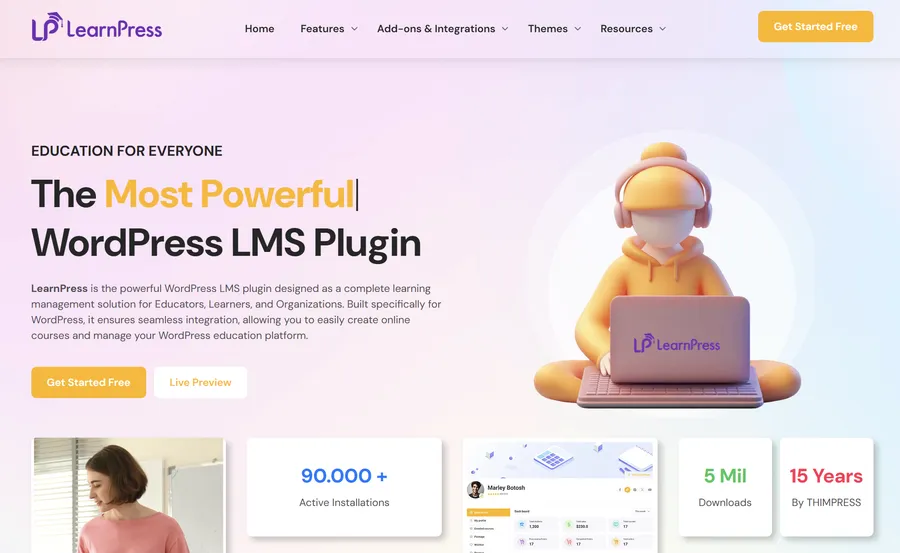
LearnPress is a comprehensive Learning Management System (LMS) plugin designed specifically for WordPress. Unlike hosted platforms, which act as middlemen and often charge high monthly fees or take a percentage of your revenue, LearnPress operates directly on your own website. This gives you full control over your data, your design, and your income.
Developed by ThimPress, LearnPress operates on a “freemium” model. The core plugin is completely free to download and install, providing all the essential tools required to build a curriculum, manage students, and accept payments. If you need advanced functionality later—such as issuing certificates or creating gradebooks—you can expand the system with add-ons. This modular approach makes it an incredibly attractive option for individuals, startups, and small educational institutions that want to launch without financial risk.
Is LearnPress Good for Beginners? (Ease of Use Analysis)
For most new course creators, the primary concern is technical complexity. When we evaluate LearnPress ease of use, the verdict is overwhelmingly positive. The developers have designed the interface to integrate seamlessly with the WordPress environment, making it feel familiar rather than foreign.
If you are comfortable creating a standard blog post in WordPress, you will feel at home with LearnPress. There is no need to learn complex coding. The plugin features a setup wizard that launches immediately after installation, guiding you through currency settings, static page creation, and payment configuration.
Furthermore, the course builder utilizes a visual drag-and-drop system. This allows you to organize your curriculum, create sections, and add lessons or quizzes from a single screen. This logical workflow eliminates the need to constantly switch between different tabs, ensuring you never feel lost in a maze of settings. For a non-tech-savvy user, this streamlined experience is essential.
LearnPress Tutorial for Beginners: Getting Started
To truly answer the question “is LearnPress good for beginners?”, we need to look at the setup process. Here is a detailed LearnPress tutorial for beginners to get your educational platform running in six easy steps.
1. Installation and Activation
Navigate to your WordPress Dashboard, click on Plugins > Add New, and search for “LearnPress.” Click “Install Now” and then “Activate.” A setup wizard will appear; follow the prompts to configure your currency and basic static pages (such as Checkout and Profile pages).
2. Configuring General Settings
Go to LearnPress > Settings. Here, you can finalize your payment gateways. The free version supports PayPal Standard by default, which is sufficient for most beginners. You can also configure email notifications to ensure students receive automatic welcomes upon enrollment.
3. Creating Your First Course
Head to LearnPress > Courses > Add New. Enter your course title and a compelling description in the main editor. This interface mirrors the classic WordPress editor, making it very intuitive.
4. Building the Curriculum
This is the core of the LearnPress ease of use. Scroll down to the “Curriculum” section. You can type in section headers (e.g., “Module 1: Introduction”) and create lesson titles directly. By clicking the book icon or the clock icon, you can quickly switch between creating a lesson or a quiz. You can drag these items to rearrange the order instantly.
5. Adding Lesson Content
Once your skeleton structure is built, click on the “Edit” (pencil) icon next to a lesson name. This opens the lesson editor where you can add text, embed videos from YouTube or Vimeo, and upload downloadable materials like PDF worksheets or slides.
6. Enrollment and Publishing
Finally, set your pricing (or mark the course as free) in the “General” settings of the course editor. You can also set the maximum number of students allowed or the duration of the course. Hit “Publish,” and your course is live for the world to see.
Key Features of LearnPress
LearnPress provides a robust toolkit that rivals many premium LMS platforms. It is not just a basic tool; it is a complete ecosystem.
- Multimedia-Rich Lessons: You are not limited to simple text. LearnPress allows you to easily combine video, audio, text, and images within a single lesson. This approach caters to diverse learning styles and makes your content dynamic.
- Comprehensive Assessment System: The plugin allows for diverse quiz types, including multiple-choice, true/false, and fill-in-the-blank questions. To ensure academic integrity, the system can automatically shuffle questions for each attempt.
- Monetization Tools: You can sell courses via PayPal, Stripe, or2Checkout. The system supports both one-time payments and recurring subscriptions. For seamless e-commerce, the WooCommerce integration is particularly powerful, allowing you to use any local gateway supported by WooCommerce.
- Content Drip: This powerful feature allows you to release content gradually. For example, you can lock “Lesson 2” until “Lesson 1” is finished, or release new modules on a weekly schedule to prevent students from feeling overwhelmed.
- Student Management: From the backend, you can track student progress via the Gradebook add-on, view quiz results, and manually enroll or remove students from courses. This gives you full administrative control.
Who Should Use LearnPress?
With its flexible pricing and features, LearnPress appeals to a specific audience.
- Teachers and Educators: Perfect for individuals who want to move their tutoring or coaching online. The low cost means you can start small.
- Schools and Universities: With the ability to handle multiple instructors and co-instructors (via add-ons), it is suitable for larger institutions.
- Entrepreneurs: If you are building a business around your expertise, the WooCommerce integration allows you to sell courses alongside physical products or merchandise.
LearnPress Pros and Cons
Every software has strengths and weaknesses. To provide a balanced review, let’s examine the LearnPress pros and cons.
Pros of LearnPress
- Cost-Effective: The core plugin is free. You can launch a complete course without upfront software costs, making it the most budget-friendly option on the market.
- User-Friendly Interface: The LearnPress ease of use is high thanks to its drag-and-drop builder and familiar WordPress integration.
- Scalability: You can start with the free version and purchase premium add-ons only when your business grows and generates revenue.
- Mobile Responsive: Courses look great on phones and tablets. For a native learning experience, you can even use the LearnPress Mobile App solution.
- Free Theme Availability: LearnPress works with many themes, including the Education Starter Theme, allowing you to have a professional design instantly without hiring a designer.
Cons of LearnPress
- Add-On Costs: While the core is free, essential features like Certificates Add-on for LearnPress, Assignments Add-on for LearnPress, and Paid Memberships Pro Add-on for LearnPress integration are often premium add-ons. If you need all of them, the cost can add up.
- Support: Free users rely mostly on community forums. Priority email support is usually reserved for those who buy the Pro Bundle or premium add-ons.
- Documentation: While extensive, some beginners may find the sheer volume of settings and documentation options slightly overwhelming at first glance.
Comparison: LearnPress vs. The Competition
To help you decide which LMS fits your specific needs, here is a quick comparison of LearnPress against other market leaders like LearnDash, Tutor LMS, and LifterLMS.
| Feature | LearnPress | LearnDash | Tutor LMS | LifterLMS |
| Pricing Model | Free Core + Paid Add-ons (Pay-as-you-go) | Premium Only (Starts ~$199/year) | Free Core + Paid Pro Version | Free Core + Expensive Bundles |
| Ease of Use | High (Simple, familiar WordPress interface) | Medium/Low (Steep learning curve) | High (Modern, sleek interface) | Medium (Detailed settings) |
| Best For | Beginners, Startups, & Budget-conscious users | Universities, Enterprises & Large Organizations | Users prioritizing modern UI & Design | Membership sites & Community building |
| Key Advantage | Low barrier to entry & huge theme ecosystem | Powerful enterprise-grade features | Built-in reporting in free version | Advanced membership capabilities |
If you are prioritizing LearnPress ease of use and low initial cost, LearnPress often wins against these premium competitors for early-stage projects.
LearnPress Pricing (Newest Update)
LearnPress follows a “Freemium” model that is very friendly to beginners.
- The Free Core: Includes unlimited course creation, unlimited students, quizzes, and PayPal Standard integration.
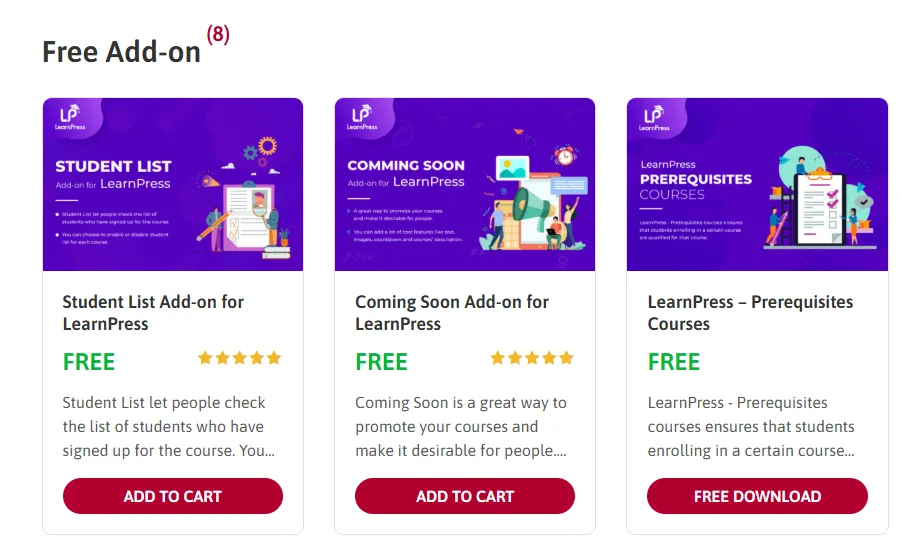
- Premium Add-ons: Individual add-ons range from $19 to $49. These include features like Co-instructors, 2Checkout, Random Quizzes, and Certificates.
- The LearnPress Pro Bundle: For serious users, ThimPress offers a bundle (approx. $249/year) that includes all premium add-ons and priority support.
For a beginner, the free version is sufficient to validate your course idea. Once you start making sales, you can reinvest profit into the Pro Bundle to unlock advanced features.
Final Verdict
So, is LearnPress good for beginners?
Yes, absolutely. LearnPress successfully democratizes online education. It removes the financial barrier to entry and simplifies the technical hurdles of setting up an LMS. While you may eventually need to pay for advanced features, the ability to start for free and scale at your own pace makes it an excellent choice.
Whether you are following a LearnPress tutorial for beginners to build your first site or analyzing LearnPress pros and cons to switch platforms, this plugin offers a balanced mix of power and simplicity. If you have the knowledge to share, LearnPress is the vehicle to get it to the world.
FAQs About LearnPress
1. Is LearnPress completely free to use?
Yes, the core LearnPress plugin is 100% free. You can create unlimited courses, lessons, and quizzes, and accept payments via PayPal without paying for the software. However, advanced features like Certificates or Gradebooks require purchasing premium add-ons.
2. Do I need coding skills to use LearnPress?
No, you do not. LearnPress ease of use is a key feature; it provides a drag-and-drop course builder and a setup wizard. If you are comfortable using the standard WordPress dashboard to write a blog post, you will find the interface very easy to navigate.
3. Can I use LearnPress with any WordPress theme?
Technically, LearnPress is compatible with most standard WordPress themes. However, for the best visual experience and layout, it is highly recommended to use a theme specifically built for LearnPress, such as EduPress or the Education Starter Theme.
4. How does LearnPress handle student payments?
The free version includes integration with PayPal Standard. If you wish to use other payment gateways like Stripe, 2Checkout, or Authorize.net, you can install specific add-ons. Additionally, there is a WooCommerce add-on that lets you use any gateway supported by WooCommerce.
5. Is LearnPress suitable for a large university website?
Yes, it is scalable. While it is perfect for beginners, LearnPress supports multi-instructor functions and can handle a large number of students. For large-scale implementations, using the Pro Bundle and ensuring you have high-quality web hosting is recommended to maintain performance.
Learn more: 7 Best Mobile Responsive LearnPress Themes for Education Sites
Contact US | ThimPress:
Website: https://thimpress.com/
Fanpage: https://www.facebook.com/ThimPress
YouTube: https://www.youtube.com/c/ThimPressDesign
Twitter (X): https://x.com/thimpress_com