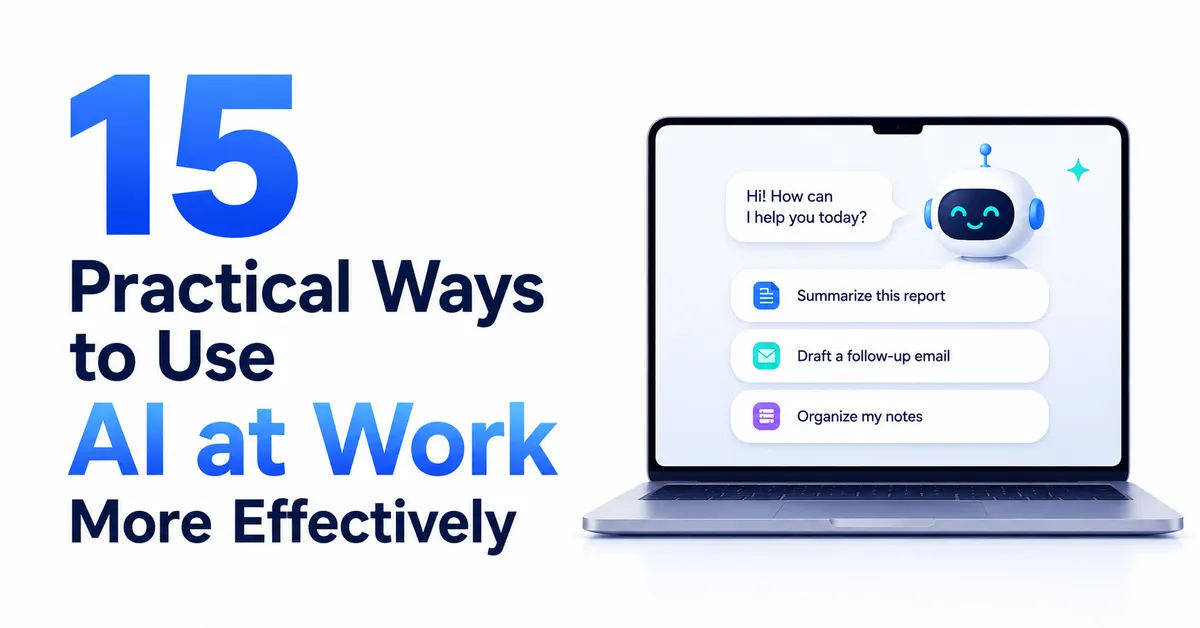
AI can already handle many small, repetitive, and research-heavy tasks that slow down a normal workday. The most useful ways to use AI at work are not about replacing judgment. They are about reducing manual work, finding information faster, improving drafts, and giving people a stronger starting point.
For anyone asking, “how can I use AI at work?”, the best place to begin is with low-risk tasks that are easy to review. Translation, formatting, summarizing, data analysis, and document review can all save time when the final output still receives human checks. As confidence grows, AI can support more complex workflows such as research, automation, content analysis, and coding. If the basics still feel unfamiliar, this guide on how to start using AI effectively as a beginner explains the foundation before moving into workplace use cases.
Eduma – Education WordPress Theme
We provide an amazing WordPress theme with fast and responsive designs. Let’s find out!
Summary: Practical Ways At A Glance
The table below gives a quick view of practical ways to use AI at work before each method is explained in more detail.
| Use case | What AI can help with | Human role |
| Translation | Translate emails and short business text | Check meaning and tone |
| Data formatting | Organize addresses or structured fields | Verify important details |
| Customer support | Find relevant templates or knowledge-base answers | Write or approve the final reply |
| Social media analysis | Group data, identify trends, create visual summaries | Interpret business meaning |
| Content summaries | Turn long articles into shorter summaries | Review accuracy and tone |
| Document review | Explain difficult clauses and flag risks | Make legal or business decisions |
| SEO analysis | Compare content with search results and identify gaps | Choose useful recommendations |
| Landing page review | Critique messaging from a target customer perspective | Decide which changes fit the brand |
| Project support | Use saved context for repeat work | Maintain accurate source material |
| Content metadata | Create titles, descriptions, notes, and chapter marks | Edit before publishing |
| Vendor research | Compare platforms, features, and trade-offs | Validate important claims |
| Academic research | Gather and organize relevant research | Check source quality |
| Writing support | Brainstorm, edit, and critique drafts | Keep original thinking and voice |
| Coding support | Explain code, test ideas, and assist development | Review and test the result |
| Automation | Connect repeat tasks into a workflow | Monitor quality and exceptions |
15 Practical Ways to Use AI at Work More Effectively
1. Translate Emails and Workplace Messages
One of the simplest ways to use AI at work is translation. An AI assistant can translate emails, short documents, customer messages, or internal notes while considering the context around the text.
This is useful for teams working with international clients or partners. Providing the full message gives the system more context than translating isolated words.
This is also a good starting point for learning how to use AI for work because the risk is relatively low when the translated result is checked before sending. For teams that handle a high volume of workplace communication, it may also be useful to compare AI email assistant platforms for managing and improving email workflows.
2. Turn Unstructured Information Into Clean Data
AI can also help convert messy text into a clear format. One practical example is parsing an international address into fields such as street, city, region, country, and postal code.
For teams looking for practical ways to use AI at work, this type of formatting task is a useful option. It is repetitive but still requires attention, and a saved prompt or custom AI setup can make the process faster when the same format is needed again and again.
When considering how to utilize artificial intelligence, formatting tasks are a strong early use case because the expected output is clear and easy to verify.
3. Support Customer Service Without Removing Human Review
Customer support is another of the practical ways to use AI at work without removing human control. A knowledge base with common questions, policies, and response templates can be used as context. AI can then identify the most relevant material for a specific customer request.
However, the final response does not need to be fully automated. A person can still review the suggested information, write the reply, and make sure the tone is suitable.
This human-in-the-loop model is one of the best ways to use AI when service quality matters. It improves speed while keeping responsibility with the employee handling the customer.
4. Analyze Social Media Performance
Data analysis is another of the practical ways to use AI at work. Exported social media data can be grouped by topic, format, engagement, impressions, or follower growth.
AI can help find patterns, show outliers, and turn raw numbers into charts or summaries. This makes it easier to see which content themes perform well and which formats may need improvement. Teams that want to expand this process can explore AI tools for data analysis and turning raw data into useful insights.
AI can organize and visualize the data, but people still need to interpret what the patterns mean for the business.
5. Summarize Articles and Long Content
Long articles, reports, and internal documents can take time to review. AI can create short summaries that highlight the main idea, important points, and useful takeaways.
Content summarization is one of the common ways to use AI at work because it helps people process more information without reading every document from the first line to the last.
For public content, the summary should still be checked against the original source. Tone, nuance, and important details can be lost if the instruction is too broad.
6. Review Contracts and Difficult Documents
Document review can be one of the useful ways to use AI at work when the goal is to understand difficult material faster. AI can explain legal or technical language in plain words, summarize long documents, and flag sections that deserve closer attention.
A repeatable review prompt can also focus on concerns such as intellectual property, payment terms, or unusual obligations.
This does not replace professional legal advice. The stronger use is to make a difficult document easier to understand and prepare better questions before a human decision is made. That distinction matters when evaluating the best ways to use AI in high-stakes work.
7. Find SEO Content Gaps
AI can support SEO research by comparing a target article with high-ranking content for the same keyword. It can help identify missing subtopics, weak explanations, structural gaps, or areas where the page may be less useful than competing results.
For content teams, SEO research is one of the practical ways to use AI at work. It is also useful for teams learning how to utilize artificial intelligence in content marketing. The goal is not to follow every suggestion automatically. Search performance and human readability still need to stay aligned.
Provide the target keyword, the article, and clear evaluation criteria, then treat the output as research rather than final instructions.
8. Review Landing Pages From a Buyer Perspective
Landing pages often become stronger when the reviewer has enough context about the audience. AI can be given an ideal customer profile, product details, service information, customer feedback, and other relevant material before it reviews the page.
With enough context, the system can point out unclear value propositions, missing information, or messages that may not match customer needs.
Among the ways to use AI at work, this method becomes more useful as the background information becomes more specific. Generic prompts usually produce generic advice.
9. Build AI Workspaces With Saved Context
Repeating the same background information in every prompt wastes time. AI projects, saved instructions, or custom assistants can store useful context for an ongoing work area.
For example, a workspace can contain information about a podcast, target audience, business goals, brand guidelines, or common reference documents. New tasks can then use that context without rebuilding the setup from zero.
The main benefit is consistency, but stored context should be reviewed so outdated information is not reused. This is an important step when learning how to use AI for work beyond one-time prompts.
10. Create Titles, Descriptions, Notes, and Other Metadata
Repurposing source material is another of the repeatable ways to use AI at work. AI can turn a transcript or long content file into several smaller assets, including episode titles, descriptions, show notes, chapter marks, and social media drafts.
This is one of the best ways to use AI for repeat content operations because the source material already contains most of the facts. AI mainly restructures that information into new formats.
A clear template and saved instructions can improve consistency when the same task appears often.
11. Compare Software and Vendors
Vendor comparison is one of the research-focused ways to use AI at work. Choosing a new platform can involve feature research, migration questions, technical limits, pricing structures, and workflow changes, and AI can help organize these factors into a comparison.
It can explain documentation, list trade-offs, and prepare questions for a product trial or evaluation.
This is a useful example of how to utilize artificial intelligence as a research assistant rather than a decision-maker. Vendor information can change, so important details should be verified with current official sources before a purchase or migration.
12. Support Academic and Professional Research
AI can help collect, organize, and summarize research around a specific question. Strong instructions can limit the scope to respected sources, request recent studies, distinguish peer-reviewed papers from preprints, and ask for full citations.
For research-heavy roles, this is one of the practical ways to use AI at work because it can reduce the time required to find relevant material.
Still, citations must be checked. AI can make source discovery faster, but important conclusions should be confirmed against the original research.
13. Use AI as a Writing Partner
AI does not need to write an entire article to be useful. It can critique a draft, suggest clearer structure, identify weak transitions, offer headline options, or help when a writer is stuck.
This approach protects the human thinking process. The writer keeps control of the argument and voice while using AI for feedback and alternatives.
Among the ways to use AI at work, writing support is most effective when the prompt explains the purpose, audience, tone, and type of feedback needed. A broad request such as “improve this” usually gives the system less direction than a specific instruction.
14. Use AI as a Coding Partner
Coding support is one of the more technical ways to use AI at work. AI can help people understand code, learn technical tools, draft tests, improve error handling, and work through development tasks.
This can help people with limited coding experience understand technical steps. Generated code still needs testing because a confident answer may still be wrong. Developers interested in more specialized options can also compare AI code generators designed for WordPress development.
The safest way to use AI for work in coding is to treat it as a fast assistant that proposes options, not an automatic source of production-ready code.
15. Automate Repetitive AI Tasks
Once a manual AI workflow works well, it may be possible to automate part of it. For example, a new article added to a database could trigger a summary, or a repeat research task could run on a regular schedule.
Automation is one of the more advanced ways to use AI at work because errors can scale as quickly as benefits. A poor prompt used once creates one weak result. A poor prompt inside an automated workflow can create many weak results.
Start manually, confirm the output is reliable, and automate only stable parts. When a workflow is ready to move beyond manual prompting, comparing AI automation tools for repetitive business processes can help identify suitable options. Keep human review where mistakes could have serious consequences.
A Simple Framework for Using AI at Work Safely
The best ways to use AI usually follow a simple pattern:
- Start with a clear task that already has a known outcome.
- Give enough context for AI to understand the goal.
- Ask for a structured format when consistency matters.
- Check factual claims, calculations, citations, and important details.
- Keep a human involved in high-risk decisions.
- Save useful prompts when the same task repeats.
- Automate only after the manual workflow is reliable.
This framework also answers the broader question of how to use AI for work without creating unnecessary risk. AI is strongest when it reduces friction around a task while the employee still understands the process and owns the result.
For work that involves choosing between several options or evaluating complex information, understanding how AI can simplify the decision-making process can provide another useful way to apply the same principle.
Final Thoughts
There is no single correct answer to “how can I use AI at work?” The right starting point depends on the role, the information involved, and the cost of a mistake.
For most teams, the best ways to use AI begin with simple work such as translation, formatting, summarizing, analysis, and draft review. More advanced use can include research workspaces, custom assistants, coding support, and automation.
The most effective ways to use AI at work are usually not the most dramatic ones. They are small, repeatable improvements that save time, make information easier to understand, and support better decisions without removing human responsibility.
For a broader overview beyond individual use cases, comparing AI productivity tools for everyday work can help identify tools for writing, analysis, organization, and other common tasks.
FAQs
1. What are the easiest ways to use AI at work?
Start with low-risk tasks such as translation, summarizing, formatting, brainstorming, and reviewing drafts. These tasks are easy to check and help build useful prompting habits before moving into more complex workflows.
2. How can I use AI at work safely?
Start with low-risk tasks and follow workplace rules about when AI is appropriate. Keep human review for important customer, legal, technical, or business decisions rather than treating AI output as automatically correct.
3. What are the best ways to use AI for repetitive work?
Use saved prompts, templates, custom assistants, or automation for repeat tasks such as formatting, summarizing, content metadata, and routine research. Test the process manually before automating it.
4. Can AI replace human review at work?
For simple and low-risk tasks, review may be limited. For legal, customer-facing, technical, or strategic work, human review remains important because AI output can be incomplete or incorrect.
5. How should beginners learn how to use AI for work?
Begin with one simple task, give AI clear context, compare the output with the original material, and improve the prompt over time. After the process becomes reliable, move to saved workflows and more advanced automation.
Read more: AI for Beginners: How to Start Using Effectively
Contact US | ThimPress:
Website: https://thimpress.com/
Fanpage: https://www.facebook.com/ThimPress
YouTube: https://www.youtube.com/c/ThimPressDesign
Twitter (X): https://x.com/thimpress_com