When professionals and organizations search for what a content management system is, they usually want an efficient method. They want an accessible way to build a strong online presence. They also want to do it without advanced programming skills. A content management system (CMS) is software that helps users create, organize, edit, and publish website content easily.
Instead of building a website from scratch with manual code, users can use these platforms to manage text. They can upload media and format web pages using simple visual tools.
This clear guide explains how these systems work. It explores their main components and structure. It reviews leading platforms available today. It also outlines the steps to build a fully functional website from scratch.
Eduma – Education WordPress Theme
We provide an amazing WordPress theme with fast and responsive designs. Let’s find out!
Core Concepts: Define CMS and Its Architecture
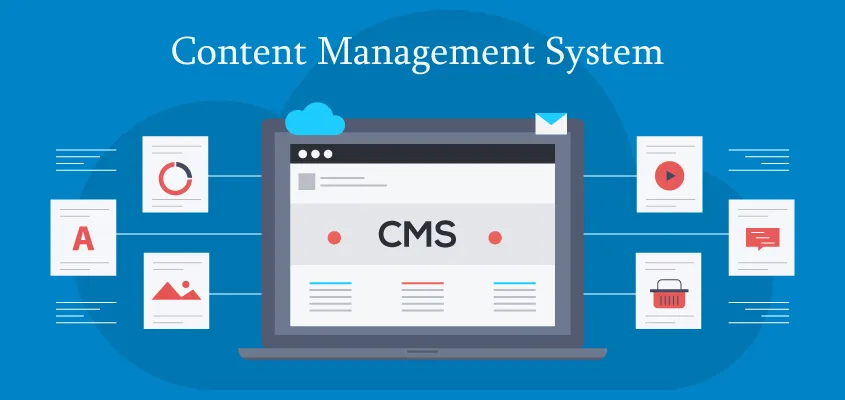
To accurately define CMS, it is necessary to look beyond the surface-level definition of simple website building. A modern CMS is a complete database and user interface system. It separates content creation from web design and server maintenance.
In a traditional, static website setup, publishing one article means writing raw HTML and styling it with CSS. You then upload the files to a remote web server using FTP. If the website needs a design change, a developer must manually edit each individual file.
A content management system eliminates this highly inefficient process. It stores all text and media in one secure database. It then creates web pages when a visitor requests them.
The Dual Architecture of the Software
On a technical level, a standard software platform in this category has two main elements that work together:
- Content Management Application (CMA): This is the user interface where admins, editors, and authors log in. They use it to do daily tasks.
The CMA lets users draft articles, format text, upload images, and manage site settings in one visual dashboard. It feels like standard word-processing software.
It handles data input and formatting with ease, so the user never has to use the web server. The user also does not need to write database queries.
- Content Delivery Application (CDA): This is the backend mechanism working silently behind the scenes.
Once a user finishes drafting an article and clicks the “publish” button in the CMA, the CDA takes the input. It compiles the data, stores it securely in the relational database, and converts it to HTML and CSS.
When a visitor goes to the website URL, the CDA gets the right data from the database. It then sends the final web page to the visitor’s browser right away.
Together, these two integrated applications create a highly efficient, seamless environment for long-term website maintenance and digital growth.
Broadening the Scope: What is Content Management?
Understanding what is content management involves recognizing the entire lifecycle of digital information. It is not just about publishing a quick blog post. It is about strategic organization, secure storage, and quick retrieval. It also requires strict governance of digital assets across the whole organization.
A robust content management system facilitates several critical workflow processes that keep a digital operation running smoothly:
- Access Control and User Roles: Large websites require multiple contributors, ranging from freelance writers to senior executives. These platforms allow site administrators to assign specific roles—such as Author, Editor, Contributor, or Administrator. This access control ensures unauthorized users cannot change key site settings, add unapproved plugins, or delete pages. It still lets them submit their daily work.
- Version Control and Document History: Mistakes inevitably happen during the creation process. Advanced management software automatically saves previous versions of web pages and articles. If someone publishes an error or overwrites a page by mistake, administrators can view the document history. They can restore an earlier version at once.
- Centralized Media Organization: Modern websites rely heavily on visual assets to engage visitors. These systems include central media libraries. You can upload high-resolution images, videos, audio files, and documents. You can also sort and tag them.
Files can be optimized for fast loading. You can reuse them across many pages. You do not need to upload duplicate files to the server.
- Search Engine Optimization (SEO) Integration: Proper digital asset management includes optimizing everything for search engines. Most platforms offer built-in tools or standard add-ons.
These tools help users add meta titles and meta descriptions. They also support image alt text and clear URL structures. This can boost online visibility and organic search rankings.
- Content Scheduling: Organizations rarely publish everything immediately. These systems help editorial teams write articles in advance. They can also schedule the articles to publish automatically on specific dates and times. They keep a steady flow of content for readers, even on holidays or weekends.
Popular Content Management System Examples
The digital marketplace offers a vast variety of platforms, each carefully tailored to specific technical skill levels, budgetary constraints, and business requirements. Examining prominent content management system examples helps illustrate the incredible versatility and scale of this technology.
| Platform | Best Suited For | Key Characteristics |
| WordPress | Blogs, small to medium businesses, news sites | Highly flexible, intuitive dashboard, massive library of free and premium themes and plugins. |
| Joomla | Educational institutions, membership networks | Excellent out-of-the-box multilingual support, advanced user access controls. |
| Drupal | Government agencies, large enterprise environments | Unparalleled security standards, capability to handle massive amounts of complex data. |
| Magento | Large-scale e-commerce storefronts | Handles complex product catalogs, dynamic pricing structures, and global shipping logistics. |
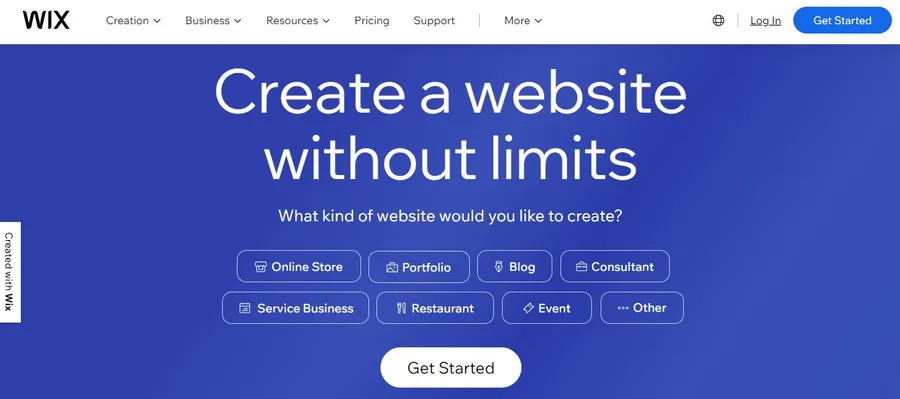
| Squarespace / Wix | Independent professionals, local businesses | All-in-one SaaS model, highly visual drag-and-drop interfaces, bundled web hosting. |
1. WordPress
WordPress is the world’s most recognized content management system. It powers over 40% of active websites online.
It is extremely important to distinguish between WordPress.com (a commercial, hosted service) and WordPress.org (the self-hosted, open-source software). The open-source version provides absolute maximum flexibility.
Because it has an easy-to-use interface, many people choose it. It also has strong community support. It works well for blogs, small businesses, and large publications.
2. Joomla
Joomla is a powerful open-source platform. It sits between WordPress, which is beginner-friendly, and Drupal, which is highly complex. Developers regard it highly for its strong framework. Large corporate websites that need structured data often use it.
3. Drupal
Designed specifically for advanced developers, Drupal is renowned for its uncompromised control over website architecture. While it has a steeper learning curve than many consumer platforms, major universities and global media outlets use it.
They rely on it to keep their digital systems secure.
4. Magento (Adobe Commerce)
When focusing strictly on the e-commerce sector, Magento stands out as a highly specialized solution. Setting it up requires strong technical skills. It also needs dedicated server resources.
However, it can scale well for large retail firms. It can handle thousands of transactions every day.
5. Hosted Website Builders (Squarespace and Wix)
While often called “website builders,” platforms like Squarespace and Wix work well as all-in-one management systems. These platforms are ideal for users who value looks and ease of use over deep code customization.
What kinds of websites can you build?
Historically, certain software platforms were strictly limited to highly specific niches. Today, the immense flexibility of modern systems allows users to create virtually any digital experience imaginable. By utilizing a reliable content management system, users can easily deploy and manage:
- Corporate Websites: Professional, multi-page business hubs detailing company services, executive team members, client testimonials, and interactive contact information.
- E-commerce Stores: Full digital storefronts with virtual carts, real-time stock tracking, tax calculations, and secure checkout systems.
- Dynamic Blogs and News Portals: Frequently updated, high-volume publications featuring carefully categorized articles, interactive comment sections, and detailed author profiles.
- Membership and subscription sites are secure, gated online communities. Exclusive content is only available to paying subscribers or registered members.
- Online Learning Platforms (with Best LMS): Comprehensive digital classrooms featuring structured video courses, interactive quizzes, automated grading, and detailed student progress tracking.
- Digital Portfolios: Highly visual, grid-based galleries utilized by professional photographers, graphic designers, and creative agencies to beautifully showcase past work.
Determining the Best Platform for Your Needs
Selecting the right software is entirely dependent on individual business needs, technical capabilities, and strict budgetary constraints. There is no single answer to what a content management system is. It will not fit every user or scenario.
To make a highly informed, strategic decision, organizations must carefully evaluate several core criteria:
- Budget limits: Open-source software is free to download. Users must buy their own domain name. They also need web hosting. They may also need premium themes or plugins. Conversely, SaaS platforms charge a flat, predictable monthly fee that covers everything.
- Technical Proficiency: Users with absolutely zero coding experience and little time to learn may strongly prefer Wix or Squarespace. Individuals willing to learn basic dashboard management will benefit massively from the limitless customization potential of WordPress.
- Data Portability and Ownership: Open-source platforms let users export all their data freely. Users can move to a different web hosting provider at any time. Closed-ecosystem platforms (SaaS) maintain strict control over the server environment.
- Third-party integrations matter. Businesses may use specific CRM software, email marketing tools, or payment gateways. They must make sure their platform supports these tools.
Step-by-Step Guide: Building a Website Efficiently

Launching a modern website utilizing these sophisticated tools is a highly structured, logical process. The standard deployment phase involves the following specific steps:
Step 1: Secure a Domain Name and Web Hosting
A domain name is the customized, memorable URL visitors will type into their browser. Web hosting is the physical server space rented from a professional provider where all the website’s files, images, and the database will be securely stored.
Step 2: Install the Core Software
Today, the vast majority of professional web hosting providers include automated installation tools directly within their control panel dashboards. Users simply select their preferred software, enter a secure administrative email and password, and the hosting server automatically deploys the correct database tables in a matter of minutes.
Step 3: Configure Design and Architecture
Once the installation is complete, the user accesses the secure administrative dashboard. The very first phase of customization involves selecting a theme or template. After a theme is activated, users can configure global site-wide settings, establish main navigation menus, and install necessary extensions.
Step 4: Create and Organize Content
Users navigate to the text editor within the dashboard to draft their material. They create “Pages” for static, timeless information (like a ‘Privacy Policy’ section) and “Posts” for chronological, dynamic updates. Media files are uploaded directly to the central library and inserted seamlessly into the text blocks.
Step 5: Publish, Monitor, and Maintain
After formatting the text carefully, clicking the final “Publish” button instantly pushes the data live to the internet. Moving forward, the website requires routine, proactive maintenance, including updating the core software to the newest versions to patch potential security vulnerabilities.
Conclusion
Mastering the modern digital landscape begins with establishing a highly solid, reliable technical foundation. Fully understanding what is a content management system empowers individuals, small businesses, and massive global corporations to take absolute control of their online presence efficiently and safely.
By brilliantly abstracting the complex coding requirements of traditional web development, a modern content management system like ThimPress democratizes the internet. It ensures that anyone with a valuable message, a unique product, or a professional service can reliably reach a global audience.
Frequently Asked Questions (FAQs)
1. Exactly what is a content management system used for in everyday business?
A content management system is utilized daily to build, logically organize, instantly publish, and securely maintain websites without requiring users to write manual computer code. It handles the complex backend storage of text, images, and data through an intuitive dashboard interface.
2. Do these modern software platforms require prior coding knowledge to use effectively?
No. The absolute primary advantage of these platforms is that they are explicitly designed for non-technical users. Everyday business users can successfully launch and manage a complete website using built-in visual editors and simple drag-and-drop tools.
3. What is the fundamental difference between open-source and hosted systems?
Open-source systems (like WordPress.org) are free, publicly accessible software programs installed on a private web server purchased independently, offering total control. Hosted systems (like Squarespace) are commercial subscription services where a single company provides the software, the hosting, and the security as a packaged bundle.
4. Are websites built on these open platforms actually secure from cyber threats?
Yes, they can be highly secure, provided they are maintained properly and consistently. Administrators can ensure enterprise-level security by utilizing highly complex passwords, implementing mandatory two-factor authentication, keeping all themes strictly updated, and utilizing reputable web hosting providers.
5. Can a completed website be moved from one platform to another if business needs change?
Yes, though the technical difficulty depends heavily on the specific platforms involved. Moving from one open-source platform to another generally involves exporting the relational database and importing it into the new software. Moving away from a proprietary, hosted SaaS platform can be significantly more complex.
Read more: How to Migrate from Wix to WordPress in 7 Steps
Contact US | ThimPress:
Website: https://thimpress.com/
Fanpage: https://www.facebook.com/ThimPress
YouTube: https://www.youtube.com/c/ThimPressDesign
Twitter (X): https://x.com/thimpress_com