Establishing a Professional Online Identity
Launching a professional online presence requires more than just compiling an attractive layout; it demands a memorable and credible web address. When creating landing pages for content marketing or digital art portfolios, relying on an unbranded, auto-generated link can significantly diminish brand trust and authority.
To ensure audiences take the published content seriously, administrators must connect domain to Canva website to provide a seamless, branded user experience. Following a structured setup process removes the technical friction often associated with server configurations. By focusing exclusively on utilizing an external, pre-owned URL, businesses can maintain strict brand consistency across all digital touchpoints.
Eduma – Education WordPress Theme
We provide an amazing WordPress theme with fast and responsive designs. Let’s find out!
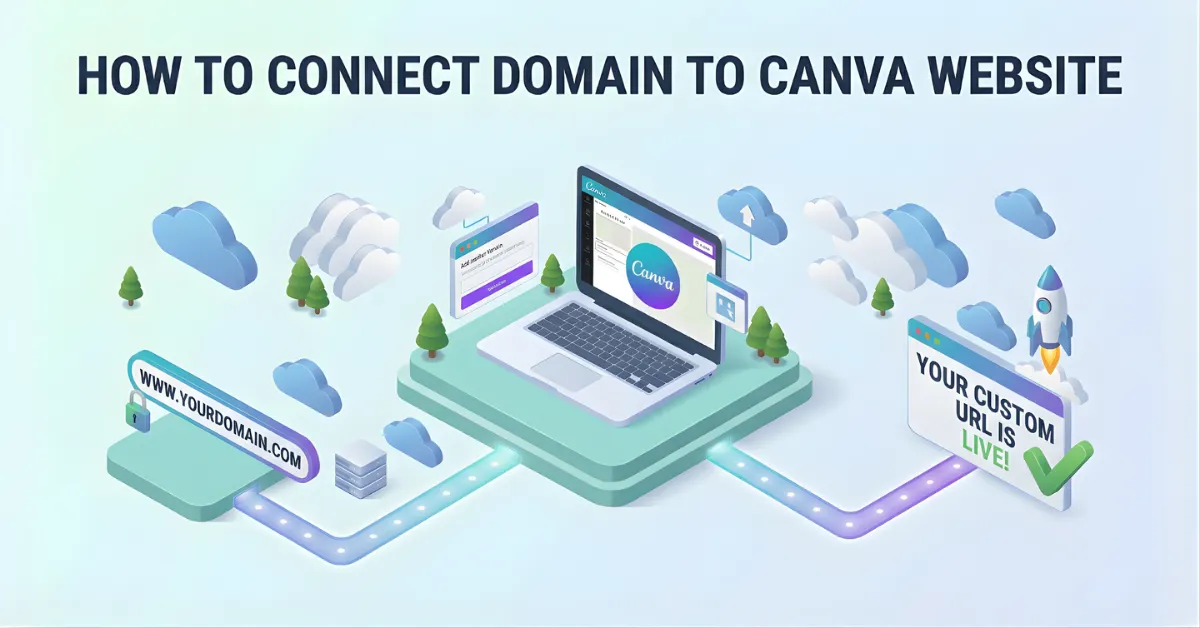
Quick Summary of the Setup Process
For a rapid overview of the technical integration, reference the setup phases outlined below:
| Phase | Action Required | Description |
| 1. Preparation | Verify Account Tier | Ensure the account holds an active premium subscription to unlock custom routing features. |
| 2. Initiation | Enter Web Address | Navigate to the publishing menu within the editor and input the desired URL. |
| 3. Configuration | Update DNS Records | Log into the external registrar to input the required ‘A’ and ‘TXT’ records. |
| 4. Optimization | Adjust Metadata | Set the browser title, site description, and favicon to ensure proper visibility. |
| 5. Verification | Await Propagation | Allow up to 72 hours for the global servers to verify the new settings. |
The Strategic Value of a Dedicated Address
Relying on a standard platform link often dilutes the visual impact of a carefully constructed layout. Integrating a Canva custom domain offers several distinct advantages for any professional operation:
- Enhanced Reliability: Organizations project undeniable professionalism and technical competence to their target audience.
- Marketing Alignment: Maintaining a dedicated address aligns perfectly with broader promotional strategies, particularly in digital outreach.
- Communication Consistency: A consistent web address strengthens external communications because the sender’s email address directly matches the landing page destination, significantly reducing viewer hesitation.
- Cohesive Architecture: Bringing an existing URL from a third-party registrar effectively bridges the gap between external hosting environments and graphic design platforms.
Account Prerequisites and Subdomain Strategies
Before initiating the technical server configuration, verifying account requirements prevents frustrating initial setup failures.
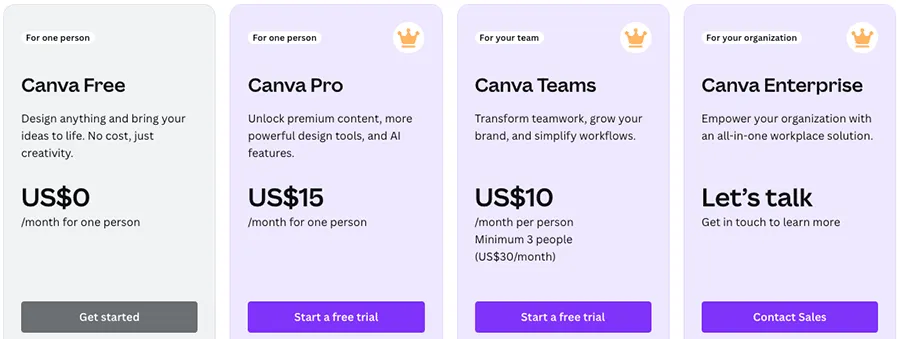
- Subscription Requirements: The capability to link an external Canva website domain remains an exclusive feature reserved specifically for premium subscription tiers (Pro, Teams, and Education).
- Routing Decisions: Administrators must decide whether to route the primary root address (the main website name) or assign a dedicated subdomain.
- Protecting Existing Sites: Utilizing a subdomain is an incredibly effective strategy for established businesses. For instance, if a primary corporate site already operates on WordPress, attaching a subdomain (such as offers.example.com) to the design platform prevents any disruption to the main website’s architecture. This method keeps the primary content completely undisturbed while allocating a fast, dedicated space for a new visual layout.
Initiating the Setup in the Editor Workspace
To commence the technical integration, navigate directly to the finalized layout within the primary editor workspace. Follow these precise navigation steps to initiate the connection without errors:
- Access the Menu: Locate the command button in the upper right corner to publish Canva website and open the main deployment menu.
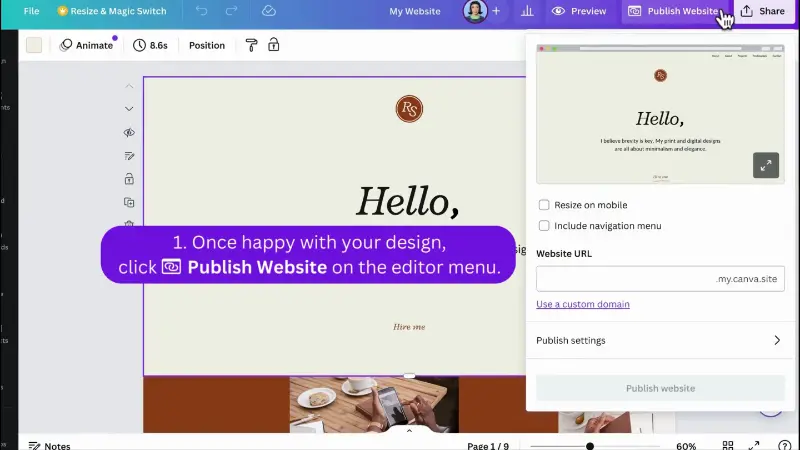
- Select the Option: Instead of browsing the options to purchase new assets, select the feature clearly labeled “Use a custom domain.”
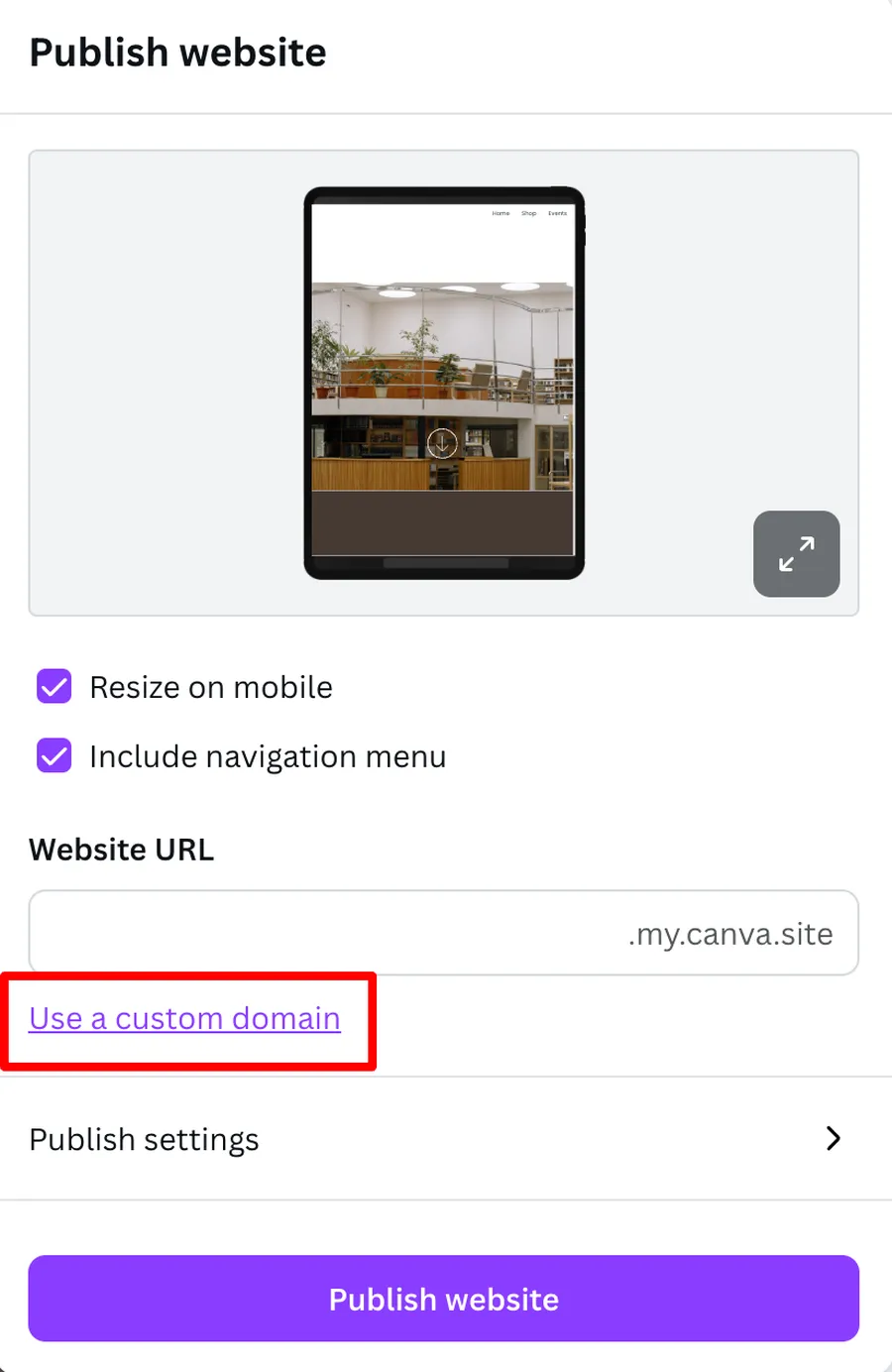
- Input the URL: A text input field will immediately appear. Type the chosen address into the designated field, exercising extreme caution to deliberately exclude the “www.” prefix.
- Ensure Accuracy: Ensuring absolute spelling accuracy during this initial step prevents major connection failures during the later propagation phases. It is vital to connect domain to Canva website with precise formatting from the very beginning. Once the address is entered accurately, proceed to the configuration screen.
Publishing Websites Own Domain – Instruction Video
Executing Automated and Manual Server Configuration
The most critical phase involves the modification of Domain Name System (DNS) settings. Depending on the external registrar, this connection executes either automatically or manually.
- Automated Synchronization: Several modern domain registrars support automated synchronization. If the system recognizes the external provider, a separate secure browser tab will open automatically. Approving the authorization prompt allows the respective systems to communicate and handle the complex server routing without any manual data entry.
- Manual Intervention: Traditional registrars necessitate manual intervention. When automated synchronization is unavailable, the interface generates specific alphanumeric records.
- The ‘A’ Record: This generated record maps the exact IP address of the hosting servers, directing incoming web traffic to the correct physical location.
- The ‘TXT’ Record: This is a specific text string that proves administrative ownership of the address, ensuring unauthorized users cannot claim it.
- Finalizing the Update: These values must be copied identically without any extra spaces. Log into the external registrar’s dashboard, access the DNS management zone, and paste the copied records accurately. This manual update acts as a permanent digital signpost for internet traffic.
Optimizing Metadata and Search Settings
Prior to the global launch, refining the backend settings is strongly recommended to maximize digital visibility. These adjustments determine exactly how the Canva website domain appears within browser tabs and search engine results pages.
- Browser Title: Customize the text to accurately reflect the brand identity, corporate name, or specific marketing campaign.
- Custom Favicon: Upload the small icon displayed next to the URL in the browser tab to reinforce visual branding.
- Site Description: Crafting a precise, keyword-rich description is a fundamental step for effective SEO optimization, ensuring the layout ranks properly and appears inviting when shared across social networks.
- Visibility Controls: Toggling the visibility options appropriately is vital when preparing to finally publish Canva website projects to the general public. If the project remains strictly internal, an option exists to hide the site, which applies a standard “no-index” tag to the source code.
Verification and Global Propagation Limits
After inputting the server records and finalizing all metadata, the system enters the mandatory verification phase.
- DNS Propagation: Because global internet protocols require substantial time to update, a standard process known as DNS propagation commences immediately after changes are saved.
- Synchronization: To successfully connect domain to Canva website, these modified records must synchronize across various servers worldwide. This waiting period is entirely normal and can require anywhere from a few hours up to a maximum of 72 hours.
- Account Allowances: Managing comprehensive digital portfolios requires an accurate understanding of specific account allowances. Premium tier accounts are officially authorized to link up to five distinct external addresses simultaneously.
- Unlimited Pages: Under every single linked address, administrators possess the capability to generate an absolutely unlimited number of individual pages using unique path slugs.
Conclusion
Securing a Canva custom domain and establishing a seamless connection between a customized design layout and a personalized web address elevates the entire digital experience.
By carefully preparing the necessary server records, verifying account prerequisites, and optimizing backend metadata, administrators can confidently launch professional pages that reflect true brand authority. The technical configuration, while detailed, ensures that all incoming traffic routes accurately and securely.
Following this structured approach guarantees a polished, highly credible digital footprint that captivates audiences and supports long-term marketing objectives effectively.
Frequently Asked Questions (FAQs): How to Connect Domain to Canva Website
1. How long does the DNS propagation process typically take?
Due to standard internet protocols, it can take anywhere from 15 minutes up to a maximum of 72 hours for the new server settings to completely synchronize across global networks.
2. Is it possible to use a subdomain to protect an existing site?
Yes. If the primary address currently hosts an active site elsewhere, a subdomain (e.g., shop.example.com) can be linked securely, ensuring the main architecture remains entirely unaffected.
3. What happens if the external DNS records are typed incorrectly?
If the alphanumeric records contain typographical errors or extra spaces, the verification process will fail, and the site status will remain pending. Double-checking the exact inputs at the external host is the necessary troubleshooting step.
4. Can the final layout be hidden from search engine crawlers?
Yes. Within the advanced publishing settings, a specific toggle exists to hide the site from search engines. Enabling this feature actively applies a “no-index” tag to the backend code, preventing it from appearing in search results.
5. How many external addresses can a premium subscription utilize?
Premium tier subscriptions possess the ability to link up to five distinct external addresses to the account simultaneously. Education tier subscriptions are limited to connecting one external address.
Read more: Master SEO Web Design to Boost Your Search Rankings
Contact US | ThimPress:
Website: https://thimpress.com/
Fanpage: https://www.facebook.com/ThimPress
YouTube: https://www.youtube.com/c/ThimPressDesign
Twitter (X): https://x.com/thimpress_com