Picking a construction company template shouldn’t take longer than pouring a foundation. Most contractors need the same handful of pages, a homepage, a services list, a project gallery, and a contact form that actually sends a lead somewhere, so paying for a premium theme before you’ve tested a free one rarely makes sense.
We pulled together 8+ free construction templates and page designs, tested how each one imports, and noted where the free version stops and the paywall starts.
Eduma – Education WordPress Theme
We provide an amazing WordPress theme with fast and responsive designs. Let’s find out!
How we picked these construction templates
We only included construction website templates that install in one click or download as a working file, without asking for a credit card first.
- For WordPress themes, we checked whether the demo import actually matches what’s shown on the preview page, since that gap is where a lot of free themes disappoint.
- For HTML templates, we looked at whether the code is current (Bootstrap 5, no jQuery plugins that stopped getting updates years ago) and whether a non-developer could still swap in their own text and images.
Each entry below notes what page designs are included out of the box, what’s locked behind a premium upgrade, and who the template actually fits, a two-person remodeling crew has different needs than a commercial general contractor bidding on multi-million dollar jobs.
Do you need a website builder or a WordPress theme?
A construction website builder and a WordPress construction theme solve the same problem in different ways.
- A builder, like the Starter Templates plugin that powers Astra’s free demos, gives you a plugin that imports full pages into WordPress and lets you edit everything through a visual, drag-and-drop screen.
- A standalone WordPress theme just controls how your site looks and usually pairs with a page builder like Elementor or the native Block Editor to actually build pages.
If you’ve never touched WordPress, a builder-plus-theme combo (Astra with Starter Templates, or a Cyberchimps Responsive theme with its own starter library) removes almost all the guesswork.
If you already know your way around Elementor or Gutenberg, a standalone free theme like NAS Construction Build gives you more room to customize without a second plugin running in the background.
HTML templates skip WordPress entirely. You get a folder of files to edit directly, which works if you or your developer are comfortable in a code editor, but there’s no dashboard, no Customizer, and no plugin ecosystem.
8+ Free Construction Templates and Page Designs
We grouped these into WordPress themes first, since that’s where most construction companies end up building, followed by two HTML options for anyone who wants full control over the code.
1. Astra – Construction Company template
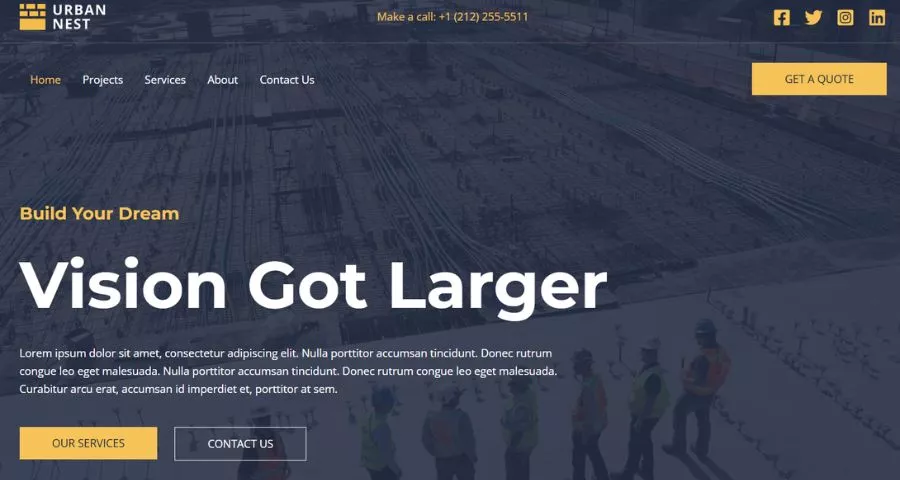
Astra’s free Construction Company template comes through the Starter Templates plugin, and it’s the fastest of the bunch to get from zero to a finished-looking site. The import includes a home page, services page, project gallery, team page, and contact page, all pre-filled with construction-specific content instead of generic lorem ipsum. After activating it and picking the Block Editor option during import, the page structure loaded in under two minutes on a standard shared hosting account.
The template pairs with SureForms for quote request forms, and every color, font, and header setting is adjustable in real time through the WordPress Customizer. Astra’s base theme itself loads under 50KB, which keeps this option near the top of any list built around Core Web Vitals. The free tier covers the full template; white-labeling and a wider template library sit behind the paid Toolkit plans.
Best for: general contractors who want a complete site live the same day, without hiring a developer.
2. NAS Construction Build
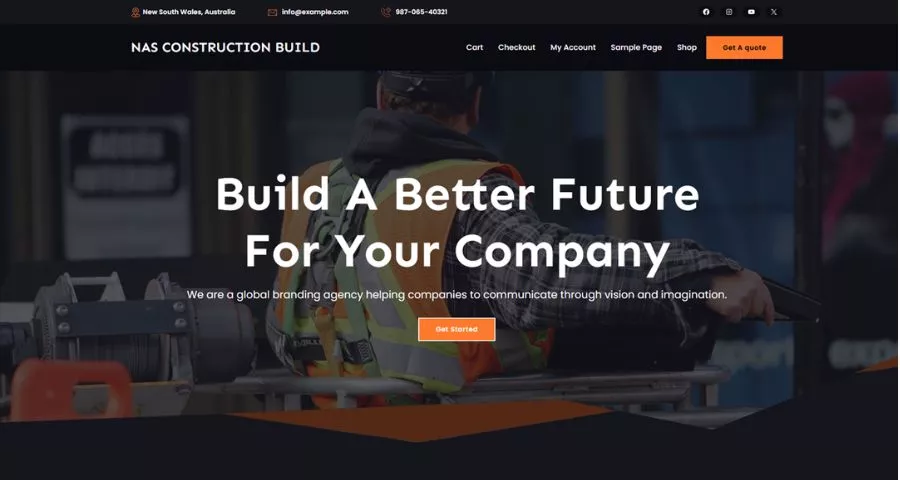
NAS Construction Build is a free WordPress theme listed directly on WordPress.org, built for construction companies, renovation services, and engineering firms that want more layout flexibility than a single fixed demo. It works with Elementor, so once it’s activated you can rearrange sections instead of being locked into the default homepage order.
Where this one stands out is customization depth for a free theme. Most no-cost construction themes give you color and font swaps and little else; NAS Construction Build lets you rebuild entire sections, which matters if your company handles more than one type of project (residential, commercial, and industrial, for example) and needs separate landing pages for each.
Best for: companies that want to run several service-specific landing pages from one theme.
3. NAS Construction Group
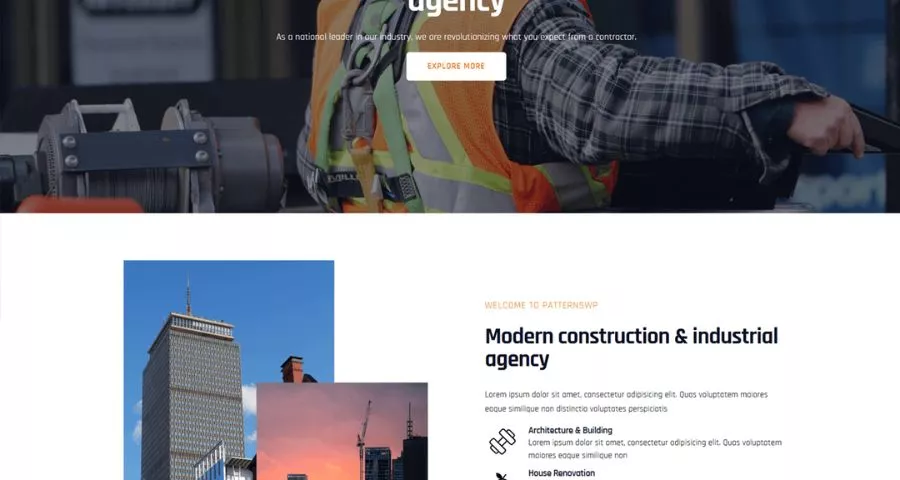
NAS Construction Group trades some of Build’s flexibility for a cleaner, more corporate look out of the box. It’s a construction company website template aimed squarely at firms whose homepage needs to sell trust and credentials before it sells a phone call, think licensing badges, years-in-business stats, and a project timeline near the top of the page.
Like its sibling theme, it’s Elementor-compatible and free to download from WordPress.org, so switching between the two later (if Group starts feeling too rigid) doesn’t mean starting a new site from scratch.
Best for: established firms that lean on credentials and completed-project proof to win bids.
4. NAS Construction Lite
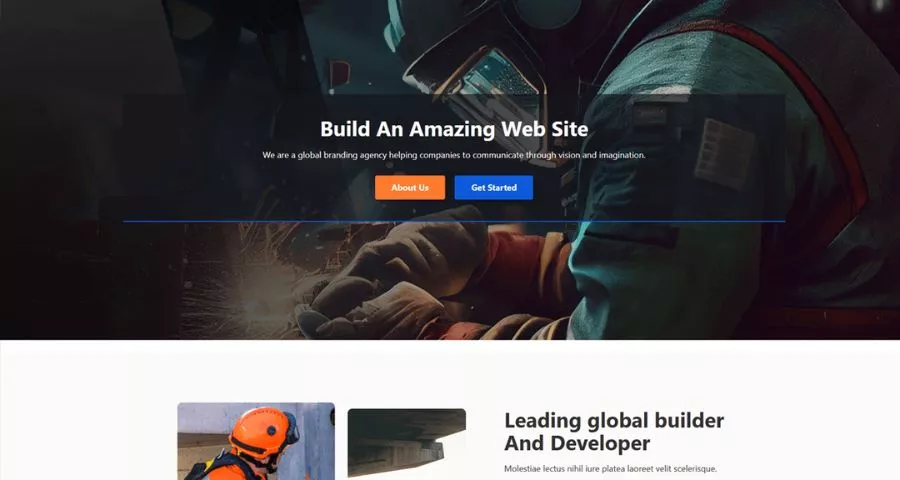
NAS Construction Lite is the stripped-down option in the NAS family, built for speed over decoration. If your site only needs a homepage, a short services list, and a contact form, and you’d rather not load a page builder’s extra scripts at all, Lite is the theme to reach for.
We noticed the page weight difference immediately when comparing it against Build in a browser’s network tab; Lite ships noticeably less CSS and JavaScript by default, which shows up as a faster Largest Contentful Paint score on a mobile connection.
Best for: solo contractors or small crews who want a fast, minimal site and don’t need a project gallery.
5. The Construction
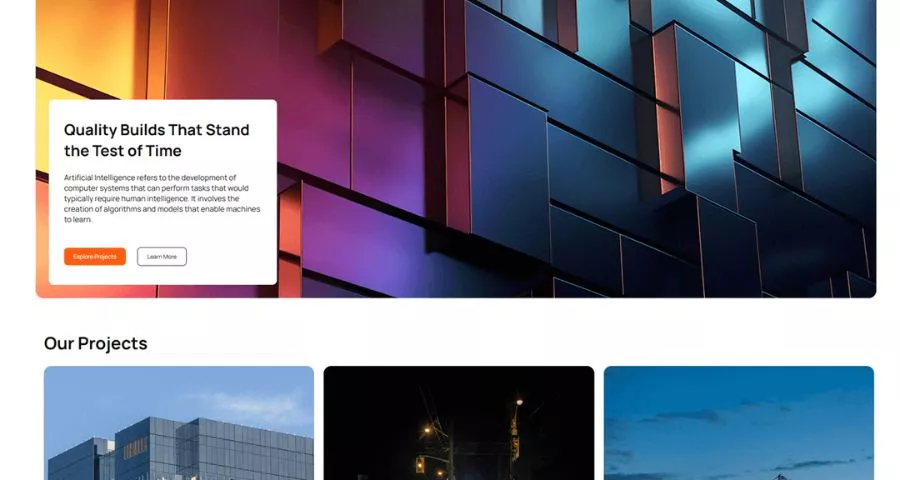
The Construction theme goes for a formal, corporate construction website theme aesthetic rather than the bold, image-heavy style most of this list uses. It suits companies bidding on government contracts or large commercial jobs, where the audience reviewing the site is a procurement officer rather than a homeowner scrolling on a phone.
It’s still a free WordPress.org theme and still pairs with standard page builders, so the more buttoned-up look doesn’t come at the cost of flexibility.
Best for: firms pursuing commercial or government contracts where a formal brand image matters more than flashy visuals.
6. Construction Light
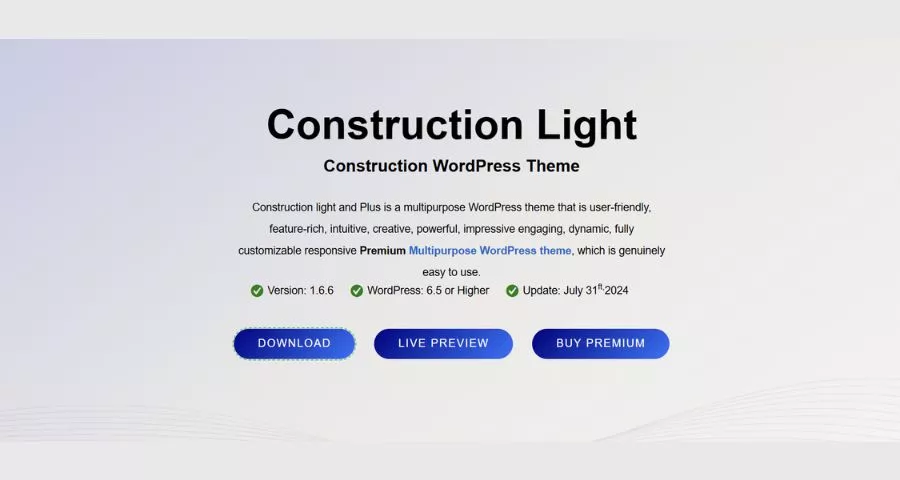
Construction Light has been one of the more popular free construction website templates for a while now, and the free version alone ships with over 25 demo layouts to pick from, which is unusual for a no-cost theme. It includes custom post types built specifically for projects, team members, and testimonials, so you’re not stuffing that content into generic blog posts.
The drag-and-drop homepage builder and Revolution Slider integration make the homepage genuinely eye-catching, though we’d flag that a theme built around a slider and 25 demos carries more weight than a lighter option like NAS Construction Lite. The premium version, which unlocks additional layouts and priority support, runs $59.
Best for: teams that want a highly visual, portfolio-heavy homepage and don’t mind a slightly heavier page.
7. Solid Construction
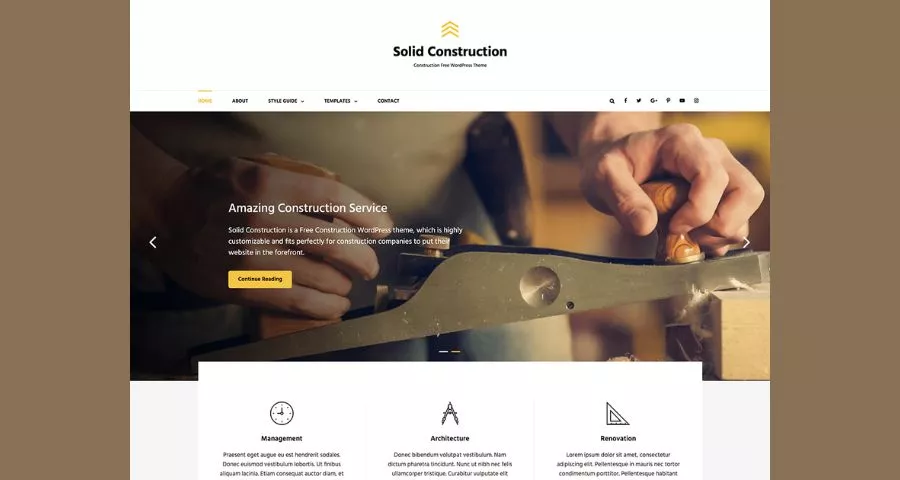
Solid Construction earns its name. It’s a genuinely simple, free theme built around the basic pages a construction site needs: portfolio, about, services, and contact, nothing more. What sets it apart for a free option is a built-in spot to paste tracking scripts for Google Analytics, Facebook, and Twitter without touching a single line of theme code.
It’s a good fit if your priority is getting something live quickly and you’re not planning to expand into a large project gallery or multi-service homepage anytime soon.
Best for: new construction businesses that need a straightforward site now and can upgrade later.
8. JetBlack Construction
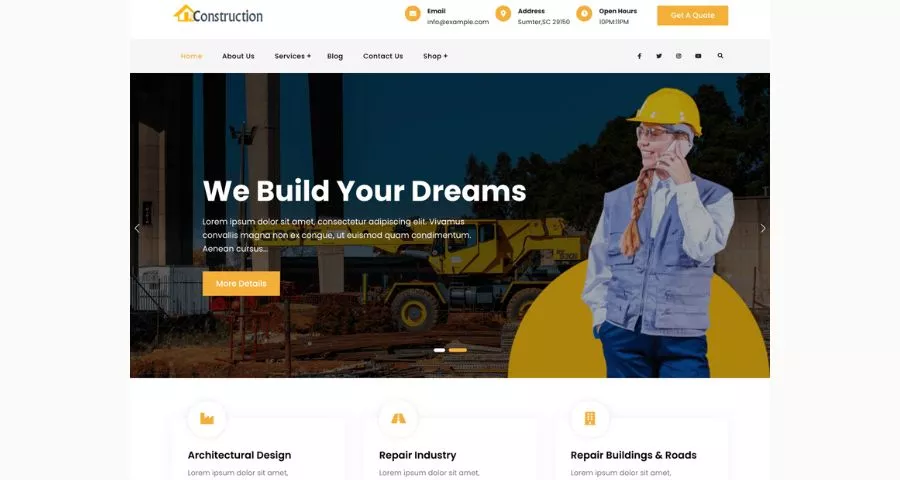
JetBlack Construction is the most basic entry here, and that’s the point. It doesn’t come loaded with demo variations or a bundled page builder dependency, so activating it and filling in your own content is a short process even if you’ve never set up a WordPress site before.
It won’t win a design award next to Construction Light’s 25 demos, but for a contractor who just needs an online presence to point customers to from a business card or a truck decal, that simplicity is the feature.
Best for: anyone who wants the fastest possible path from a blank WordPress install to a live, readable site.
Bridging from WordPress into standalone code, the next two templates skip themes and plugins entirely.
9. Constructo (HTML template)
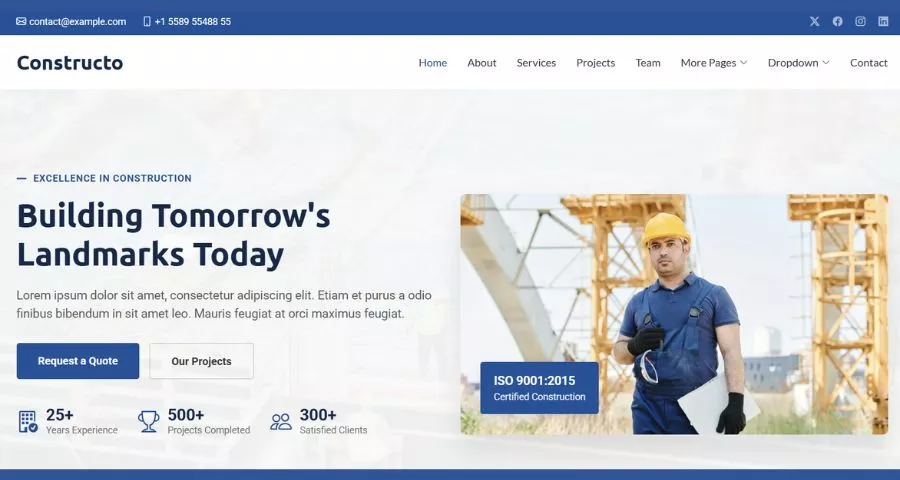
Constructo is a free HTML construction web design template built on Bootstrap 5, which means it’s mobile-responsive by default and doesn’t depend on any WordPress plugin to function. The bundle includes a dropdown navigation menu, testimonial sections, video support, social media icons, and a working contact form tied to Google Maps, along with separate blog and contact pages already built out.
Because there’s no Customizer or dashboard, changes happen directly in the HTML and CSS files, so this fits a developer or an agency more than a solo business owner without coding experience.
Best for: developers building a lightweight, WordPress-free site for a client, or anyone comfortable editing HTML directly.
How to choose the right template for your site
Start with how much control you want over the build process, not how the demo screenshot looks.
- If you want to edit everything visually and never open a code file, stick to the WordPress options, Astra, the NAS family, Construction Light, Solid Construction, or JetBlack Construction.
- If a developer is handling the build and you want full control over every line of markup, Constructo is the better starting points.
From there, match the theme to what your homepage needs to prove. A residential remodeling company selling to homeowners benefits from Construction Light’s visual, portfolio-forward demos. A commercial contractor bidding on formal contracts is better served by The Construction or NAS Construction Group.
And if page speed is the priority above all else, because your leads are searching on mobile data on a job site, NAS Construction Lite or JetBlack Construction will load faster than anything with a built-in slider.
Whichever one you pick, swap out every piece of placeholder text and stock photo before publishing. A construction template with a stranger’s project photos still on the homepage is one of the fastest ways to lose a visitor’s trust.
Construction Templates: FAQs
Got a few more questions before you pick a template? Here are the ones that come up most when contractors start comparing free construction templates.
Are free construction website templates good enough for a real business site?
Yes, for most small to mid-size construction companies, a free template covers everything a first website needs: a homepage, services, a project gallery, and a contact form. The main tradeoff is fewer demo layouts and less customer support compared to premium themes, not a lack of core functionality.
Do free construction templates work with Elementor and Gutenberg?
Most of the WordPress themes on this list, including the NAS Construction family and Astra’s Construction Company template, work with either Elementor or the native Block Editor (Gutenberg). Check each theme’s WordPress.org listing before installing, since a small number of older construction themes only support one page builder.
Can I use a free construction template for a client project?
Generally yes. Themes distributed through WordPress.org, including everything in the NAS Construction line and Solid Construction, are released under the GPL license, which permits commercial and client use. Starter Templates from Astra are also explicitly free to use on client sites, with white-labeling reserved for paid plans.
What’s the difference between an HTML template and a WordPress theme for a construction site?
An HTML template is a set of static files you edit directly in code, with no dashboard or plugin support, while a WordPress theme runs inside WordPress and typically pairs with a page builder for visual editing. HTML templates like Constructo suit developers who want full control over the code, while WordPress themes suit business owners who want to manage content without touching a file.
Conclusion
Whichever route you take, these free construction templates give you a real starting point instead of a blank WordPress install or an empty code folder. Import one, swap in your own project photos and copy, and you’ll have a live site before you’d have finished comparing premium options. If it stops fitting your needs down the road, most of these themes make it easy to switch without rebuilding your content from scratch.
Read More: How to Create a Webshop: A Step-by-Step Guide
Contact US | ThimPress:
Website: https://thimpress.com/
Fanpage: https://www.facebook.com/ThimPress
YouTube: https://www.youtube.com/c/ThimPressDesign
Twitter (X): https://x.com/thimpress_com