Teaching what you know shouldn’t feel like a struggle against complex technology. If there is a skill to share, there is a global audience waiting to learn it. The shift toward remote education has turned expertise into a valuable digital asset, yet many educators remain hesitant because of technical barriers. To capitalize on this movement, the best approach is to run a virtual classroom online with WordPress using a professional setup that offers both flexibility and total ownership.
Building an educational platform allows for a direct connection with students without the middleman fees associated with third-party marketplaces. By leveraging a virtual classroom WordPress solution, an educator transforms from a simple content creator into a school owner.
This guide provides a comprehensive roadmap to building that foundation. Let’s get started!
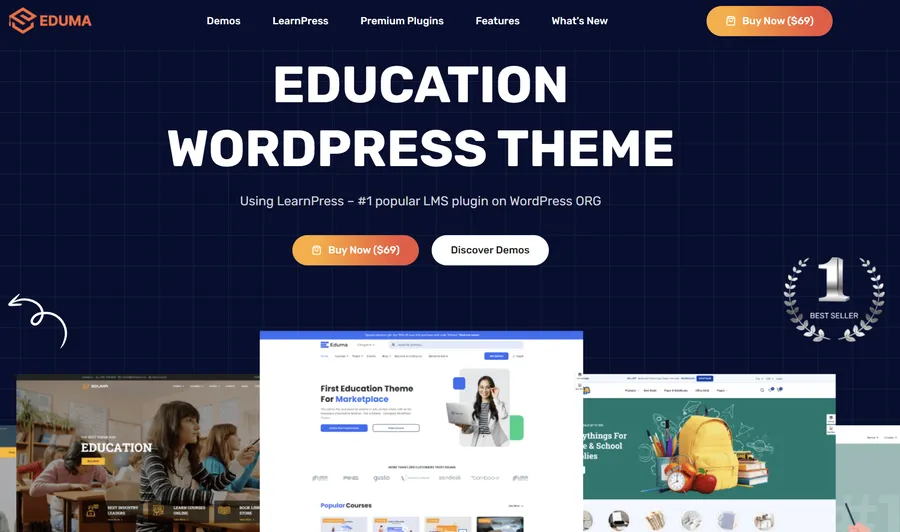
Eduma – Education WordPress Theme
We provide an amazing WordPress theme with fast and responsive designs. Let’s find out!
The Strategic Advantage of Ownership
Building an online presence requires a foundation that allows for long-term growth. While third-party platforms offer a quick start, they often control student data and take a significant percentage of revenue. Choosing to run a virtual classroom online with WordPress means keeping 100% of the profits and maintaining a direct relationship with the audience.
When a site is built using the best LMS plugin for WordPress, the educator has full control over the learning experience. LearnPress, specifically, is a powerful WordPress LMS plugin designed as a complete management solution for educators and organizations. Paired with Eduma, the world’s most popular education WordPress solution, the result is a professional online course platform that inspires trust and engagement.
Step 1: Curriculum Design and Strategic Planning
Success in the digital space starts long before the first student signs up. A common pitfall is dumping hours of video into a folder and calling it a course. Effective online teaching requires a logical flow that guides a student from “beginner” to “expert.”
Breaking Down the Modules
A professional curriculum should be divided into sections, lessons, and quizzes. This structure helps students track their progress and prevents them from feeling overwhelmed. For example, a marketing course might be broken down into:
- Section 1: Market Research (Lessons on demographics and competition).
- Section 2: Content Strategy (Lessons on storytelling and SEO).
- Section 3: Conversion Optimization (Lessons on landing pages and CTAs).

Media Selection and Learning Styles
Will the course rely on talking-head videos, screencasts, or written workbooks? A healthy mix is usually best to accommodate different learning styles. LearnPress makes it simple to attach supplementary resources like PDFs and worksheets to any lesson. These downloads provide tangible value and give students something to refer back to even when they are offline. This is a critical step in how to create an online learning website that actually delivers results.
Step 2: Building the Foundation with Eduma
The visual appeal of a website directly impacts the perceived value of the education provided. This is where Eduma comes into play.
As the leading education theme, Eduma provides a professional, polished look that instantly builds authority. To run a virtual classroom online with WordPress effectively, the design must be intuitive and responsive.
The Power of Eduma Demos
Instead of starting from a blank page, Eduma offers over 39 premium demos. Whether the goal is to build a university-style portal, a single-instructor site, or a creative arts hub, there is a pre-designed layout ready for use. These demos are mobile-first, ensuring that the online classroom WordPress experience is seamless for students using any device.
Customization Without Code
Eduma is built to work seamlessly with drag-and-drop builders like Elementor or WPBakery. With hundreds of content blocks, it is easy to customize the best landing pages for online courses without touching a single line of code. Once the hosting is set up, a one-click installation provides the framework needed to host a high-traffic virtual classroom WordPress site.
Step 3: Activating LearnPress – The Core Engine
While Eduma provides the “look,” LearnPress provides the “brain.” As a comprehensive WordPress LMS plugin, LearnPress handles everything from user registration to grading. It is a vital component when you run a virtual classroom online with WordPress.
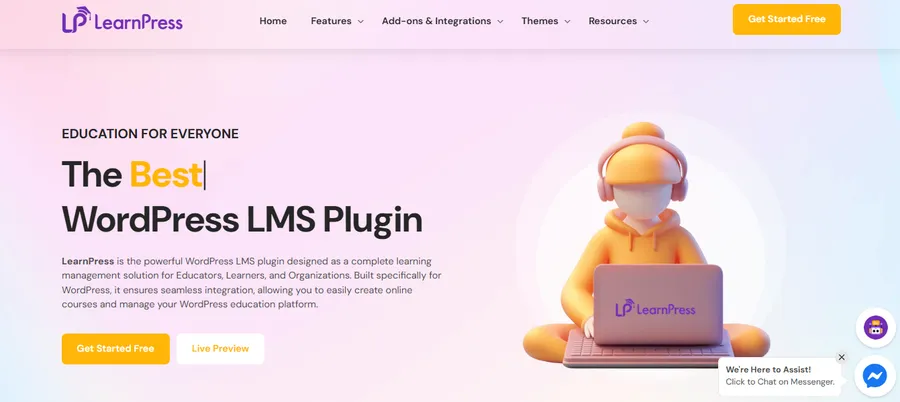
Key Features of LearnPress:
- Course Builder: A visual interface to organize curriculum into lessons and quizzes.
- Student Management: Tools to track enrollment, progress, and quiz scores.
- Gradebook: A central location to view all results and export data. For advanced tracking, many users upgrade to LearnPress Pro.
- Certificate Generation: Reward students with professional certificates for LearnPress upon course completion.
By installing LearnPress, the website gains the ability to function as a full-scale academy. It ensures that even if the theme is changed in the future, the valuable course content remains safe and organized.
Step 4: Setting Up an Intuitive Enrollment Process
A smooth enrollment process is the difference between a sale and a lost lead. If the signup process is too complex, students will abandon it. LearnPress offers an easy and instant checkout process that reduces friction, allowing students to purchase courses in seconds.
Monetization Strategies
When learning how to create an online classroom, monetization is usually a top priority. LearnPress supports various models:
- One-time Purchase: Direct sales via Stripe or PayPal.
- Subscriptions: Recurring revenue using the Paid Memberships Pro integration.
- Bundle Deals: Selling groups of courses using the Upsell add-on.
To run a virtual classroom online with WordPress profitably, the payment gateway must be secure. Integrating the Stripe add-on for LearnPress is a popular choice for handling international credit card transactions safely.
Step 5: Managing Content and Video Delivery
Video is the cornerstone of modern online learning. However, many new educators make the mistake of uploading large video files directly to their WordPress media library. This can lead to slow load times and crashed servers.
Choosing the Best Video Hosting
The professional solution is to host videos on dedicated video hosting platforms for online courses like YouTube, Vimeo, or Wistia. Once the video is uploaded there, simply paste the URL into the LearnPress lesson editor. This ensures that the video plays smoothly without using up the website’s bandwidth.
Interactive Learning with H5P
Beyond standard video, an online classroom WordPress site can benefit from interactive content. The H5P add-on for LearnPress allows for the creation of interactive videos, memory games, and timelines. This significantly increases engagement and ensures that students are not just passive viewers but active participants in their education.
Step 6: Creating Community and Collaboration
Isolation is a major reason why students drop out of online courses. By adding social features, an educator can foster a sense of belonging. A virtual classroom WordPress site is much more valuable when students can talk to each other.
Social Integration
Pairing LearnPress with BuddyPress or bbPress allows the site to function like a private social network. Students can have profiles, join groups, and participate in discussion forums. This peer-to-peer interaction adds immense value to the course. Furthermore, instructors can customize LearnPress profile pages to better reflect the brand’s community standards. When an educator understands how to create an online classroom that values community, student retention rates skyrocket.
Step 7: Hosting Live Interactive Sessions
While pre-recorded videos are convenient, live sessions provide the human touch that students crave. Live Q&As, workshops, and coaching sessions can significantly justify a higher course price when you run a virtual classroom online with WordPress.
Zoom and Google Meet Integration
The Live Course add-on for LearnPress makes it possible to host live meetings directly within the curriculum. Students don’t have to leave the site to join the class; they simply log in to their student dashboard and click “Join.” This level of integration is essential for a professional online classroom WordPress portal, as it keeps the student focused on the platform rather than getting lost in external links.
Step 8: Scaling and Automation with AI
Efficiency is the key to scaling a digital business. Managing thousands of students manually is impossible. This is where automation and AI come into play. To run a virtual classroom online with WordPress at scale, one must utilize modern AI tools for eLearning.
AI Support and Grading
AI chatbots can now be integrated into LearnPress to handle basic student queries 24/7. Additionally, AI can assist in content creation, from generating quiz questions to summarizing long lessons. Automation also extends to administrative tasks, such as sending reminder emails or managing student lists via the Student List add-on.
Mobile Learning
The future of education is mobile. Ensuring the school is accessible via a LearnPress mobile app allows students to learn on the go. Eduma also offers a dedicated mobile app solution that syncs perfectly with the desktop version, providing a unified experience that modern learners expect.
Conclusion
To run a virtual classroom online with WordPress successfully, an educator must balance high-quality content with a reliable technical foundation. By choosing the WordPress LMS plugin LearnPress and pairing it with the Eduma theme, the result is a professional, scalable, and highly functional online school.
The journey of how to create an online classroom is a rewarding one. It offers the freedom to teach from anywhere, the ability to reach a global audience, and the opportunity to build a sustainable business around one’s expertise. Start by planning the first module, choose a demo that fits the brand, and begin sharing knowledge with the world today.
Frequently Asked Questions about How to Run a Virtual Classroom Online with WordPress
1. Is it difficult to run a virtual classroom online with WordPress?
No, especially when using a dedicated education theme like Eduma. It includes pre-designed demos and integrated LearnPress features that allow for a “plug-and-play” experience. Most of the setup involves simple drag-and-drop actions rather than coding.
2. Which is the best WordPress LMS plugin for beginners?
LearnPress is widely considered the top choice because it is free to start, highly customizable, and supported by a massive library of add-ons. It is designed to grow with the business, making it ideal for both solo teachers and large academies.
3. Do I need a mobile app for my online classroom WordPress site?
While a responsive website is mandatory, a mobile app significantly increases engagement. It allows for push notifications and offline learning, which can help students stay committed to finishing the course.
4. How do I protect my course content from being stolen?
You can use WordPress content protection plugins and ensure your videos are hosted on private servers like Vimeo Pro. LearnPress also ensures that only enrolled, logged-in students can view the curriculum.
5. Can I use Eduma for a multi-instructor marketplace?
Yes. Eduma and LearnPress support the Co-instructors add-on, which allows multiple teachers to manage courses on a single site, making it perfect for creating a marketplace like Udemy or Coursera.
We hope this article helped you learn how to run a virtual classroom online with WordPress. If you liked this article, then please subscribe to our YouTube Channel for WordPress video tutorials. You can also find us on Twitter (X) and Facebook.
Read more: How to launch Cohort-Based Online Courses WordPress Successfully
Contact US | ThimPress:
Website: https://thimpress.com/
Fanpage: https://www.facebook.com/ThimPress
YouTube: https://www.youtube.com/c/ThimPressDesign
Twitter (X): https://x.com/thimpress_com