Search engine optimization can feel complicated when you first encounter technical terms, ranking factors, tools, and conflicting advice. The process becomes much easier when you treat it as a sequence of practical tasks. You do not need to master every advanced tactic before improving a website. You need a clear goal, a reliable starting point, and a repeatable system for deciding what to work on next.
This guide explains the essential steps of SEO in a logical order. You will learn how search engines discover pages, how to create an SEO strategy, how to choose keywords, how to improve content, and how to build a technically accessible website. You will also learn how to measure results so that SEO becomes an ongoing business process rather than a collection of random changes. For additional fundamentals, refer to Google’s official SEO Starter Guide.
If this is your first time working with organic search, begin with the broader explanation of what SEO is and how it works. Then use the step-by-step framework below as your working checklist.
Eduma – Education WordPress Theme
We provide an amazing WordPress theme with fast and responsive designs. Let’s find out!
What Is Search Engine Optimization?
Search engine optimization, usually shortened to SEO, is the practice of helping search engines understand your pages and helping the right people discover those pages through unpaid search results. It includes content, website structure, technical accessibility, user experience, authority, and performance measurement.
SEO is not only about inserting keywords into an article. A page must first be available to a search engine. The search engine must then understand its subject, decide whether it is useful for a query, and compare it with other eligible pages. Finally, the search result must be appealing enough for a person to click.
Google describes three broad stages in how Google Search works: crawling, indexing, and serving search results. Crawling is the discovery and retrieval of pages. Indexing is the analysis and storage of their content. Serving is the process of selecting results that appear relevant to a user’s query. Not every discovered URL is indexed, and an indexed page is not guaranteed to rank for every related keyword.
This is why effective search engine optimization combines several disciplines:
- SEO strategy connects organic search activity to business goals.
- Keyword research identifies what an audience searches for and why.
- On-page SEO makes individual pages clear, relevant, and useful.
- Technical SEO helps search engines access, render, and index a website.
- Off-page SEO builds authority and awareness beyond your own domain.
- Measurement shows what works and guides the next round of improvements.
For a business-focused explanation, the guide to SEO marketing shows how these areas work together to generate visibility, traffic, leads, and sales.
Why Follow SEO Step by Step?
SEO tasks affect one another. Publishing more articles will not solve a sitewide indexing problem. Building links to a weak page may attract attention without satisfying visitors. Improving page speed is valuable, but speed alone cannot make an irrelevant page answer a query. The correct order prevents wasted work.
A step-by-step process also makes SEO easier to manage. Each stage produces a specific output: goals, an audit, keyword groups, a site structure, content briefs, optimized pages, technical fixes, links, and reports. These outputs can be assigned, reviewed, and improved. This is especially useful for small teams that cannot work on everything at once.
Use the following 12 steps as a complete framework. A new website can follow them in order. An established website can use the same framework to find gaps and prioritize repairs.
Step 1: Define Your SEO Goals and Audience
Start with the outcome you want, not with a keyword tool. SEO can support product sales, lead generation, local visits, subscriptions, software sign-ups, advertising revenue, or brand awareness. These goals require different pages and different performance indicators.
Write one primary SEO goal that is specific enough to measure:
- “Get more traffic” is too broad.
- A better goal is “increase qualified organic visits to our service pages and generate 20 percent more contact form submissions within six months.”
An online store might aim to increase non-brand organic revenue from product and category pages. A publisher might focus on engaged visits and newsletter subscriptions.
Next, define the audience behind the searches. Record their problems, level of knowledge, location, buying stage, and criteria for choosing a solution.
A beginner searching “SEO for noobs” needs plain definitions and a safe starting checklist. A marketing manager searching “enterprise technical SEO audit” expects deeper analysis, risk assessment, and implementation detail.
Connect goals to page types. Informational searches often need tutorials, definitions, comparisons, or checklists. Commercial searches may need product categories, service pages, case studies, or pricing information. This connection prevents a common mistake: trying to make every keyword lead directly to a sales page.
Step 2: Audit Your Current Website
An SEO audit establishes the baseline. Without it, you may create new content while old technical or structural problems continue to limit the entire site. The audit does not need to be a hundred-page document. It should identify issues, explain their likely impact, and rank them by importance.
Review the website in five groups:
- Indexability: Can search engines access important pages, and are those pages eligible for indexing?
- Site structure: Can users reach important content through clear navigation and internal links?
- Content: Which pages are helpful, outdated, duplicated, thin, or poorly matched to search intent?
- Performance: Are pages fast, stable, mobile-friendly, and easy to use?
- Authority: Which pages attract external links and which important topics lack credible coverage?
Check HTTP status codes, robots directives, canonical tags, XML sitemaps, redirects, broken links, orphan pages, duplicate titles, missing headings, and image size. Compare indexed pages with the URLs you actually want people to find. A large difference may reveal low-value archives, parameter URLs, accidental noindex rules, or important pages that search engines cannot discover.
Separate critical issues from optional improvements. A blocked product category, broken canonical implementation, or server error deserves attention before minor title rewrites. If you need a broader practical checklist, these SEO tips for improving organic rankings can help you identify additional opportunities.
Step 3: Research Keywords and Search Intent

Keyword research translates audience needs into a searchable content plan. The purpose is not to collect the largest possible spreadsheet. It is to identify meaningful queries your website can satisfy and connect each query group to the right page.
Begin with seed topics based on your products, services, customer questions, and industry language. Expand them with search suggestions, related searches, competitor pages, customer support conversations, and keyword tools. If budget is limited, this list of free keyword research tools offers practical starting options.
Evaluate each keyword using more than search volume. Consider:
- Relevance: Does the query relate closely to what you offer or know?
- Intent: Is the person learning, comparing, navigating, or ready to act?
- Business value: Could satisfying this query contribute to a meaningful goal?
- Competition: Are the current results dominated by sites you cannot realistically match yet?
- Content requirements: Can you create a page that is genuinely more useful or more specific?
- Trend and seasonality: Is interest stable, growing, declining, or limited to certain periods?
Search intent is the reason behind a query. Study the current results for clues. If the results are mostly beginner guides, Google is unlikely to replace them with a product page. If the results show product categories, a long informational article may not match the task. Format matters too: a query may favor a list, calculator, video, comparison, local result, or step-by-step tutorial.
Group closely related terms into clusters instead of creating one page for every keyword variation. “Steps of SEO,” “SEO search engine optimization step by step,” and “how to create SEO strategy” can naturally belong to one comprehensive guide. Separate pages should exist only when the searcher needs a meaningfully different answer.
Use trend data as supporting evidence rather than as a substitute for intent analysis. The guide to using Google Trends for SEO explains how to compare interest, identify seasonal patterns, and find related topics.
Step 4: Study Competitors and Identify Content Gaps
SEO competitors are the websites that appear for your target queries. They may not be the same businesses you compete with offline. A software company can compete in search with review sites, publishers, forums, videos, and large educational platforms.
Review the top results for each important keyword cluster. Record the page type, depth, freshness, headings, examples, media, author information, links, and apparent purpose. Ask why the page works for the query. Do not copy its wording or reproduce every heading. Your goal is to understand the standard that a useful result must meet.
Look for gaps you can fill with original value. You may have current product data, practical screenshots, a clearer process, specialist experience, regional knowledge, downloadable templates, or examples from real customer questions. A smaller site often competes most effectively by being more focused and useful, not by writing the longest article.
You can also examine how competitors use key phrases across their public pages. This guide on how to search a website for keywords describes manual methods and tool-based approaches. Use competitor research to improve decisions, never to create a disguised copy.
Step 5: Build a Clear Website Structure
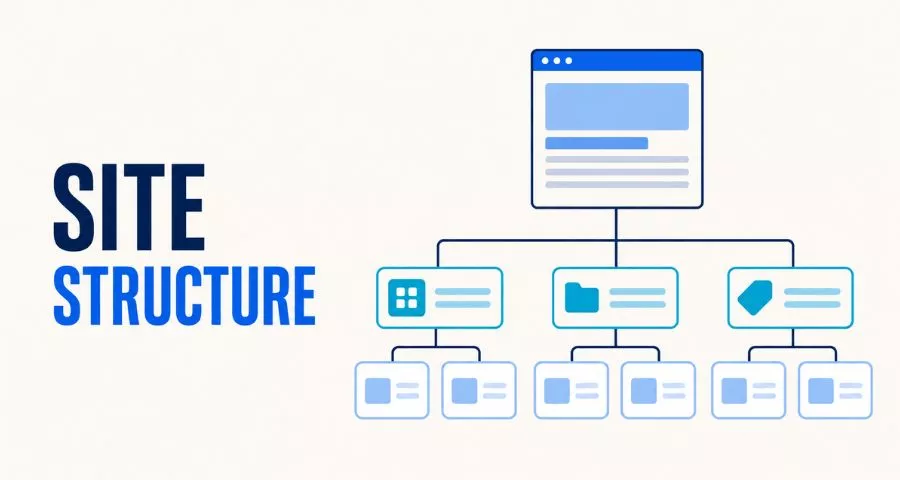
A strong site structure helps people browse and helps search engines discover relationships between pages. Important content should not depend on an XML sitemap alone. It should be reachable through normal HTML links from relevant navigation, category, hub, or article pages.
Organize content into logical topic groups. A simple structure may include a homepage, main service or product categories, detailed pages, and supporting resources. Each level should have a clear purpose. Avoid creating categories that contain only one weak page or nesting important pages so deeply that visitors struggle to reach them.
Use short, descriptive URLs that remain useful if the page is updated. A URL such as /seo/keyword-research/ communicates more than a string of dates and parameters. Changing an established URL creates migration work, so do it only when the long-term benefit justifies the redirect and monitoring required.
Create an internal linking plan while designing the structure. Supporting articles should link to their main topic page, and the main page should link back to relevant detailed resources. Use concise anchor text that describes the destination. Avoid repeating an exact commercial keyword in every link or adding large blocks of unrelated links merely for SEO.
For new sites, this guide on how to get a website to appear on Google provides additional indexing and visibility steps.
Step 6: Create Helpful, Search-Focused Content
Every page should have a defined audience, intent, primary topic, and next action. Before writing, create a brief that includes the target query cluster, page type, questions to answer, essential evidence, internal link opportunities, and conversion goal.
Write the direct answer early. Long introductions that delay the solution frustrate readers. Use descriptive headings so a visitor can scan the page and find the relevant section. Explain unfamiliar terms, give concrete steps, and add examples where a concept could be misunderstood.
Helpful content demonstrates real understanding. Depending on the topic, this may include first-hand observations, expert review, testing methods, original images, calculations, limitations, or citations to primary sources. Do not add unsupported claims simply to sound authoritative. Accuracy and clarity are more valuable than inflated language.
Optimize for completeness, not arbitrary length. A definition may need 800 words, while a complete implementation guide may need 4,000. Remove repetition and keep each section focused. Search engine optimization techniques should improve the reader’s ability to solve a problem, not make the page feel engineered for a robot.
Update content when facts, tools, prices, interfaces, or recommendations change. A useful update involves verifying information and improving the page, not changing the publication date without meaningful work. Review declining pages alongside current search results to determine whether the answer, evidence, format, or user experience needs improvement.
Step 7: Apply On-Page SEO
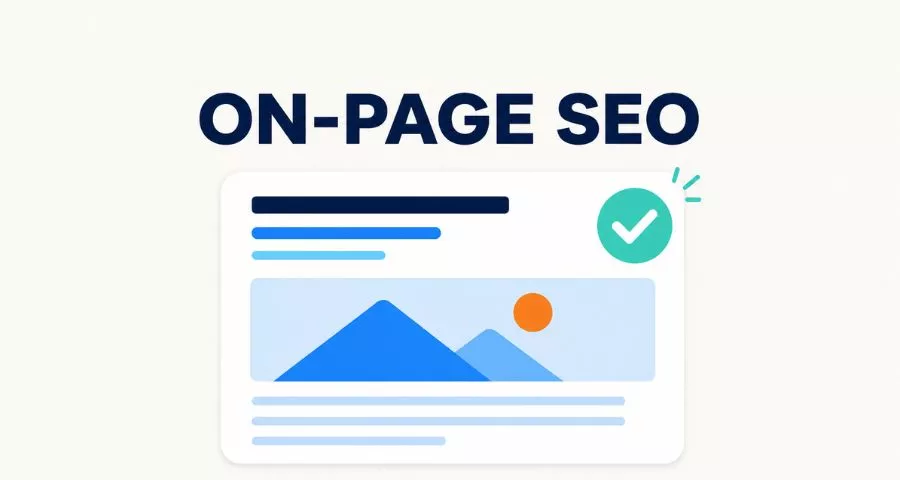
On-page SEO makes a page’s subject and value clear to users and search engines. It begins with the content itself, then improves the elements that describe and organize that content.
Write a useful title tag
Create a unique title for each important page. State the main topic clearly and add a useful distinction, such as the audience, benefit, year, format, or product type. Put clarity before cleverness. The visible headline and title tag can differ, but they should describe the same page.
Create an accurate meta description
A meta description is a short summary that may be used in a search snippet. Explain what the visitor will gain and include the topic naturally. Do not promise information that the page does not deliver. Google may generate a different snippet based on the query, so treat the description as a relevant suggestion, not guaranteed display text.
Use headings to create hierarchy
Keep the page title as the main H1 and use H2 headings for major sections. Use H3 headings only as subdivisions of an H2. Headings should describe the content below them. Do not choose a heading level because of its visual size; adjust visual styling through the theme.
Use keywords naturally
Include the primary topic where it helps establish meaning: the title, introduction, a relevant heading, URL, and body. Use related terms when they are genuinely needed. There is no universal keyword density target. Repeating “search engine optimization SEO marketing” unnaturally will not make a weak page more useful.
Optimize images and links
Compress large images, choose appropriate dimensions, and add descriptive alternative text when an image conveys information. Decorative images can use empty alt text. Link to relevant internal pages and trustworthy external sources where they help the reader verify or explore a point.
On-page changes work best when they support intent and quality. The additional guide on how to rank higher on Google explains how keyword optimization, content, backlinks, and monitoring fit together.
Step 8: Improve Technical SEO
Technical SEO allows search engines to access and interpret the content you want indexed. Start with the fundamentals. According to Google Search Essentials, eligibility depends on meeting technical requirements, following spam policies, and applying key best practices. Compliance does not guarantee crawling, indexing, or rankings, but serious access problems can prevent a page from competing at all.
Control crawling and indexing carefully
Use robots.txt to manage crawler access, not as a reliable method for removing an already known URL from search results. Use a noindex directive when a publicly accessible page should not be indexed. Never block a page in robots.txt if Google must crawl it to see its noindex directive.
Make important pages return a successful HTTP status. Repair broken internal links and redirect permanently moved URLs to their closest relevant replacements. Avoid redirect chains. When content is gone and has no equivalent, a proper 404 or 410 response is often more honest than redirecting everything to the homepage.
Manage duplicate URLs and canonicals
Duplicate or very similar URLs can appear through parameters, filters, print versions, tags, HTTP and HTTPS variants, or inconsistent trailing slashes. Use consistent internal links, redirects where appropriate, and self-referencing canonical tags on indexable pages. A canonical is a signal, not a command, so other signals should support the same preferred URL.
Create and submit an XML sitemap
An XML sitemap lists important canonical URLs and can help search engines discover new or updated content. It does not replace crawlable navigation, and inclusion does not guarantee indexing. Keep low-value, redirected, noindex, and broken URLs out of the sitemap. Google’s guide explains what a sitemap is and when it helps.
Support mobile users and page performance
Use responsive layouts, readable text, accessible controls, and consistent primary content across screen sizes. Optimize images, fonts, scripts, caching, and server response time. Prevent large layout shifts and ensure that interactive elements respond quickly. Performance should be measured using both lab tests and real-user data where available.
Add structured data when it is appropriate
Structured data can give search engines explicit information about eligible content types such as products, organizations, breadcrumbs, events, and articles. Use a supported format, include required properties, and make sure the markup represents visible page content. Validate it, but remember that valid markup does not guarantee a rich result.
WordPress users can handle many of these settings through a well-configured plugin, but installing multiple plugins that output overlapping metadata can create conflicts. Compare the features in this guide to WordPress SEO plugins, choose one primary solution, and verify its actual output.
Step 9: Strengthen Internal Linking
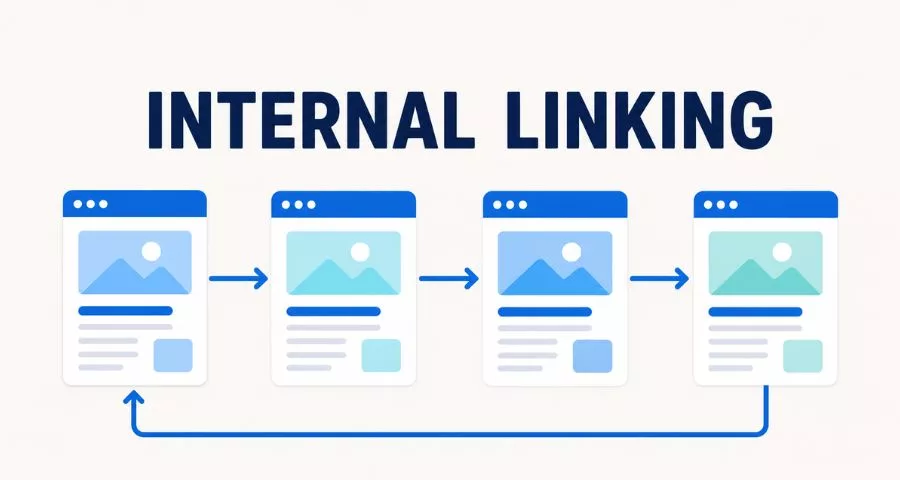
Internal links help visitors discover related information and help search engines understand the relative importance and context of pages. They also allow authority gained by one page to flow through the rest of the site.
Add links where they are useful within the main content. A guide about starting SEO can link to detailed resources on keyword research, auditing, plugins, and reporting. A product category can link to buying guides, and those guides can link back to suitable products. This creates a connected journey instead of isolated pages.
Use descriptive anchor text, but vary it naturally. “Keyword research tools” is more informative than “click here.” Do not force links into irrelevant sentences or repeat the same link many times on one page without a user need.
Find orphan pages that receive no internal links, pages that are too deep, and older articles that could support new content. Every time you publish a page, add links from relevant existing pages as well as links from the new page. Internal linking is an editorial habit, not a one-time technical project.
Step 10: Build Authority with Ethical Off-Page SEO
Backlinks are links from other websites. Useful links can help people discover a brand and can contribute to how search engines assess pages. However, link quality depends on relevance, editorial context, credibility, and usefulness—not only on the number of referring domains.
The safest link-building strategy begins with something worth referencing. Create original research, detailed tutorials, free tools, templates, statistics, expert explanations, or genuinely useful resources. Promote those assets to people and organizations whose audiences would benefit from them.
Other legitimate techniques include digital public relations, relevant partnerships, expert contributions, repairing broken references, reclaiming unlinked brand mentions, and earning coverage through strong products or community work. Local businesses should also maintain accurate profiles and seek mentions from trusted local organizations.
Avoid buying ranking links, automated link schemes, mass guest-post networks, and irrelevant directory submissions. These tactics create risk and rarely build a durable audience. Evaluate every opportunity by asking whether the link would still have value if search engines ignored it.
Step 11: Set Up Measurement and Reporting
SEO measurement should connect visibility to meaningful behavior. Rankings are useful diagnostic signals, but a higher position is not automatically a business result. Combine search performance with engagement and conversion data.
Set up Google Search Console to monitor how Google crawls, indexes, and serves your pages. Google’s official guide explains how to get started with Search Console. Connect an analytics platform as well, then define important events such as purchases, form submissions, calls, trial starts, downloads, or subscriptions.
Track metrics at three levels:
- Visibility: impressions, indexed pages, query coverage, and ranking trends.
- Traffic quality: organic clicks, landing pages, engagement, and new versus returning visitors.
- Business outcomes: leads, sales, revenue, assisted conversions, and cost per acquisition where calculable.
Segment the data. Brand and non-brand searches behave differently. Blog posts, product pages, categories, and local pages have different goals. Mobile performance may differ from desktop performance. Aggregate traffic can hide both strong growth and serious losses.
Use rank tracking selectively for priority keyword groups and locations. Rankings change by device, location, personalization, and search features, so treat them as trends rather than absolute truth. This explanation of rank tracking can help you choose a useful monitoring approach.
Step 12: Review, Improve, and Repeat
SEO is continuous because websites, competitors, search behavior, products, and search systems change. Build a simple review cycle instead of waiting for a traffic crisis.
Every month, review organic conversions, important landing pages, query trends, indexing warnings, technical errors, and recently published content. Every quarter, revisit keyword priorities, content gaps, internal links, declining pages, and competitor changes. Run a deeper technical audit after a redesign, domain move, CMS migration, or major change to templates and navigation.
When performance falls, do not change everything at once. Check whether the decline affects the whole site, a directory, a page type, a device, a country, or only several queries. Compare the date with site releases, tracking changes, seasonality, demand, manual actions, security problems, and confirmed search updates. Form a hypothesis, make a controlled improvement, and monitor the result.
Refresh a page when its answer is outdated, incomplete, unclear, or less useful than current alternatives. Combine overlapping pages when they compete for the same intent. Remove or redirect content only after reviewing traffic, links, conversions, and the best destination. Historical URLs can have value that is easy to destroy and slow to rebuild.
Tools can make this cycle faster, but they do not replace judgment. Review these free Google SEO tools for research, performance, and diagnostics. Larger teams can compare broader platforms in this guide to SEO marketing tools or examine Semrush alternatives for specialized needs.
A Simple 90-Day SEO Plan for Beginners
If you are learning SEO for noobs, a short implementation schedule can prevent information overload. Adjust the plan to your website size and resources.
Days 1–30: Build the foundation
- Define the audience, business goal, and primary conversion.
- Set up Search Console and analytics.
- Crawl the site and review indexing, status codes, canonicals, robots rules, and sitemaps.
- Fix critical access problems, broken templates, and important redirect errors.
- Identify the main page types and create a simple site map.
- Research a focused set of topics and assign search intent.
Days 31–60: Improve pages and content
- Optimize priority service, product, and category pages.
- Rewrite unclear titles, headings, and descriptions.
- Improve thin or outdated pages that already receive impressions.
- Create briefs for high-value content gaps.
- Publish useful content at a pace your team can maintain.
- Add relevant internal links between new and existing pages.
Days 61–90: Build authority and learn from data
- Promote the strongest resources to relevant audiences.
- Find legitimate partnership, mention, and digital PR opportunities.
- Review query and landing-page data in Search Console.
- Check whether improved pages gain impressions, clicks, and conversions.
- Document what worked, what failed, and what needs more time.
- Create the next 90-day backlog based on impact and effort.
Beginners using WordPress may also benefit from comparing free and paid WordPress SEO tools. Choose tools that support the plan; do not let plugin scores become the plan.
Steps of SEO: FAQs
What are the main steps of SEO?
The main steps are goal setting, website auditing, keyword and intent research, competitor analysis, site architecture, content creation, on-page optimization, technical SEO, internal linking, authority building, measurement, and continuous improvement. The order matters because technical access and strategic relevance support every later activity.
How do I create an SEO strategy?
Define the business outcome, identify the target audience, audit the current website, research search demand, map keyword clusters to appropriate pages, and prioritize work by expected impact and effort. Add clear owners, deadlines, and metrics. Review the strategy regularly as data and business priorities change.
How can I optimize a website for search?
Make important pages crawlable and indexable, organize them in a logical structure, answer relevant searches with useful content, optimize page elements, improve mobile usability and speed, add internal links, earn trustworthy mentions, and monitor results. Search optimization is a system, not a single setting.
Can a beginner do SEO without paid tools?
Yes. A beginner can use Search Console, analytics, search results, spreadsheets, and free versions of research and auditing tools. Paid platforms save time and provide larger datasets, but clear thinking, useful content, and correct implementation matter more than owning an expensive tool.
How long does SEO take?
There is no fixed timeline. A technical repair or title improvement may affect performance relatively quickly after recrawling. A new site targeting competitive queries may need many months to develop content, recognition, and authority. The starting condition, competition, resources, and quality of execution all influence the result.
How often should I update my SEO strategy?
Review operational data monthly and priorities at least quarterly. Update the strategy sooner after major product changes, a redesign, a migration, unexpected performance changes, or new customer research. Avoid rebuilding the plan in response to every small ranking fluctuation.
Is technical SEO more important than content?
They solve different problems. Technical SEO makes content accessible and interpretable, while content provides the reason a page deserves to be found. A technically perfect empty page is not useful, and excellent content cannot perform if search engines cannot access it. Strong websites need both.
Final Thoughts
The best way to learn search engine optimization is to apply it through a structured process. Begin with goals and audience needs. Make the website accessible. Research real searches, create the right pages, and improve each page for clarity and usefulness. Build connections through internal links and ethical promotion, then use performance data to decide what to do next.
You do not need every search engine optimization technique on day one. You need to solve the most important problem in the correct order and measure the result. When the 12 steps become a repeatable cycle, SEO changes from a confusing list of tactics into a practical marketing system that can grow with your website.
Read More: How much does a domain name cost?
Contact US | ThimPress:
Website: https://thimpress.com/
Fanpage: https://www.facebook.com/ThimPress
YouTube: https://www.youtube.com/c/ThimPressDesign
Twitter (X): https://x.com/thimpress_com