Searching for plugin cookies usually means you need a WordPress tool that explains tracking, records visitor choices, and controls which scripts run. A banner is part of that job, but the real test happens after someone clicks: your analytics, advertising tags, and embedded services should follow the preference they selected.
For website owners, the right setup depends on your business, audience, and data practices. A local service website, an online course business, and an advertising-supported publication may need different controls. Installing the most popular plugin without checking those differences can leave important gaps.
This guide explains how WordPress cookies work, compares four cookie plugin options, and walks through a practical setup and testing process. You will also learn how to keep consent controls working as your website grows.
Eduma – Education WordPress Theme
We provide an amazing WordPress theme with fast and responsive designs. Let’s find out!
What Does a Cookie Plugin Do?
A cookie consent plugin connects a visitor-facing notice with controls for cookies and tracking technologies. Depending on the product and plan, it may scan your website, categorize services, display a preference center, block scripts, and record consent events.
A basic cookie notice plugin may only display a message and remember that someone dismissed it. That can be useful for a simple disclosure, but it does not necessarily stop an advertising pixel or prevent a video embed from connecting to another company.
Before comparing products, separate the interface from the enforcement. The interface explains choices. Enforcement determines what actually loads. Reporting helps you understand whether the configuration continues to work.
If you need a foundation first, read ThimPress’s explanation of what a cookie does in WordPress. For a broader product overview, explore its WordPress cookie consent plugin comparison.
Understand the WordPress Cookies Your Website Uses
WordPress cookies are small browser-stored values that support website functions or help services recognize a browser. WordPress can use cookies for authentication and certain commenting preferences. Plugins and external services may introduce additional cookies for shopping carts, analytics, advertising, or personalization.
Cookie purpose matters more than the tool that created it. A cookie supporting an authenticated account serves a different function from one used to build an advertising audience. Classify services according to their actual behavior and your applicable requirements.
Essential functions
Account access, security controls, and shopping sessions can depend on browser storage. Blocking everything indiscriminately may prevent visitors from signing in or completing purchases. Test those workflows before applying a broad blocking rule.
Preferences and measurement
Some services remember a language choice or collect information about page visits. Keep these categories understandable. Visitors should know whether a setting changes their browsing experience, contributes to aggregate measurement, or permits more detailed tracking.
Advertising and embedded content
Advertising pixels, social widgets, maps, and video players deserve individual review. A page can contact an external provider before a visitor interacts with its embedded content. Cookies are also only one storage mechanism; local storage, identifiers, and server-side data transfers may require attention.
Build your inventory around services and data flows rather than cookie names alone. This makes future reviews easier when a vendor renames a cookie or changes its implementation.
What US Website Owners Should Know About Consent
The United States does not have one universal rule requiring every website to display the same cookie banner. Requirements vary by applicable state law, business coverage, audience, data use, and other circumstances. International visitors can introduce additional obligations.
The California Attorney General’s CCPA guidance explains consumer rights, including opting out of the sale or sharing of personal information. For covered businesses, a general “Accept cookies” button is not a substitute for the required privacy choices.
The Attorney General also provides Global Privacy Control guidance. Where required, a qualifying browser opt-out signal must be honored. Check how your chosen system handles that signal and how it affects downstream advertising tools.
Use legal guidance to decide which rules apply, then configure the plugin to implement those decisions. Avoid claiming that one installation makes a website compliant with every privacy law.
For related planning, ThimPress covers data privacy regulations and writing a basic privacy policy. Your published policy should describe the services you actually use.
TOP 4 WordPress Cookie Plugins to Consider
The following options provide different starting points. Review the current product documentation and plan details before choosing. These are practical comparisons based on published capabilities, not claims from a hands-on performance benchmark.
1. CookieYes
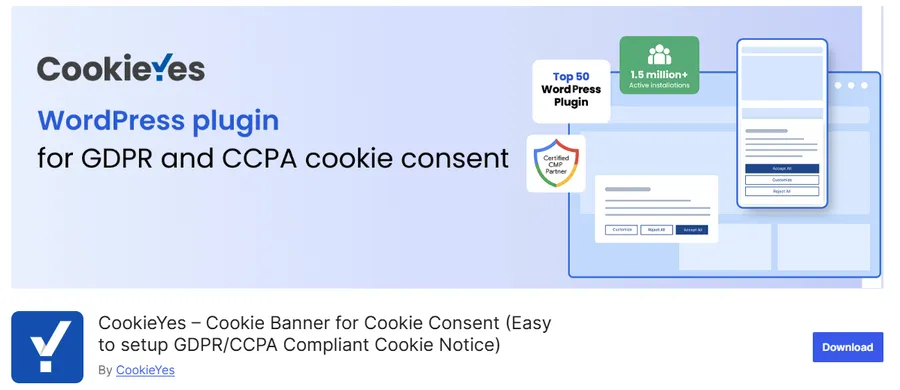
CookieYes offers a WordPress integration for its consent management platform. Its official WordPress listing describes cookie banners, preference controls, and blocking capabilities.
Consider it when you want a guided setup and an established consent management workflow. Check which scanning, regional targeting, and reporting features your selected plan includes. Review the connection between your WordPress installation and any external account used to manage consent.
During evaluation, add your actual analytics and advertising services to staging. Confirm that both recognized integrations and custom snippets follow the intended settings. Do not assume every script is covered simply because the banner appears.
2. Complianz
Complianz combines a setup wizard with cookie scanning, banner configuration, and policy-related tools. Its official plugin listing outlines its consent management features and supported frameworks.
It is worth evaluating for a business that wants help organizing its privacy setup rather than editing a banner in isolation. Answer the wizard’s questions carefully; generated settings and documents depend on accurate information about your business and services.
Check the difference between free and premium capabilities, especially if you need multiple regional configurations or specific integrations. Review generated policy content before publishing, and confirm that the selected rules match the advice your business has received.
3. Cookiebot CMP
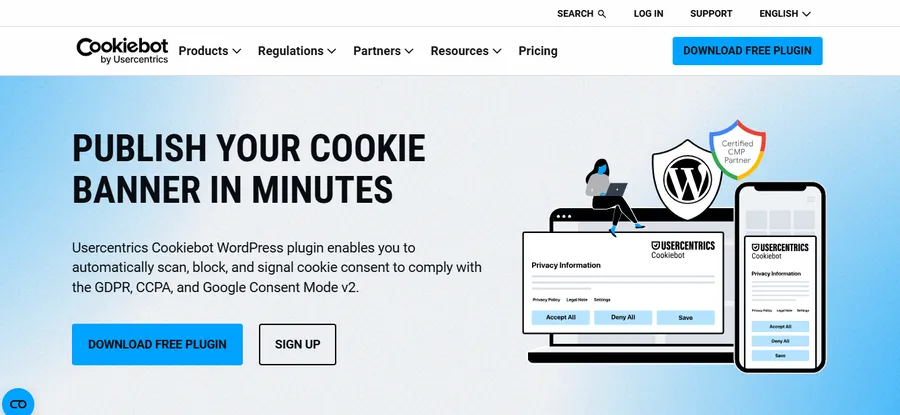
Cookiebot CMP provides a consent management service with a WordPress integration. Its official WordPress page explains the connection between its scanning, banner, and consent features.
Include it in your shortlist if centralized administration and recurring service discovery are priorities. Evaluate how its billing model applies to your website’s size and domains. A small brochure website and a large resource library can have different requirements.
Pay attention to custom scripts and content that appears only after login or interaction. An automated scanner is a starting point for discovery, while manual testing confirms behavior in the journeys that matter to your customers.
4. Cookie Notice & Compliance

Cookie Notice & Compliance combines WordPress notice functionality with an optional connected consent platform. Its official listing distinguishes the available capabilities.
Consider it when you want to begin with a straightforward notice and evaluate whether the connected service fits your broader needs. Carefully separate the controls included in the installed plugin from features supplied by an account or subscription.
For any simple notice configuration, verify script enforcement explicitly. Remembering a visitor’s button click does not prove that every tracking service received or honored that choice. Use your own test results to decide whether the configuration is sufficient.
If you already use ThimPress products, review the Thim-Core cookie consent feature overview before adding another banner system. You can also explore the WPLP compliance platform review for another approach to privacy tooling.
How to Set Up a Cookie Consent Popup
Step 1: Back up and prepare a test environment
Take a current backup before changing scripts or plugin settings. Use a staging copy to test the banner, blocking rules, and purchase journeys. Keep staging protected from public access and prevent it from sending real marketing messages or payment requests.
ThimPress explains how to create a WordPress staging site. Review its WordPress backup plugin options if you need a backup workflow first.
Step 2: Inventory scripts and installation points
List your analytics, ad platforms, video embeds, chat tools, and personalization services. Record whether each is installed through a plugin, theme setting, tag manager, or custom code. Remove duplicate tracking snippets before configuring consent.
Visit representative pages, including landing pages and content with embeds. Check the browser’s storage and network panels. A scanner may miss a service that loads only after someone opens a chat window or starts checkout.
Step 3: Configure categories and regional behavior
Assign each service to an appropriate category and document why. Do not classify advertising as essential simply to keep it enabled. Configure opt-in, opt-out, and browser signal handling according to the requirements identified for your business.
If you use location-based rules, test each intended region. Location detection can be imperfect, so define a sensible fallback. Your setup should also explain what happens when the system cannot determine a visitor’s location.
Step 4: Write clear popup copy
Your cookie consent popup should explain the categories you use and the choices available. Use plain language such as “Analytics helps us understand how visitors use this website” rather than vague references to improving every experience.
Match button labels to their actions. A preferences button should open settings, while a rejection option should apply the stated restriction. Link to the relevant policy and keep important choices visible without making visitors interpret unfamiliar terminology.
Step 5: Connect tracking controls
Configure supported integrations and add manual rules for services the plugin does not recognize. Ensure the consent system initializes before scripts that depend on it. Check whether caching or JavaScript optimization changes that order.
If you use Google tools, follow Google’s consent mode documentation. Consent Mode adjusts tag behavior based on consent states; it does not independently collect valid consent. Basic and advanced implementations behave differently, including whether tags load before consent.
Step 6: Publish and retest production
Move the tested settings to your live website during a monitored change window. Clear relevant caches, then repeat the main tests as a logged-out visitor. Production can behave differently because of its CDN, tag manager environment, or hosting optimization.
Keep a persistent privacy settings link or equivalent control so visitors can change their choices. Record the configuration date, responsible owner, and services tested. That record gives your next review a clear starting point.
How to Evaluate Plugin Cookies Options
Start with your tracking inventory and business needs. A feature matters when it solves a real requirement on your website. A long feature list is less helpful than a clear explanation of which services the plugin can control.
Script control and service coverage
Check whether blocking covers automatically detected scripts, manually added scripts, tag manager containers, and embedded content. Ask how to handle an unsupported service. A banner that recognizes your analytics tool but misses a custom advertising snippet leaves an incomplete implementation.
Visitor choices and accessibility
Look for understandable categories, usable buttons, readable text, keyboard navigation, and a way to reopen preferences. Test on a phone. A consent interface that covers checkout or traps keyboard focus can create practical problems even when its desktop preview looks polished.
Records, integrations, and ongoing cost
Determine where consent records are stored, how long they are retained, and who can access them. Review scan limits, domain allowances, page limits, and renewal terms. Feature availability can differ between a free WordPress connector and its associated paid service.
Evaluate consent alongside your wider plugin stack. ThimPress’s guide to essential WordPress plugins can help you review overlapping functionality and unnecessary dependencies.
Test Behavior Before and After Every Choice
Begin with a clean browser session. Record what loads before any interaction, then test rejection, category-specific acceptance, full acceptance, and later withdrawal. Clear relevant storage between independent test cases so a previous choice does not influence the next result.
Inspect both stored values and network requests. A missing cookie does not necessarily mean a service received no data. Some tools can communicate without setting their usual identifiers, so compare observed behavior with your intended policy.
Test the pages your business depends on. For a store, add an item to the cart and complete a test purchase. For a course website, check registration, sign-in, enrollment, and lesson playback. For a service business, submit a contact form and verify delivery.
Repeat the checks on mobile and with keyboard navigation. Confirm that the popup does not cover essential controls, that preferences can be reopened, and that focus remains understandable throughout the interaction.
Also test a qualifying opt-out browser signal where applicable. Save concise results, including failures and their resolutions, rather than relying on a screenshot showing that the banner exists.
Common Cookie Plugin Problems and How to Address Them
The popup appears repeatedly
Check whether the preference cookie is being saved, whether its domain matches the website, and whether browser settings are clearing it. Look for conflicting consent tools or code that resets storage. Test a clean session before changing expiration settings.
Tracking runs after rejection
Find the script’s actual installation point. A blocked tag manager entry will not stop the same pixel installed through a theme setting. Review category mappings, initialization order, and integration settings, then retest the network requests.
Video or checkout stops working
Identify the specific service that was blocked. Explain blocked optional embeds with a placeholder and appropriate controls. For checkout, investigate essential dependencies carefully instead of broadly allowing every third-party service.
The banner disappears after optimization
Temporarily isolate script delay or combination settings on staging. Apply exclusions supported by your consent and optimization providers. ThimPress’s WordPress speed optimization guide provides wider performance context.
If a conflict involves another extension, use a controlled process to disable WordPress plugins. Avoid deactivating business-critical plugins indiscriminately on a live store.
Keep Consent Working as Your Website Changes
Review consent whenever you add a marketing tool, embed a new service, replace a form provider, or change your theme. These changes can introduce tracking without an obvious visual difference on the page.
Include consent checks in your regular maintenance schedule. ThimPress’s WordPress website maintenance tips and safe WordPress update guide can help you connect privacy testing with routine technical work.
Monitor search and measurement separately. Consent choices can change reported analytics totals without changing actual search traffic in the same way. Review your configuration before assuming that a decline in measured sessions means your content lost rankings.
For broader optimization, explore ThimPress’s WordPress SEO plugin guide. Consent tooling supports visitor choice; your content, crawlability, performance, and technical setup still need their own attention.
Match Your Cookie Setup to Your Business
A local service website
Imagine a plumbing business with a contact form, an embedded map, and a basic analytics integration. Its first task is to identify which services connect before interaction. A short website can still send data to several providers, especially when the theme includes social widgets or a marketing agency has added tracking.
Keep the consent interface proportionate and clear. Make sure visitors can request service regardless of their optional tracking choice. Test the form confirmation page, phone links, and appointment scheduler. If the scheduler comes from another provider, review that integration separately rather than assuming your WordPress banner controls the entire booking experience.
An online store
A store needs particular care around cart sessions, fraud prevention, checkout, and advertising attribution. Document which tools are necessary to complete a purchase and which support optional marketing. A useful test order should include the rejected-marketing state as well as the fully accepted state.
Ask your marketing team where conversion events originate. An event may come from a browser pixel, a server integration, or both. Browser blocking alone will not necessarily change server-side processing. Assign responsibility for those connections and confirm that each receives the appropriate preference information.
A course or membership website
Education websites often combine account cookies, payment tools, video hosts, discussion features, and email automation. Test the experience for a new visitor and an enrolled student. An existing account should not become unusable because optional analytics is disabled.
When a lesson video requires an external player, provide a clear explanation if the content is blocked under the selected preferences. Review alternatives with your course team and vendor. Avoid presenting a confusing empty rectangle where a student expects paid lesson content.
Plan the Budget Beyond the Subscription
The subscription price is only part of the cost. Allow time for the initial inventory, configuration, policy review, and recurring tests. A lower-priced tool that requires extensive manual script maintenance can cost more to operate than a system that supports your integrations directly.
Check what happens if a subscription expires or a cloud service becomes unavailable. Ask whether the banner continues working, which controls remain active, and how you can export settings or records. These questions matter when consent management becomes a dependency for your marketing stack.
Agree on an owner before launch. Your developer can manage script behavior, your marketer can report new campaigns, and your privacy adviser can help determine requirements. One person should coordinate those changes so a new tracking tool does not bypass the existing process.
Theme customizations also deserve review because header or footer code can introduce scripts outside plugin settings. ThimPress’s guide to editing WordPress themes provides useful background for managing those changes carefully.
Frequently Asked Questions About Plugin Cookies
Do all US WordPress websites need a cookie consent popup?
No single answer covers every US website. The applicable requirements depend on your business, visitors, and data practices. Determine whether you need disclosures, opt-out controls, opt-in consent, browser signal handling, or a combination before choosing your configuration.
Is a free cookie notice plugin enough?
It can be enough for a limited, clearly defined requirement if its controls actually implement that requirement. Review script blocking, supported services, preference changes, and any account limits. A free notice with no enforcement will not solve a requirement that depends on enforcement.
Can I use two cookie plugins together?
Usually, one coordinated consent system is easier to maintain. Two systems can display conflicting notices or send inconsistent states to tracking services. Check whether your theme or existing plugin already supplies consent functionality before adding another.
Will deleting cookies remove all tracking?
No. Services can use other browser storage, account identifiers, or server-side processing. Deleting cookies also does not automatically communicate every required opt-out preference. Review your complete data flow and the controls available for each service.
Does a consent plugin guarantee legal compliance?
No. A plugin implements technical controls, but your business still needs accurate disclosures, appropriate vendor arrangements, and processes for applicable privacy rights. Evaluate the entire setup and seek qualified advice for decisions that depend on your legal obligations.
Choose a Cookie Setup You Can Verify
The best result from a plugin cookies search is a system that fits your website and produces testable behavior. Start with an inventory, choose suitable controls, write a clear notice, and confirm what happens after each visitor choice.
For a ThimPress-powered website, review existing consent features before installing a separate solution. Then test your tracking, forms, checkout, and course experience together. A clear interface backed by reliable controls gives visitors meaningful choices and gives your team a setup it can maintain.
Read More: The Best Graphic Design Website Designs
Contact US | ThimPress:
Website: https://thimpress.com/
Fanpage: https://www.facebook.com/ThimPress
YouTube: https://www.youtube.com/c/ThimPressDesign
Twitter (X): https://x.com/thimpress_com