A property portfolio requires a robust digital foundation to attract buyers, sellers, and investors consistently. Developing highly functional real estate websites serves as the cornerstone for any property marketing strategy. A well-constructed platform operates as a 24/7 digital storefront, capturing leads, displaying high-resolution property data, and establishing industry authority.
WordPress remains the premier content management system for this task due to its scalability, open-source flexibility, and extensive plugin ecosystem. Whether an agency handles suburban homes or luxury apartments, utilizing this system ensures complete control over data and design.
The following comprehensive guide details the exact process required to construct, optimize, and launch a professional real estate website from the ground up, ensuring it ranks well on search engines and converts visitors into clients.
Content Summary: The 6-Step To Create Real Estate Websites
Before diving into the detailed development process, review this summary table outlining the core phases of establishing a property platform.
| Phase | Objective | Key Actions Required |
| Step 1: Theme Selection | Establish visual and technical foundations. | Evaluate design, responsiveness, and page builder compatibility (e.g., RealPress). |
| Step 2: Site Structure | Create a logical, user-friendly hierarchy. | Design the homepage, navigation menus, and essential static pages. |
| Step 3: Property Listings | Showcase inventory effectively. | Choose between manual uploads or automated database syncing. |
| Step 4: MLS/IDX Integration | Automate live property data retrieval. | Connect the platform to an official multiple listing service. |
| Step 5: Functionality | Enhance user experience and lead generation. | Implement contact forms, mortgage calculators, and email captures. |
| Step 6: Promotion | Drive targeted traffic to the platform. | Apply technical SEO, local directory listings, and content marketing. |
Step 1: Choose a Specialized Theme for Your Real Estate Websites
The initial phase of development involves selecting the visual and structural framework of the platform. General-purpose templates often require excessive modification to function correctly for property management. Therefore, selecting a theme explicitly engineered for this industry is highly recommended.
When evaluating options for real estate website design WordPress, administrators should look for a comprehensive, ready-to-deploy solution rather than starting from scratch. A standout example that perfectly aligns with these professional requirements is the RealPress – Real Estate WordPress Theme. Currently available at $29 (previously $69) with over 30,000 active installations, RealPress serves as an all-in-one foundation tailored for independent agents, property managers, agencies, and even e-commerce companies handling vacation rentals.
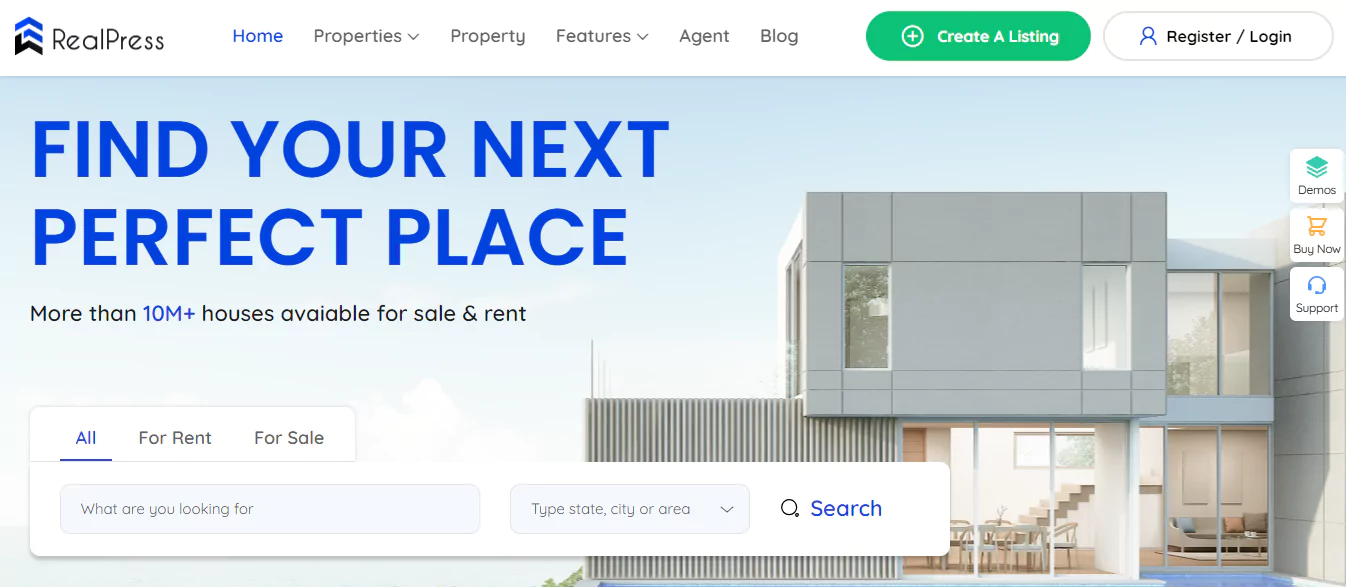
Integrating a highly specialized theme like RealPress into your development strategy provides several distinct operational and structural benefits:
- Industry-Specific Engineering: Built exclusively for the property market, it easily accommodates residential sales, vacation rentals, and commercial real estate websites.
- Core Functionality via RealPress: Powered by the RealPress plugin, it simplifies backend management for property listings, agent profiles, and interactive location maps.
- Rapid Setup & Pre-built Elements: Save time with a 1-click import tool that installs 10+ professional pages and provides over 100 ready-to-use elements, such as dynamic search filters.
- Drag-and-Drop Customization: It integrates flawlessly with Elementor, allowing administrators to design a stunning WordPress real estate website entirely without coding.
- Advanced SEO Infrastructure: To help you rank among the best real estate websites, it includes built-in RealEstate Listing Schema markup to boost search engine visibility.
- Seamless Third-Party Integration: Creates a robust real estate website builder WordPress environment by connecting smoothly with Rank Math, WooCommerce, MailChimp, and Contact Form 7.
- Flawless Responsiveness & Support: Guarantees a perfect mobile experience across all devices, backed by detailed documentation and 5-star technical support from ThimPress.
Step 2: Set Up the Structure and Layout
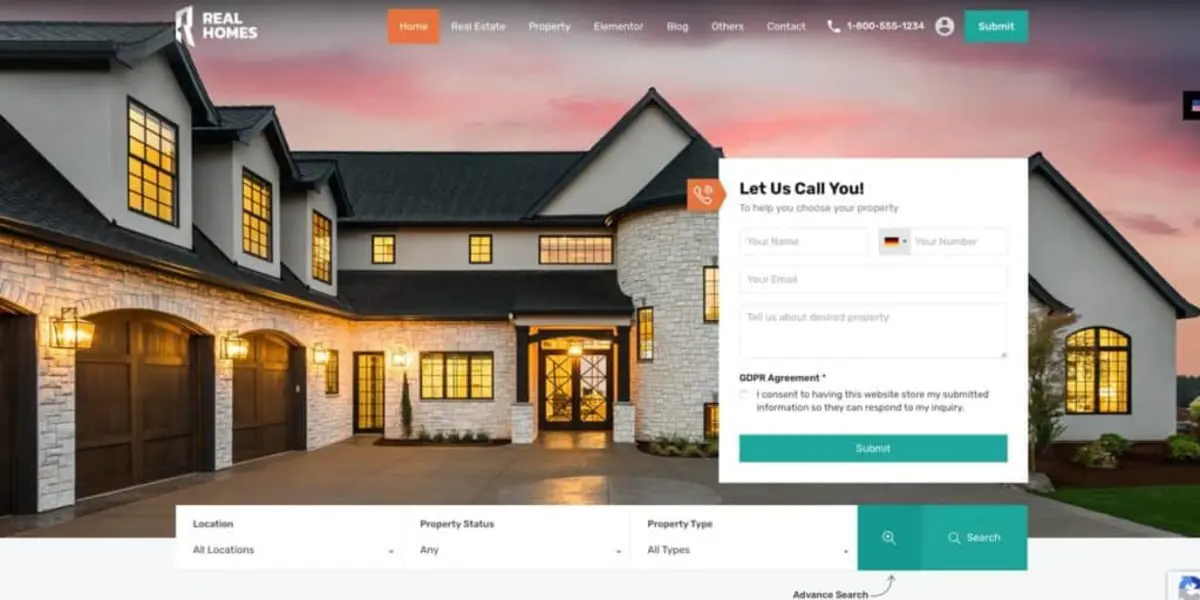
Once the technical foundation is installed, the focus shifts to information architecture. A confusing navigation structure will result in high bounce rates and lost opportunities. The layout must guide visitors naturally from the homepage to specific property listings and, ultimately, to a lead capture form.
Begin by wireframing the essential pages. Every professional platform requires a clear, hierarchical structure:
- The Homepage: This is the digital reception area. It should feature a compelling hero banner, an immediate and prominent search bar, a grid of featured or newly added properties, and a section establishing the agency’s credibility (such as market statistics or brief client testimonials).
- Property Archives: The main directory where all listings are displayed. This page relies heavily on pagination and advanced filtering to help users narrow down their choices.
- About the Agency/Agent: A dedicated space to build trust. It should detail the agency’s history, specific market expertise, and professional credentials.
- Contact Page: A streamlined page containing inquiry forms, physical office locations embedded via interactive maps, phone numbers, and professional email addresses.
Most premium themes offer demo content import capabilities. Importing a demo provides a complete, pre-designed structure that administrators can simply overwrite with their specific branding, colors, and typography.
This method significantly accelerates the development timeline while ensuring a professional, balanced layout.
Step 3: Manage and Display Property Listings
The core value of the platform resides in its property database. How this data is structured, presented, and managed determines the platform’s overall effectiveness.
The presentation strategy often differs based on the target market; for instance, high-volume residential sites require different display modules compared to specialized platforms.
Administrators have two primary methodologies for populating the database:
1. Manual Listing Management
Manual entry requires administrators to input every property detail individually. This includes drafting unique descriptions, uploading high-resolution image galleries, entering pricing data, and defining attributes like lot size or zoning codes.
- Advantage: Complete control over content formatting and on-page SEO optimization. Unique descriptions prevent duplicate content issues.
- Disadvantage: Highly time-consuming and inefficient for agencies managing hundreds of active properties.
2. Automated Database Synchronization
For agencies dealing with high turnover and massive inventories, automation is necessary. This involves connecting the platform to external databases that automatically push live listings directly to the website.
The listings update in real-time, meaning when a property is marked “sold” on the master database, it automatically reflects on the front end of the website.
Regardless of the chosen method, individual property pages must be comprehensive. Include high-quality media, interactive floor plans, neighborhood demographic data, and clear calls-to-action (CTAs) such as “Schedule a Viewing” or “Request More Information.”
Step 4: Integrate with an MLS or IDX Service
For brokers and agents operating in regions with centralized property databases, establishing a live feed is critical. To build a highly functional platform, integrating an Internet Data Exchange (IDX) system is often the most effective route.
IDX acts as a data bridge between a regional Multiple Listing Service (MLS) and the public-facing website. It allows agents to display the entire regional inventory on their own domain, significantly increasing the platform’s value to potential buyers.
The Integration Process:
Integrating these systems requires specific protocols to ensure data accuracy and compliance with local real estate website board regulations.
- Acquire Credentials: Obtain explicit approval and API credentials from the local MLS board.
- Select a Plugin: Choose a robust IDX plugin that is fully compatible with the selected theme.
- Configure Data Mapping: Ensure that the data fields from the MLS (e.g., “Beds”, “Baths”) map correctly to the corresponding fields on the website’s frontend.
- Optimize for SEO: Ensure the chosen IDX solution allows for “indexable” listings. Some outdated systems use iframes to display properties, which search engines cannot read. Modern integrations pull the data directly into the platform’s database, allowing each property to generate its own searchable URL.
Successfully configuring this connection ensures the platform always displays accurate, up-to-the-minute market data without requiring constant manual oversight.
Step 5: Add Advanced Features and Functionality
A basic directory of properties is insufficient in a competitive digital market. To maximize conversions, administrators must implement advanced user features. These additions transform the platform from a simple catalog into an interactive lead-generation tool.
Consider implementing the following strategic enhancements:
- Mortgage Calculators: Embed dynamic calculators on every single property page. This allows prospective buyers to estimate their monthly payments, interest rates, and down payment requirements without leaving the platform, increasing total time-on-site.
- Automated Lead Capture & CRM Integration: Do not rely solely on basic email notifications. Connect all contact forms directly to a Customer Relationship Management (CRM) system or an email marketing automation platform. When a user requests a viewing, the system should instantly log their details and trigger a sophisticated, automated follow-up email sequence.
- Virtual Tours and Video Hosting: Integrate 360-degree virtual tour software. High-quality video walkthroughs keep users engaged longer and provide a realistic sense of the space, filtering out unqualified leads before scheduling physical viewings.
- Saved Searches and Email Alerts: Allow users to create accounts, save their specific search criteria, and receive automated email alerts the moment a new property matching their requirements enters the market. This creates a loyal user base that repeatedly returns to the platform.
Step 6: Promote the Real Estate Websites and Optimize for Search Engines
Developing a flawless platform yields no return on investment if potential clients cannot find it. A proactive, multi-channel promotion strategy is required immediately following launch.
Technical and On-Page SEO
Every page and property listing must be meticulously optimized. Ensure all metadata, including title tags and meta descriptions, accurately reflect the page content.
Implement structured data specifically for real estate website listings; this helps search engines understand the exact nature of the content, potentially resulting in rich snippets on search engine results pages (SERPs).
Proper internal linking between neighborhood guides and specific property listings establishes a strong contextual hierarchy.
Local Directory Optimization
Real estate is inherently localized. Ensure the agency is listed prominently on Google Business Profile, Bing Places, and industry-specific directories.
The Name, Address, and Phone number (NAP) data must remain perfectly consistent across all external platforms to build local search authority. Encourage satisfied clients to leave detailed, positive reviews on these external profiles.
Content Marketing Strategy
Establish a comprehensive blog focusing on long-tail, localized search queries. Publish authoritative content such as quarterly market reports, guides to local school districts, relocation checklists, and investment analysis.
This strategy positions the agency as a local authority, naturally attracting organic traffic from users researching the area prior to making a purchase decision.
Conclusion
Constructing professional real estate websites requires a systematic approach, moving from technical foundations to advanced data integration and strategic promotion.
By leveraging the flexibility of a robust content management system and a dedicated theme like RealPress, property professionals can build scalable platforms that handle massive data loads while providing an exceptional user experience.
Maintaining strict attention to architectural logic, mobile responsiveness, and continuous SEO refinement ensures the resulting platform remains a highly competitive asset in the digital property market.
Frequently Asked Questions (FAQs): How To Create Real Estate Websites with WordPress
1. Is coding knowledge necessary to build this type of platform?
No coding knowledge is strictly required. Modern page builders and specialized themes allow administrators to construct complex layouts, manage databases, and customize visual elements using intuitive drag-and-drop interfaces.
2. How long does it typically take to launch a fully functional property platform?
The timeline varies based on complexity. A standard site using manual property uploads can be configured in a few days. However, platforms requiring custom API connections to local multiple listing services may take several weeks to test and finalize data synchronization.
3. Can these platforms handle high volumes of high-resolution images without slowing down?
Yes, provided proper image optimization protocols are followed. Administrators must compress all media files before uploading and utilize caching plugins and Content Delivery Networks (CDNs) to ensure rapid loading speeds regardless of the file size.
4. Are platforms built this way secure enough to handle client data?
Security is highly reliable if managed correctly. Administrators must enforce strict security protocols, including installing SSL certificates, utilizing dedicated security plugins to block brute-force attacks, and maintaining a strict update schedule for all themes and core software.
5. Is it possible to migrate existing property data from an older system to a new setup?
Yes, data migration is a standard procedure. Most modern setups offer built-in importer tools that can process CSV or XML files, allowing administrators to seamlessly transfer existing property details, media links, and agent profiles from legacy systems.
Read more: 7 Best AI Blog Post Generator For SEO Success
Contact US | ThimPress:
Website: https://thimpress.com/
Fanpage: https://www.facebook.com/ThimPress
YouTube: https://www.youtube.com/c/ThimPressDesign
Twitter (X): https://x.com/thimpress_com