A polished hotel website has two jobs: make the property feel worth visiting and make the next step easy. If guests admire the rooms but cannot check dates, compare rates, or complete a reservation without friction, the design is not doing enough. The best hotel website templates combine visual storytelling with a practical booking journey.
This guide compares five WordPress options for hotels, resorts, hostels, bed-and-breakfasts, and travel businesses. Rather than judging them by homepage appearance alone, we looked at room presentation, reservation features, mobile usability, customization, and the type of business each template suits. You can also browse ThimPress’s complete collection of hotel WordPress themes for more context.
Eduma – Education WordPress Theme
We provide an amazing WordPress theme with fast and responsive designs. Let’s find out!
Hotel Website Templates at a Glance
| Template | Best for | Booking approach | Standout strength |
|---|---|---|---|
| Sailing | Hotels and resorts that want an all-in-one site | Integrated hotel reservation workflow | Strong balance of booking tools and polished demos |
| Travel Tour | Tour operators and travel agencies | Tour-focused booking and itinerary presentation | Designed around packaged experiences |
| LuxStay | Boutique hotels, B&Bs, and vacation rentals | Room search, pricing plans, extras, and payments | Luxury-oriented presentation with Elementor support |
| Hotel Booking | Accommodation businesses using WooCommerce | WooCommerce-based reservation and checkout | Flexible payments and familiar store management |
| Tour Travel | Agencies selling tours, activities, and destinations | Travel product search and booking | Content-rich tour catalog structure |
1. Sailing: Best Overall Hotel Website Template
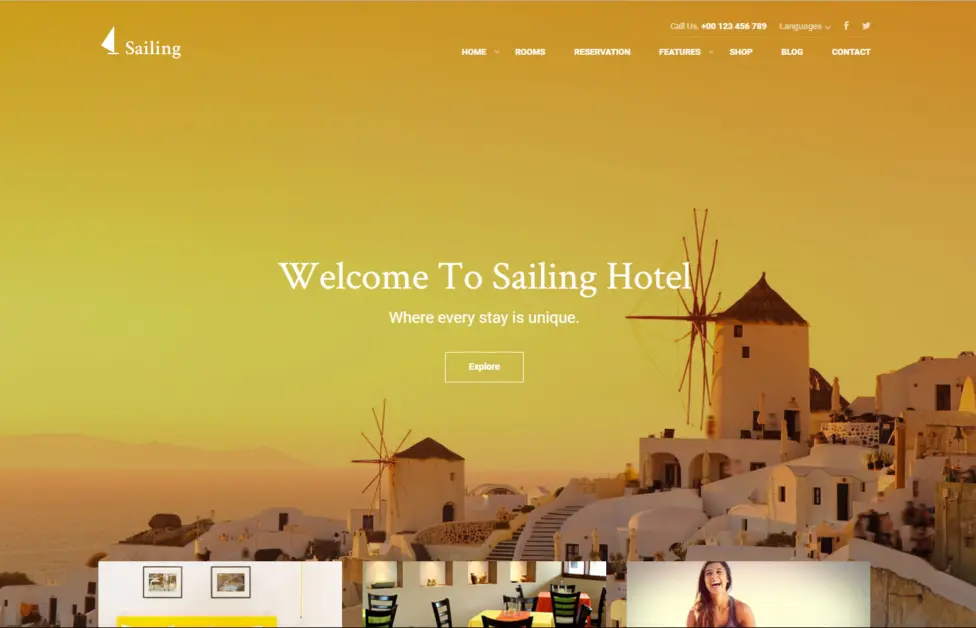
Sailing is the strongest fit when the website itself needs to handle the full path from browsing rooms to placing a reservation. Its layouts are built for hotels, resorts, hostels, villas, and similar accommodation businesses, so the important elements are already part of the design rather than added as an afterthought.
The theme supports room and booking management, customer records, coupons, pricing plans, optional packages, blocked dates, reports, multiple currencies, and several payment methods. Those capabilities make it more than a hotel web design template. It is a practical starting point for a direct-booking website. See the full Sailing hotel theme feature list for the current compatibility details.
- Best for: Independent hotels and resorts that want design and reservations in one WordPress setup.
- Key strengths: Multiple demos, responsive layouts, room management, seasonal pricing, extras, coupons, and WooCommerce support.
- Consider first: Decide whether you will use the native booking flow or a WooCommerce-supported checkout before configuring payments.
ThimPress also provides a detailed overview of Sailing’s reservation system and a separate Sailing setup and feature guide. These are useful if you want to assess the administration experience as well as the public demo.
2. Travel Tour: Best for Tour Operators
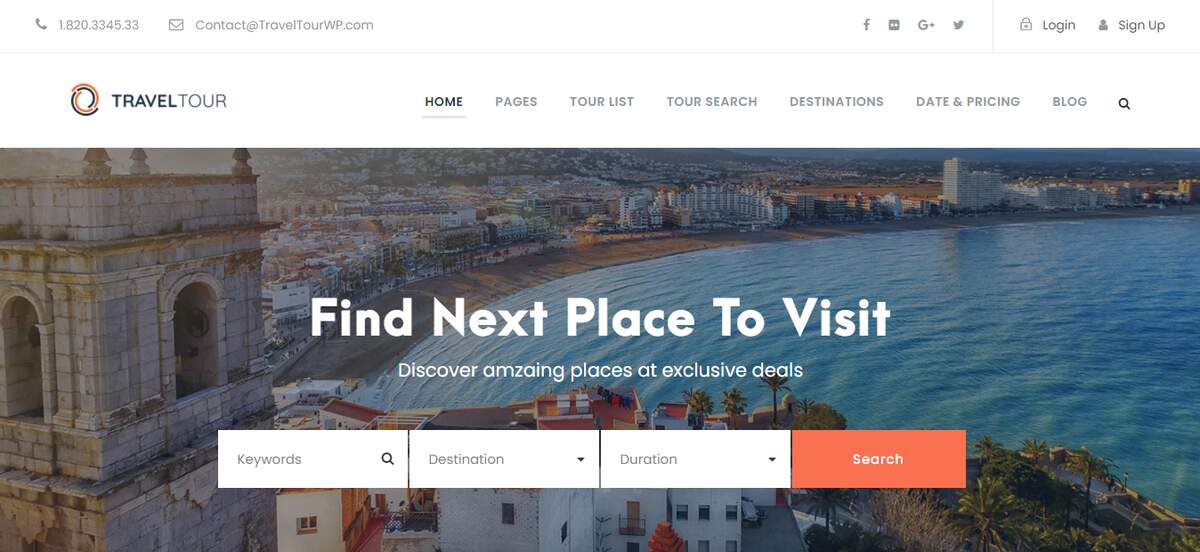
Travel Tour is aimed at businesses selling organized experiences rather than rooms alone. It works best for tour operators, destination management companies, excursion providers, and agencies that need to explain itineraries, schedules, destinations, and package details before asking a visitor to book.
That distinction matters. A conventional hotel booking template starts with dates and available rooms; a tour template needs to sell an experience, clarify what is included, and help customers compare departures. Travel Tour gives these content-heavy pages more room to work while keeping booking actions visible.
- Best for: Travel agencies, city tour companies, adventure operators, and multi-day trip providers.
- Key strengths: Tour listings, destination-led navigation, itinerary content, visual galleries, and booking-oriented calls to action.
- Consider first: It is less suitable for a hotel whose main inventory is room nights rather than scheduled tours.
If your business sits between accommodation and travel, review ThimPress’s roundup of travel WordPress themes and its guide to choosing a WordPress travel agency theme. They help clarify whether a hotel-first or tour-first structure is more appropriate.
3. LuxStay: Best for Boutique Hotels and B&Bs
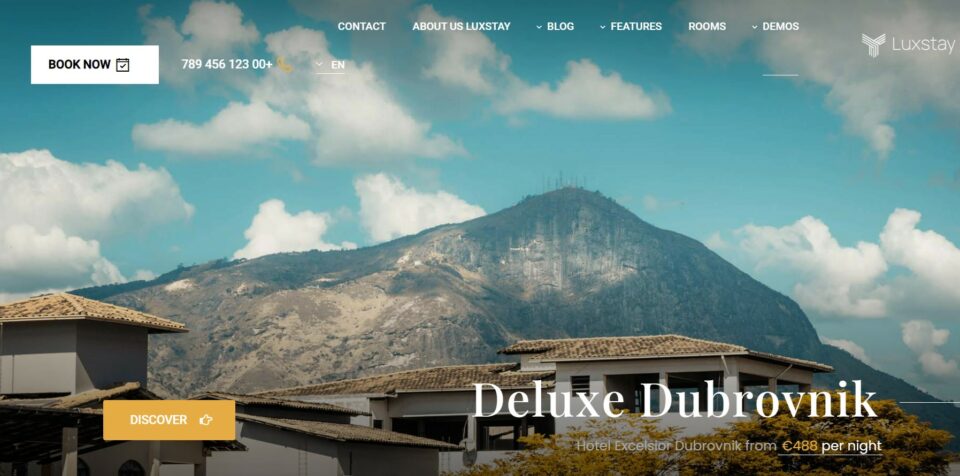
LuxStay puts more emphasis on atmosphere. Its layouts suit boutique hotels, bed-and-breakfasts, serviced apartments, hostels, vacation rentals, and small resorts that rely on photography and a distinctive brand story to compete.
The visual direction does not come at the expense of operational features. LuxStay supports availability search, room listings, bookings, day-based pricing plans, optional services, coupons, customer reviews, and several payment methods through its hotel booking integration. Elementor compatibility also makes it easier to adapt landing pages without rebuilding the theme’s core templates. The official LuxStay product page explains the included room and reservation features.
- Best for: Boutique properties that need stronger visual identity than a generic accommodation site.
- Key strengths: Luxury presentation, Elementor editing, room galleries, reviews, pricing plans, extras, and social content support.
- Consider first: High-resolution photography is essential; a luxury layout cannot compensate for weak or inconsistent property images.
For a closer look at the booking concept behind the theme, read ThimPress’s article on how Hotel WP simplifies hotel booking. You can also compare LuxStay with other designs in the company’s list of hotel WordPress theme options.
4. Hotel Booking: Best WooCommerce-Based Option
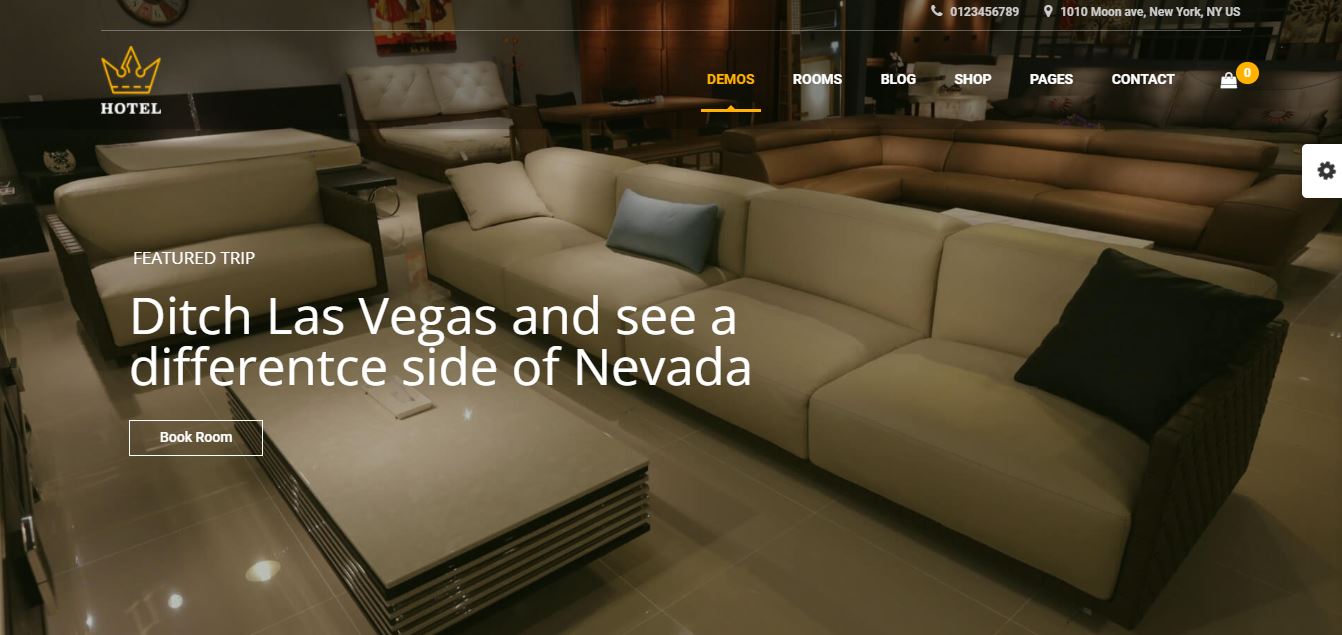
Hotel Booking, also presented as Queen Hotel, is a sensible option for properties that want reservations to run through WooCommerce. This approach is particularly useful when the team already understands WooCommerce products, orders, payment gateways, and extensions.
The theme is designed for hotels, B&Bs, motels, inns, guesthouses, lodges, serviced apartments, campgrounds, and conference venues. Room pages can combine descriptions, photography, pricing, and booking actions, while WooCommerce provides the checkout foundation. Review the Hotel Booking WordPress theme page for its current page templates and bundled components.
- Best for: Hotel owners and agencies already comfortable with WooCommerce.
- Key strengths: Broad payment gateway support, customizable layouts, demo import, room details, and an established ecommerce workflow.
- Consider first: A WooCommerce-based stack may involve more settings and extensions than a lightweight standalone booking plugin.
ThimPress offers a dedicated WooCommerce hotel booking plugin for this type of setup. It is worth comparing the plugin’s room search, seasonal pricing, extras, and calendar features with your operational requirements before launch.
5. Tour Travel: Best for a Large Travel Catalog
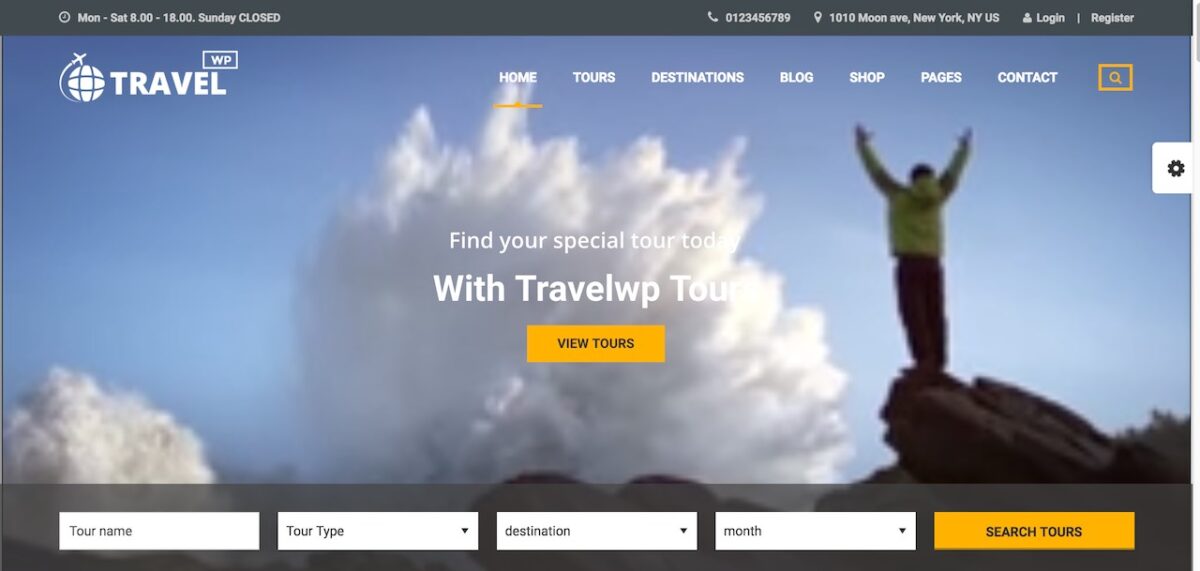
Tour Travel is another tour-first choice, but it is especially relevant to agencies that publish many destinations, activities, or packages. Its structure can support a broad catalog in which visitors move from destination content to individual tour details and then to a booking action.
This is useful when organic search and editorial content are part of the sales model. A well-organized destination hub can attract visitors earlier in their planning process, while detailed tour pages answer practical questions about duration, schedules, inclusions, and pricing. The Tour Travel booking theme page shows how the product is positioned for travel businesses.
- Best for: Travel agencies with numerous destinations, packages, and activity types.
- Key strengths: Scalable tour organization, rich detail pages, destination content, and booking-focused navigation.
- Consider first: Plan categories and filters before importing content; a large catalog becomes difficult to browse if its taxonomy is improvised.
For more options in this category, compare ThimPress’s travel agency theme collection and its broader archive of hotel and travel theme guides.
What a Good Hotel Website Design Template Must Include
Attractive demos are useful, but they should not be the main selection criterion. Strong hotel website design templates support the full decision process a guest follows.
A visible availability search
Guests should be able to enter check-in and check-out dates without hunting through the menu. Keep the search form prominent on the homepage and room archive, then repeat a clear booking action on room detail pages.
Detailed room pages
Each room page should state occupancy, bed configuration, size, amenities, cancellation terms, taxes, and any important restrictions. A gallery should show the actual room, bathroom, view, and shared facilities rather than repeating near-identical decorative images.
Transparent rates and extras
A credible hotel website theme needs flexible pricing. Look for weekday and weekend rates, seasonal plans, extra guest charges, optional breakfast or transfers, coupon support, and blocked dates. ThimPress’s guide to the best hotel booking themes provides examples of reservation-focused features.
A mobile booking flow
Responsive styling is only the baseline. Test the complete journey on a phone: date selection, room comparison, guest details, extras, payment, confirmation, and any error messages. Large photos should not push prices and booking controls too far down the screen.
Content that builds trust
Location maps, contact details, policies, reviews, FAQs, local guides, and high-quality original images reduce uncertainty. They also give the website useful pages beyond the booking interface. For further inspiration, see these hotel theme examples and hotel WordPress template recommendations.
How to Choose the Right Hotel Templates?
- Define what you sell. A room-night business needs availability and rate management. A tour operator needs itineraries, departures, and package details.
- Map your booking stack. Decide whether WordPress will manage reservations directly, connect to WooCommerce, or send guests to an external booking engine.
- List non-negotiable integrations. Check payment gateways, multilingual tools, email systems, analytics, channel managers, and any PMS connection you already use.
- Test the demo as a guest. Search on mobile, open a room, change dates, add extras, and reach checkout. Do not judge only the homepage.
- Estimate customization work. A template close to your required structure is usually safer than a visually impressive demo that needs extensive redevelopment.
If your preferred template does not provide the calendar behavior you need, compare it with ThimPress’s guide to WordPress booking calendar plugins. A compatible plugin may close a small feature gap without forcing you to change the entire design.
How to Turn a Hotel Template into a Booking-Ready Website
Installing a demo is only the beginning. Most demos are designed to show every available feature, while a real hotel website should guide guests toward a decision with as little distraction as possible. The following steps help turn a polished template into a usable direct-booking channel.
Replace demo content in the right order
Start with operational information before adjusting decorative details. Add real room types, occupancy limits, rates, availability rules, taxes, amenities, and policies. Then replace the property address, contact details, map, check-in times, and payment information. Once those essentials are accurate, update the homepage, photography, colors, typography, and supporting content. This order reduces the chance of launching an attractive site with incomplete booking data.
Build one clear path to every room
A guest should be able to reach a suitable room from the homepage, the main navigation, or an availability search. Avoid creating separate room pages that are disconnected from the reservation system. Use consistent room names, photographs, and rate labels throughout the site. If a “Deluxe King” appears under a different name at checkout, guests may hesitate because they cannot tell whether they are booking the room they viewed.
Write for booking decisions, not decoration
Generic phrases about comfort and unforgettable experiences add little value unless they are supported by specific details. State the room size, bed type, maximum occupancy, view, floor location, accessibility, breakfast arrangement, parking, and distance from important landmarks. Explain what is included in the displayed rate and when payment is collected. A concise answer to a practical concern is usually more persuasive than another paragraph of promotional language.
Protect speed while using large images
Hotel websites need strong photography, but oversized files can slow the pages that generate bookings. Export images at the dimensions they will actually display, use a modern format such as WebP, and compress each file before uploading it. Reserve sliders and video backgrounds for places where they genuinely improve the story. On room pages, a fast gallery with descriptive alternative text is more useful than animation that delays access to rates and availability.
Test the website with realistic scenarios
Run several bookings before launch: a one-night stay, a weekend, a peak-season date, a sold-out date, a family occupancy, a coupon, an optional extra, and a cancellation. Check the confirmation email and the booking record received by staff. Repeat the process on a phone and test at least one failed or abandoned payment. These scenarios reveal pricing, validation, inventory, and communication problems that a visual review will miss.
Measure what happens after launch
Track availability searches, room-page views, booking starts, completed reservations, and booking value. If many visitors search but few open a room, the results page may not explain the differences clearly. If guests reach checkout and leave, review fees, policies, form length, payment options, and technical errors.
FAQs About Hotel Website Templates
What is the difference between a hotel website template and a hotel booking template?
A hotel website template provides the visual structure for pages such as the homepage, rooms, facilities, and contact information. A hotel booking template also includes or supports availability search, rates, reservation forms, checkout, and booking management. Many modern WordPress products combine both roles.
Can I use these templates for a B&B or vacation rental?
Yes. Sailing, LuxStay, and Hotel Booking can support several accommodation types. The important step is to confirm how the theme handles your inventory, minimum stays, seasonal rates, extras, taxes, and payment method.
Do hotel booking website templates replace a PMS?
Not always. A WordPress booking system may be sufficient for a small independent property, but a hotel with front-desk workflows, housekeeping coordination, multiple distribution channels, or several properties may still need a dedicated property management system. Check integration options before committing to a theme.
Which template is the best starting point?
Sailing is the most balanced choice for a conventional hotel or resort, while LuxStay is better for a boutique visual style. Hotel Booking suits a WooCommerce-led workflow. Travel Tour and Tour Travel are stronger when tours and destination packages, rather than room inventory, are the main products.
Final Recommendation
Choose the hotel website templates that matches your booking model before comparing colors, typography, or hero layouts. Sailing is the clearest all-round option for direct hotel bookings. LuxStay is a compelling choice for boutique properties, while Hotel Booking offers a familiar route for WooCommerce users. Travel Tour and Tour Travel are better suited to agencies selling itineraries and experiences.
Whichever option you select, test the complete reservation path with real room data on desktop and mobile. A successful hotel website is not simply attractive; it answers the guest’s questions and makes a direct booking feel safe, clear, and quick.
Read More: What Are Rich Snippets? A Simple Guide
Contact US | ThimPress:
Website: https://thimpress.com/
Fanpage: https://www.facebook.com/ThimPress
YouTube: https://www.youtube.com/c/ThimPressDesign
Twitter (X): https://x.com/thimpress_com