You open a blank canvas and have a client presentation in four hours. That used to mean panic.
In 2026, it means opening one of these tools, typing a prompt, and spending the rest of your time on the decisions that actually matter: brand voice, layout refinement, and content strategy.
The right AI web design tool now handles everything between brief and browser-ready in a fraction of the time it used to take.
The problem is that not all of them are worth your time. Some generate sites that look like AI made them. Others produce clean, publishable output but hide half the cost until you’re already subscribed.
This guide covers the tools that consistently deliver in real workflows, what each one is actually good for, and how to choose the right one for your stack.
Let’s get started!
Eduma – Education WordPress Theme
We provide an amazing WordPress theme with fast and responsive designs. Let’s find out!
What AI Web Design Tools Actually Do in 2026
The category has matured significantly since the early AI builders that produced five-page brochure sites with interchangeable stock photos.
Today’s AI web design tools fall into three distinct lanes, and understanding which lane you need is more important than any individual feature comparison.
- Design-first builders like Framer and Webflow generate polished, production-quality websites and keep the entire workflow visual. You prompt, you refine in a live canvas, and you publish without touching code. These tools are built for people who care how the final site looks and moves.
- Structure-first planning tools like Relume sit upstream of your design tool. You use them to build the sitemap, generate wireframes from a library of professional components, and export a structured layout into Figma or Webflow before you apply a single brand color. They compress weeks of architecture work into hours.
- WordPress-native AI tools like Elementor’s Angie integrate directly into your existing WordPress install. Instead of generating a new site from scratch, they take action inside your actual database, writing PHP and CSS into a secure sandbox with full context of your specific site’s structure. For WordPress developers managing real client sites, this context-awareness is the most valuable thing on this list.
The dividing line that matters most in 2026 is not speed; it is whether the tool understands your environment.
A site generated in sixty seconds that you then spend three days adapting to your brand is slower than a tool that takes twenty minutes but outputs work you can actually use immediately.
How We Evaluated These Tools
Each tool in this list was tested against three criteria: design output quality, workflow integration (how it fits into a professional pipeline rather than replacing it), and honest pricing (what you actually pay once you need more than a starter site).
Tools were tested on real project types: SaaS landing pages, portfolio sites, agency client sites, and WordPress builds with dynamic content requirements.
Framer AI
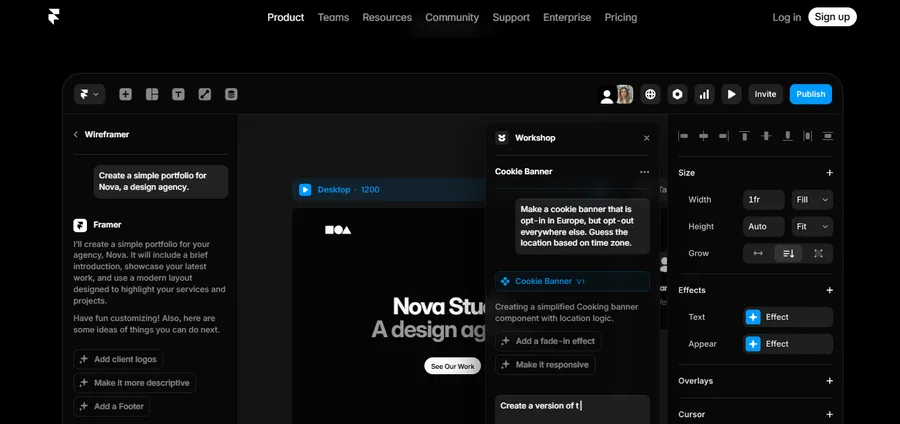
Framer is the most design-forward AI web design tool available in 2026, and it earns that position through two things most builders still get wrong: animation quality and Figma parity.
The canvas feels closer to Figma than to any traditional website builder, which means designers transitioning from a high-fidelity mockup to a live site do not have to re-learn a new spatial logic.
How the AI Generation Works
You open a new project and type a prompt describing your site: company type, visual tone, number of pages. Framer’s AI generates a complete multi-section layout using your description, with copy, imagery, and a consistent typographic system.
Before jumping into production, many designers now start by planning layouts and user flows directly in Figma. If you are exploring that workflow, this guide on how to create a one-page website using Figma is a solid starting point.
The output in 2026 is noticeably cleaner than earlier versions.
After building a complete SaaS landing page for testing, the initial generation required about forty minutes of refinement before it was ready to show a client. That compares to five to eight hours doing the same work in Webflow from scratch.
As AI-assisted design workflows mature, more creators are also looking for efficient ways to convert Figma to WordPress without rebuilding every section manually.
The killer feature for design teams is the Figma-to-Framer AI import. You build your high-fidelity mockup in Figma, and Framer reads the file and generates a live, animated website that preserves your layout with much higher fidelity than any export workflow previously managed.
For agencies that live in Figma, this alone justifies the subscription.
At the same time, AI-powered design competition is growing rapidly, and tools like Google Stitch are starting to challenge traditional workflows. This comparison of Google Stitch vs Figma explores how these platforms differ in terms of speed, collaboration, and AI capabilities.
What Framer AI Generates from a Single Prompt
Framer’s AI also includes Wireframer (rapid structural exploration) and Workshop (section-level editing with AI suggestions).
These are not headline features you use once; they are the tools that make iteration fast after the initial generation. You are not re-prompting from scratch every time a client asks for a layout change. You are making targeted edits with AI assistance.
Framer AI Limitations
The CMS has real limits. If your site needs more than a few hundred CMS items or complex relational content (multiple content types linking to each other), Framer will frustrate you.
The editor is also steeper than Wix. If you have never used a freeform design tool, expect an adjustment period of two to four sessions before it feels natural.
Pricing
Framer dropped its old Mini tier in 2026. Current paid plans start at $10 per month for personal use.
Best for: Portfolios, agency sites, SaaS landing pages, and any project where visual quality is the primary brief.
Webflow AI
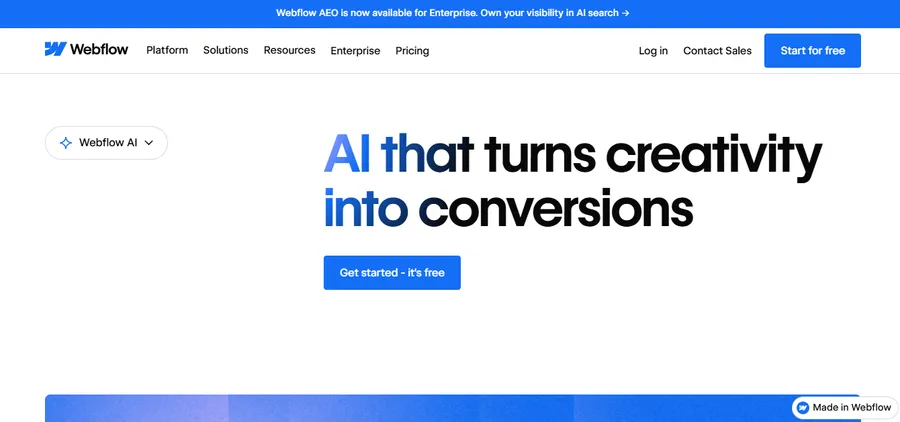
Webflow is the right tool when your site needs to scale. Where Framer prioritizes design velocity, Webflow prioritizes structural depth: a more capable CMS, a broader integration ecosystem, and in 2026, a native answer-engine optimization (AEO) auditing layer that no other visual builder currently matches.
As answer-engine optimization becomes increasingly important for visibility in AI-powered search experiences, many businesses are also investing in specialized AEO tools to improve how their content appears across platforms like ChatGPT, Google AI Overviews, and Perplexity.
AI Features in 2026
Webflow shipped three AI capabilities in the last eighteen months: the AI Site Builder, which generates a complete design system with consistent component classes from a prompt; the AI Assistant, which handles copy suggestions, SEO meta generation, and CMS field descriptions inline; and sitewide AEO audits, which flag content gaps for AI search visibility.
For teams running content-driven marketing sites where appearing in Google AI Overviews matters, the AEO tooling is a genuine differentiator.
The AI Site Builder generates layouts that respect the Client-First CSS naming convention Webflow professionals already use, which means you are not inheriting a mess of auto-generated class names. After testing a mid-complexity marketing site build, the generated structure needed less cleanup than any competing tool at this price point.
Webflow AI and the CMS
Webflow’s CMS supports complex content architectures: multi-reference fields, dynamic collection pages, conditional visibility, and CMS-driven navigation.
If you are running a blog with dozens of monthly posts, a documentation site with nested categories, or a product catalogue with filtered search, Webflow handles it natively. Framer does not.
Pricing Note
Webflow’s pricing is more complex than it looks at the plan page. The base Site and Workspace plans are the starting point, but Optimize (A/B testing), Analyze (analytics), and Localize (multi-language) are paid add-ons.
For a team running one marketing site without those features, Webflow is competitively priced.
For an agency managing ten client sites with localization enabled on three of them, the per-seat and per-language fees stack quickly. Map your actual usage before signing an annual plan.
Best for: Marketing operations teams, content-driven sites, enterprise projects, and anyone who needs a CMS that scales beyond a lightweight presence.
Relume
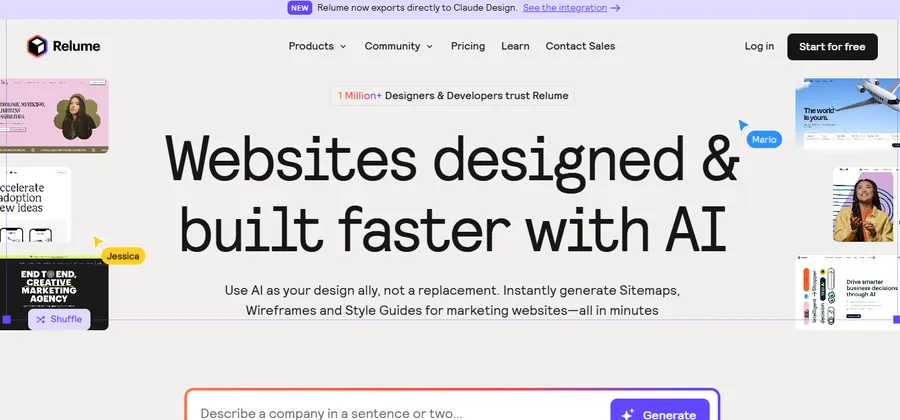
Relume is not a website builder in the traditional sense. It is an AI-powered wireframing and planning tool that sits at the beginning of your design process, not the end.
Understanding this distinction is essential. You do not publish a site from Relume. You use Relume to produce a fully structured, professionally wireframed layout that you then export into Figma or Webflow to finish.
The Relume workflow
You type a description of the company and its goals. Relume’s AI generates a detailed, multi-page sitemap.
Once you approve the sitemap, the tool automatically populates a high-fidelity wireframe by selecting components from its library of over 1,000 pre-built, accessible sections.
Every component is pre-named using the Client-First CSS convention, which means when you export to Webflow, the class structure is already clean.
The export is one click. Your entire wireframe moves into Webflow with all CSS classes intact, or into Figma where you apply your brand styling over the top of the Relume structure. What used to be the first two to three weeks of a web project (sitemap strategy, component selection, wireframing, handoff) now takes a focused afternoon.
Relume also generates consistent fonts, colors, and spacing rules based on your brand description, giving you a baseline design system to refine rather than a blank slate to fill.
Who Relume is for
Relume is built for professional web designers and developers working in Webflow or Figma pipelines.
If your stack includes either of those tools, Relume compresses the planning phase dramatically and makes client presentations at the wireframe stage much faster.
If you are looking for a standalone site builder, Relume is the wrong tool.
Pricing
The Starter plan is $26 per month. This is an additional monthly cost on top of your Webflow or Figma subscription, which is the main reason agencies pause before adopting it.
Best for: Webflow and Figma designers, web agencies, and anyone who needs to go from client brief to approved wireframe faster without rebuilding the wheel on every project.
Wix AI and Wix Studio
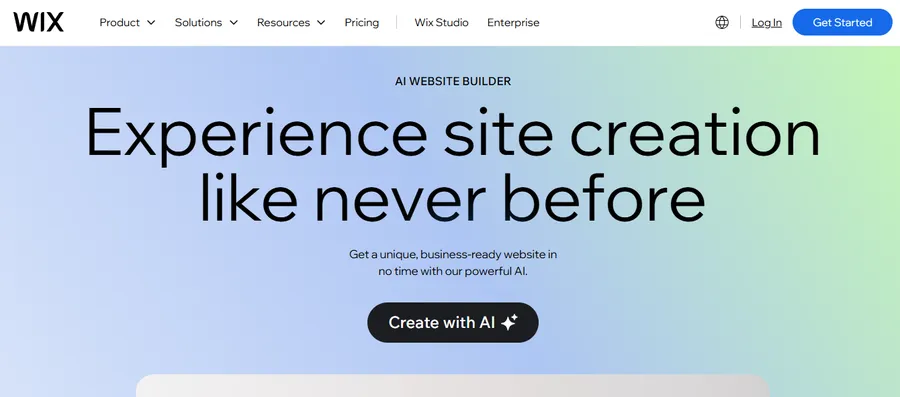
Wix pioneered AI website building in 2016 with its ADI (Artificial Design Intelligence) system. The 2026 version is significantly more capable than what launched that year.
The current AI builder starts with a short conversation, gathers your business type, tone, and goals, then generates a complete site including copy, images, and content structure.
It remains the most beginner-friendly generation experience in this category.
Wix AI for Individuals and Small Businesses
The drag-and-drop editor is the most forgiving in the category. You can place elements anywhere on the canvas without worrying about layout structure rules, which lowers the barrier significantly for non-designers.
For local businesses, consultants, and founders who need a functional site this week without hiring an agency, Wix delivers a complete, publish-ready result faster than any other tool tested.
The limitations show up at scale. SEO capabilities are more basic than WordPress-based options. Dynamic content (personalized pages, complex filtering, membership gating) requires Velo, Wix’s JavaScript API, which adds complexity that undercuts the “no code required” promise for non-developers.
As businesses grow, many eventually look for more flexibility and ownership over their websites, which is why guides on migrating from Wix to WordPress have become increasingly popular among expanding brands and content-driven websites.
Wix Studio for agencies
Wix Studio is a separate product aimed at web professionals managing multiple client sites. The Responsive AI automates breakpoint management across mobile, tablet, and desktop, which is one of the most time-consuming parts of professional web development.
Agencies running dozens of client builds report significant time savings in the responsive refinement phase specifically.
Managing breakpoints manually across a large client portfolio is genuinely tedious work. Wix Studio’s approach of automating that layer while keeping the design canvas accessible to non-developers is a reasonable trade-off for creative agencies that are not primarily code shops.
Pricing
Wix offers a free plan with a Wix-branded domain. Paid plans start at $17 per month with a free domain for the first year. The cost-to-feature ratio for basic business sites is among the strongest in the category.
Best for: Local service businesses, early-stage product pages, founder-led microsites, and creative agencies managing high volumes of client builds.
Elementor with Angie AI
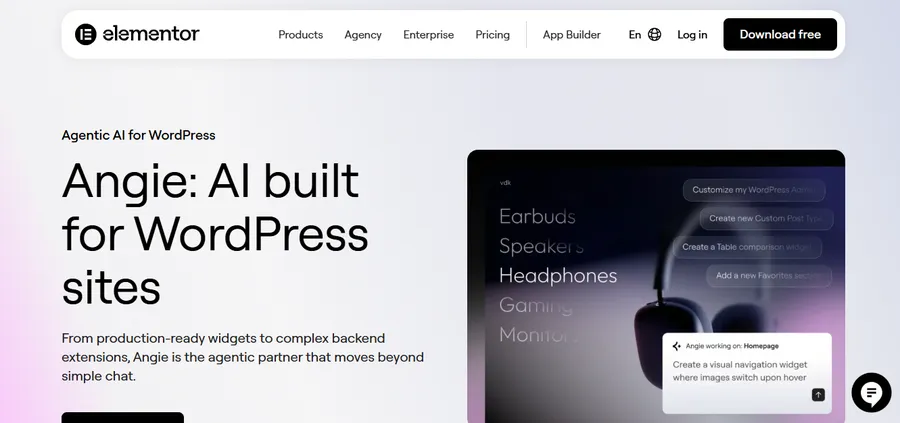
For WordPress developers, Elementor with its Angie AI assistant is the most contextually aware AI web design tool available in 2026.
This is the key distinction: Angie does not generate a new site from a blank prompt. It operates inside your existing WordPress installation, using the Model Context Protocol (MCP) to read your site’s actual database structure and take real actions within it.
What Angie AI Does inside WordPress
Angie generates custom PHP and CSS output directly into a secure sandbox within your WordPress environment.
It understands your existing content architecture, your installed plugins, and your theme structure.
When you ask it to create a new section, it is not producing generic code that you then adapt to your site. It is writing code with awareness of what is already there.
After testing Angie on a mid-size WooCommerce build with custom post types and ACF fields, the code it produced required significantly less manual cleanup than code generated by general-purpose AI coding tools operating without site context.
The difference is not subtle once you have experienced it.
Elementor One and the full stack
Pairing Angie with an Elementor One unified subscription gives you front-end design control through Elementor’s visual editor and back-end AI execution through Angie.
For developers who spend significant time on WordPress architecture and custom theme development, this combination covers most of the repetitive heavy lifting.
Pricing
Elementor pricing varies by plan and plugin bundle. The Elementor One subscription bundles the editor with premium add-ons. Check the current pricing at elementor.com, as plan structures and bundled features have changed multiple times in 2025 and 2026.
Best for: WordPress developers, WooCommerce store builders, and agencies where WordPress is the primary delivery platform.
Figma AI
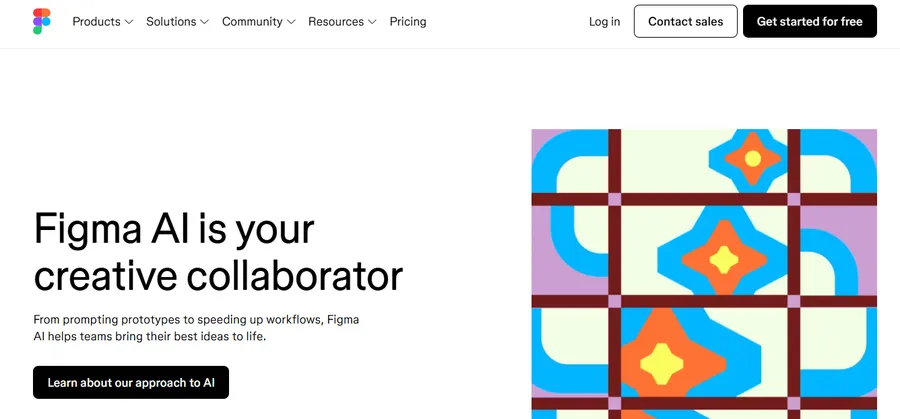
Figma AI is not a website builder. It is an AI layer integrated into the professional design tool that hundreds of thousands of web and product designers already use every day.
The AI capabilities added in 2025 and 2026 address specific pain points in the design workflow without changing what Figma fundamentally is.
What Figma AI actually does
The most practically useful Figma AI features in 2026 are smart layout suggestions, auto-tidy for component organization, and responsive variant generation.
When a designer needs to explore how a homepage adapts across mobile, tablet, and desktop, Figma AI proposes layout variations for each breakpoint instead of requiring manual adjustment of every element. This is not a dramatic reinvention of the tool.
It is a meaningful reduction in the low-value, mechanical parts of the design process.
For teams doing real client work, the AI-assisted component naming and organization saves meaningful time during handoff to developers.
Clean, consistently named components reduce the back-and-forth between design and engineering that adds days to otherwise fast projects.
Many design teams are also expanding their workflows with specialize Figma AI plugins for UI/UX designers to automate wireframing, generate UI copy, improve accessibility, and speed up prototyping.
Figma AI within a broader pipeline
Figma AI pairs naturally with Relume (for upstream wireframing) and Framer (for downstream publishing).
A professional design pipeline might start in Relume to produce the site structure, move into Figma AI for high-fidelity brand application and responsive variant work, then export to Framer for a live, animated site.
Each tool handles what it does best.
Pricing
Figma’s Professional plan starts at $15 per person per month, billed annually. AI features are included in existing plans without a separate add-on cost, which makes Figma AI the most integrated value in this list for teams already paying for Figma.
Best for: UI/UX designers, product design teams, and agencies that work in Figma and want AI to accelerate the refinement and responsive adaptation phases without switching tools.
Quick comparison table
| Tool | Best for | Starting price | Publishes directly? | Needs another tool? |
| Framer AI | Design-led sites, portfolios, SaaS landing pages | $10/mo | Yes | No |
| Webflow AI | Scalable marketing sites, complex CMS, AEO | Varies by plan | Yes | No |
| Relume | Wireframing and sitemap planning for agencies | $26/mo | No | Yes (Webflow, Figma) |
| Folloze | Enterprise B2B marketing teams, ABM campaigns & personalized microsites | Custom quote (Book a demo) | Ye | No |
| Wix AI | Small businesses, fast launches, agency volume | $17/mo | Yes | No |
| Elementor + Angie | WordPress developers, WooCommerce builds | Varies | Yes (via WordPress) | Requires WordPress |
| Figma AI | UI/UX design, responsive variants, component work | $15/person/mo | No | Yes (Framer, Webflow) |
How to Choose the Right AI Web Design Tool
The decision comes down to three questions, not feature lists.
- What is your publishing environment? If you are building on WordPress, Elementor with Angie is the most context-aware option and the one most likely to produce code you can actually deploy without significant cleanup. If you are starting fresh and want full ownership of the output, Webflow or Framer gives you a complete publishing environment.
- How do you define design quality? If a polished, animated, visually distinctive site is the primary goal, Framer produces the best results from a prompt. If you need consistent component systems across a large site with a complex CMS, Webflow produces more structurally sound output that holds up as the site grows.
- Where are you in the design process? If you are still at the planning stage, Relume is the highest-value tool per hour invested. It compresses the first phase of every web project dramatically. If you are mid-design in Figma, adding AI features to your existing Figma workflow costs less than switching tools and requires no new learning curve.
One practical note: the AI web design tools that charge hidden costs per credit or per AI message are becoming a real pain point in 2026. Wix, Framer, Webflow, and Squarespace do not surface how many AI messages you get per plan on their pricing pages. You find out after you subscribe and start running low. Before committing to any annual plan, ask the support team directly what the AI usage limit is on your intended tier.
FAQs
Can AI web design tools replace a professional web designer?
AI web design tools handle the repetitive, low-level tasks in a designer’s workflow, including generating boilerplate CSS, managing mobile breakpoints, and populating placeholder copy. They do not replace the strategic thinking, brand judgment, and client communication that define professional web design. According to research cited across the industry, the majority of professional web designers in 2026 view AI as an amplifier of their work rather than a replacement for it. The designers who adapt their workflows around these tools tend to produce more iterations in less time and take on more projects, not fewer.
What is an AI prompt for expert web design?
A strong AI prompt for web design tools includes four elements: the company or project type (for example, a B2B SaaS tool for HR teams), the visual tone (clean and minimal, bold and editorial, warm and approachable), the number of pages and key sections needed (home, pricing, about, blog), and any specific functionality requirements (CMS, e-commerce, multi-language). The more specific the prompt, the less refinement the initial output needs. Vague prompts produce generic results; a two-paragraph brief produces a much more usable starting point.
Is Webflow or Framer better for AI web design in 2026?
Framer is the better choice for design-led projects under fifty pages where visual quality and animation are the priority. Webflow is the better choice when the site needs a complex CMS, deeper SEO and AEO tooling, or room to scale into an enterprise-level content operation. The 2026 AI feature gap between them is much narrower than it was two years ago: both now offer AI site generation, AI-assisted editing, and responsive layout tools. The decision comes down to CMS depth and content architecture requirements, not AI capability alone.
Which AI web design generator works best for WordPress?
Elementor with Angie AI is the strongest AI option for WordPress in 2026 because it operates natively inside your WordPress environment with full context of your site’s database, installed plugins, and content structure. General-purpose AI builders generate clean sites but lack awareness of your specific WordPress setup. Relume is a strong upstream complement for agencies building WordPress sites through Elementor or other page builders, handling the sitemap and wireframe phase before any WordPress-specific work begins.
Read more: How to Migrate from Wix to WordPress in 7 Steps
Contact US | ThimPress:
Website: https://thimpress.com/
Fanpage: https://www.facebook.com/ThimPress
YouTube: https://www.youtube.com/c/ThimPressDesign
Twitter (X): https://x.com/thimpress_com