The global shift toward digital education has transformed how knowledge is shared, moving from traditional classrooms to accessible online environments. Learners across the globe are constantly seeking resources to acquire new talents, while experts are looking for professional ways to distribute their content. To particiapate in this growing industry, the most effective strategy is to create an eLearning website that provides a high-quality, structured, and user-friendly experience. By establishing a professional platform, an educator can build a brand that is both credible and scalable.
Building a digital academy no longer requires a large team of developers or deep technical knowledge. With the advancement of open-source software like WordPress, the process has become straightforward for anyone with a desire to teach. This guide provides a thorough walkthrough on how to build an online learning platform that meets professional standards while remaining easy to maintain for the site owner.
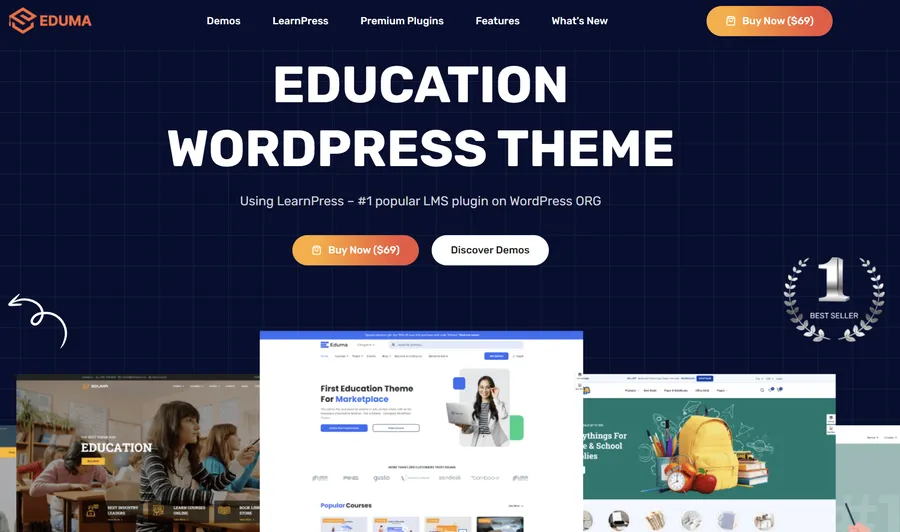
Eduma – Education WordPress Theme
We provide an amazing WordPress theme with fast and responsive designs. Let’s find out!
The Importance of a Strong Foundation
The success of any educational project depends on the stability of its foundation. Before considering the aesthetic details, it is necessary to secure the technical components that allow the site to function. This phase involves planning the brand identity and ensuring the platform has a reliable home on the internet.
Strategic Domain Selection
A domain name serves as the digital address for the platform. It should be professional, easy to remember, and relevant to the subject matter being taught.
When choosing a name for an LMS website, simplicity is paramount. Avoiding complex symbols or long strings of numbers ensures that students can easily find and share the site. Selecting a .com or .net domain is generally recommended, as these extensions carry a high level of trust and recognition among global users.
Selecting a Robust Hosting Environment
Because an eLearning website WordPress configuration involves handling various media types, student logins, and financial transactions, the hosting service must be high-performing.
Standard entry-level hosting may lead to slow loading times, which can frustrate learners. Instead, opting for managed WordPress hosting ensures that the platform remains responsive even when multiple students are active. Reliability and speed are essential for maintaining a professional image and ensuring that video lessons play without interruption.
Selecting the Right Infrastructure
WordPress serves as the most versatile base for educational websites. It offers total control over content and student data, unlike third-party marketplaces that often impose strict rules and take a portion of the earnings. To transform a basic WordPress site into a professional academy, two specific tools are required: a specialized theme and a functional learning management plugin.
The Excellence of the Eduma Theme
A standard website theme lacks the specific features needed for a classroom environment. Eduma, created by ThimPress, is designed specifically for schools and independent instructors. It provides a clean, organized appearance that builds immediate trust with potential students.
Eduma is highly optimized for performance and mobile responsiveness. Since many students prefer to learn on the go using tablets or smartphones, a theme that adapts perfectly to different screen sizes is mandatory.
Furthermore, Eduma includes a “One-Click Demo Import” feature, allowing the site owner to initiate a professional layout quickly. If you ever need to adjust your branding, you can easily change the logo in Eduma to match your new identity.
Empowering the Site with LearnPress
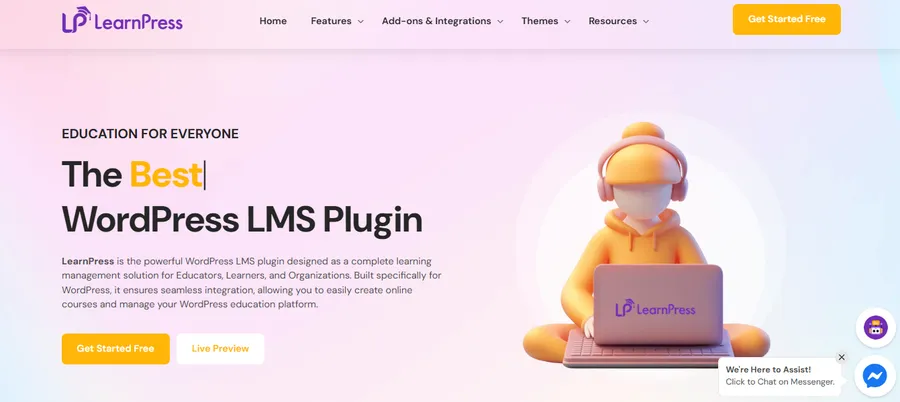
While the theme handles the visual design, the WordPress LMS plugin provides the necessary functionality. LearnPress is the leading solution for managing online courses on WordPress. It is lightweight yet powerful, offering a comprehensive set of features for course creation, student enrollment, and progress tracking. Because LearnPress is developed by the same team behind Eduma, the two integrate seamlessly.
To understand why it is so highly rated, many users look for a detailed LearnPress review before starting.
Designing a Logical Curriculum
Once the technical setup is complete, the focus shifts to organizing the educational content. To create an eLearning website that students find valuable, the information must be presented in a logical, step-by-step manner.

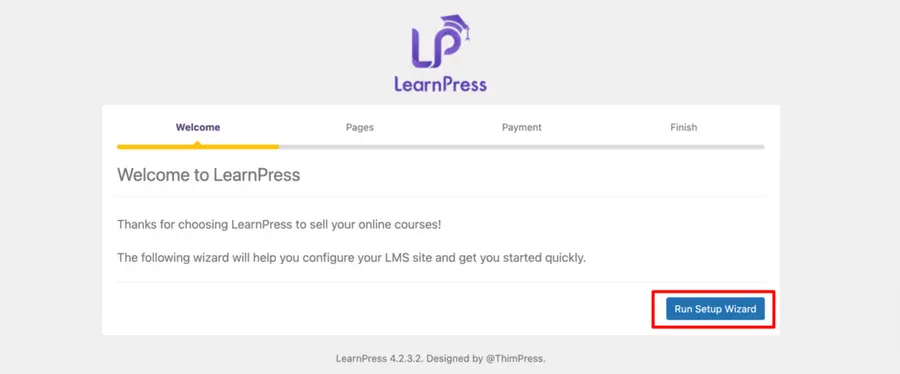
Structural Organization
LearnPress utilizes a hierarchical system that makes curriculum development intuitive:
- Courses: The main subject or program.
- Sections: These act as chapters that group related topics together.
- Lessons: The individual pages where the actual teaching occurs.
- Quizzes: Periodic assessments to check student understanding.
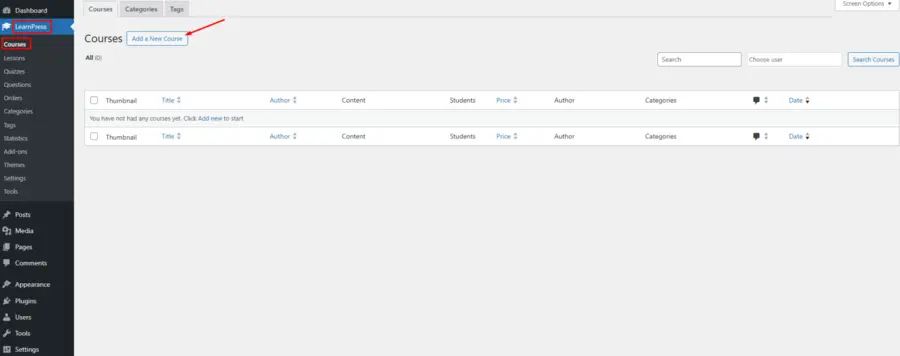
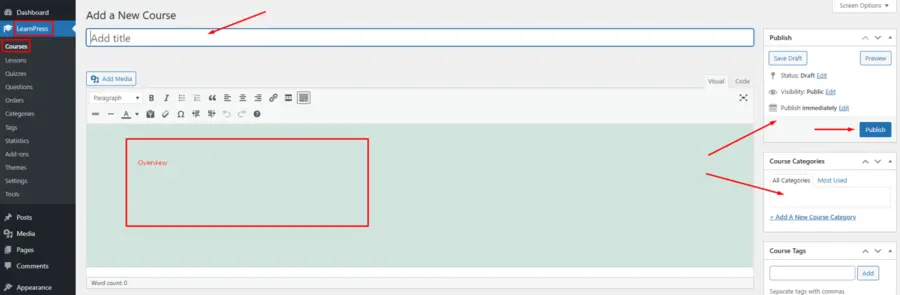
When you create a lesson with the LearnPress plugin, you have the flexibility to combine various media types to cater to different learning styles.
Video Strategy and Integration
Video content is the cornerstone of modern online learning. To maintain a fast website, it is advisable to host videos on professional platforms like Vimeo or YouTube and embed the video in your WordPress website using the LearnPress lesson editor. This approach ensures that the site remains lightweight while providing a high-quality viewing experience for the student. It also allows the instructor to manage video privacy settings effectively.
Enhancing Student Engagement and Assessment
An effective LMS website should facilitate active learning rather than passive observation. Engagement features are essential for helping students retain information and stay motivated throughout the course.
Advanced Assessment Tools
Using the built-in quiz builder within the WordPress LMS plugin, instructors can design various types of tests. This includes multiple-choice questions, true or false statements, and fill-in-the-blank exercises. For those needing even more variety, the Sorting Choice add-on allows for interactive ordering questions. Setting a passing grade and limiting the number of retakes ensures that students take the material seriously.
Assignments and Direct Feedback
For premium educational programs, the ability to submit assignments is a significant advantage. This allows students to apply what they have learned and receive direct feedback from the instructor. This interaction creates a supportive environment and adds substantial value to the course, distinguishing the platform from free, non-interactive resources.
Monetization and Business Growth
Understanding how to build an elearning platform also involves implementing a secure system for generating revenue. For many educators, turning their knowledge into a sustainable business is a primary objective.
Seamless WooCommerce Integration
LearnPress connects effortlessly with WooCommerce, the most widely used eCommerce solution for WordPress. This LearnPress WooCommerce integration enables the platform to:
- Accept Payments Globally: Process transactions through Stripe, PayPal, and other secure gateways.
- Automate Enrollment: Once a student completes a purchase, the system automatically grants access to the course.
- Offer Subscriptions: Instead of one-time sales, instructors can offer recurring monthly access using the Paid Memberships Pro add-on.
Using Promotional Tools
To attract initial students, the platform can utilize coupons and discount codes. These tools are helpful for holiday sales or for rewarding early subscribers. Automating these processes allows the site owner to focus on content creation rather than administrative tasks.
Growth and Long-Term Sustainability
Launching the site is only the beginning. To ensure the project flourishes, it is necessary to focus on visibility and community building.
Optimization for Search Engines
To attract organic traffic, the platform must be optimized for search engines. This involves using clear, descriptive titles for courses and ensuring that every page has a unique meta description. When an eLearning website WordPress setup is properly optimized, it becomes easier for potential students to find the site when searching for educational topics. You should also ensure you have a properly configured robots.txt file to guide search engine crawlers correctly.
Building a Community
Learning is often more effective when done in a community. Integrating a discussion forum allows students to ask questions, share insights, and support one another. Using the LearnPress bbPress integration is an excellent way to foster an active learning environment. When students help each other, it reduces the support burden on the instructor and increases the overall value of the platform.
Mobile Accessibility and Professionalism
A significant portion of educational content is consumed on mobile devices. Ensuring that the site is fully accessible on phones and tablets is critical for a high completion rate. Tools like LearnPress Pro and Eduma are built with a “mobile-first” mindset. If you want to take your branding to the next level, you can even launch a dedicated LearnPress mobile app to give your students a truly native learning experience.
Maintaining the Platform
A professional LMS website requires ongoing care to remain secure and functional. Regular updates to the WordPress core, the Eduma theme, and the LearnPress plugin are necessary to protect student data and intellectual property.
Additionally, implementing a “Content Drip” strategy ensures that students receive lessons over a period of time, which protects the value of the material and encourages consistent study habits.
To ensure your site remains healthy, it is also wise to regularly scan for malware and keep your database optimized. As your student base grows, you may need to increase the maximum execution time for your WordPress site to handle larger data imports or updates smoothly.
Conclusion
Successfully learning how to build an online learning platform requires a combination of quality content and the right technical tools. By choosing to create an eLearning website using a dedicated WordPress LMS plugin like LearnPress and a specialized theme like Eduma, any instructor can establish a professional and scalable digital academy.
This approach provides the flexibility needed to grow while ensuring a high standard of education for students worldwide. With a logical plan and a focus on user experience, a digital learning platform can become a significant and rewarding professional asset.
FAQs about How to Create an eLearning Website
1. Is coding knowledge required to create an eLearning website?
No, coding knowledge is not necessary. By using WordPress with the Eduma theme and LearnPress, the entire process is managed through user-friendly interfaces and visual settings.
2. Can multiple instructors sell courses on the same LMS website?
Yes, LearnPress supports multi-instructor environments. This allows different experts to create and manage their own courses while the site administrator oversees the entire platform.
3. What is the best way to handle video hosting for a course?
It is recommended to use dedicated video hosting services like Vimeo or YouTube. These videos can then be embedded into your lessons to ensure fast loading times and stability.
4. How do students receive proof of their course completion?
LearnPress includes a certificates add-on that allows you to design and automatically issue personalized certificates once a student passes all the requirements of a course.
5. Can I offer a free trial of my courses?
Yes, the platform allows you to set specific lessons as "preview" lessons. This gives potential students a chance to experience your teaching style before committing to a purchase.
Read more: Turn Knowledge Into Profit: How to Create and Sell Online Courses with WordPress
Contact US | ThimPress:
Website: https://thimpress.com/
Fanpage: https://www.facebook.com/ThimPress
YouTube: https://www.youtube.com/c/ThimPressDesign
Twitter (X): https://x.com/thimpress_com