Choosing the best directory plugin for WordPress can help you build a site for local businesses, professionals, real estate, events, or classified ads. The right plugin can also support paid listings, subscriptions, featured placements, bookings, and advertising.
Some plugins are suitable for simple directories, while others provide advanced features such as maps, front-end dashboards, reviews, payments, and marketplace tools. Your choice should match the size, purpose, and growth plans of your directory.
Eduma – Education WordPress Theme
We provide an amazing WordPress theme with fast and responsive designs. Let’s find out!
Best WordPress Directory Plugins: Quick Comparison
| Plugin | Best for | Free version | Monetization | Maps |
|---|---|---|---|---|
| GeoDirectory | Large, location-based directories | Yes | Paid add-on | Google Maps and OpenStreetMap |
| Directorist | Fast setup and flexible monetization | Yes | Yes | Google Maps and OpenStreetMap |
| HivePress | Free niche directories and marketplaces | Yes | Extension | Extension |
| Business Directory Plugin | Beginner-friendly local directories | Yes | Yes | Premium |
| Classified Listing | Classified ads and AI-assisted setup | Yes | Yes | Yes |
| Listdom | Layout variety and visual directories | Yes | Add-ons | Free OpenStreetMap support |
| aDirectory | Modern, lightweight directory projects | Yes | Yes | OpenStreetMap |
| Advanced Classifieds & Directory Pro | Budget-friendly classifieds | Yes | Premium | Google Maps and OpenStreetMap |
| WP Directory Kit | Elementor, real estate, and vehicle listings | Yes | Add-ons | OpenStreetMap |
| Formidable Forms | Custom form-driven directories | Limited | Integrations | Custom setup |
There is no single best option for every website. GeoDirectory is the strongest choice for a large, location-first project. Directorist offers a broad feature set for directory owners who want to launch and monetize quickly. HivePress is attractive when you want a capable free foundation. Business Directory Plugin is easier for a straightforward local or community directory, while Classified Listing is better suited to ad-driven marketplaces.
What Is a WordPress Directory Plugin?
A WordPress directory plugin adds the structured content and front-end tools needed to turn a standard WordPress site into a searchable listing platform. Instead of publishing every company, property, or professional as a basic blog post, you can create dedicated listing types with fields such as address, phone number, category, price, opening hours, images, amenities, and geographic coordinates.
Most directory plugins also provide search filters, category pages, listing templates, submission forms, user accounts, and moderation controls. More advanced tools may include recurring payment plans, featured listings, claim-a-listing workflows, reviews, booking calendars, private messaging, saved searches, and mobile apps.
A dedicated business directory WordPress plugin is usually the fastest route for a conventional listing site. A custom post type and field framework can offer more flexibility, but it requires more development, testing, and long-term maintenance. Developer-focused comparisons also distinguish between packaged directory plugins and custom builds that use tools such as Advanced Custom Fields.
Features to Look for in a WP Directory Plugin
Front-End Listing Submission
Front-end submission allows businesses or members to add and update listings without entering the WordPress admin area. Look for configurable forms, required fields, media limits, draft moderation, email verification, spam protection, and role-based permissions.
This feature becomes essential when the directory depends on user-generated content. Without it, the site owner must manually create and maintain every entry.
Flexible Custom Fields and Directory Types
A restaurant directory needs different information from a job board or real estate portal. The plugin should let you create fields such as text, number, date, price, checkbox, select list, file upload, website, phone number, and location.
Multi-directory support is also useful when one website contains different listing types. For example, a city portal may include restaurants, events, hotels, and service providers, each with its own submission form and filters.
Search, Filtering, and Map Support
Search quality determines whether visitors can find useful listings. At minimum, a WordPress web directory should support keyword, category, and location filters. Larger directories may need radius search, map clustering, custom-field filters, price ranges, autocomplete, and sorting by rating, distance, popularity, or date.
Check whether Google Maps requires a separate API key and usage fees. OpenStreetMap support can reduce dependency on paid map services, although implementation and geocoding options vary by plugin.
Monetization Tools
Common revenue models include pay-per-listing, recurring subscriptions, featured placement, listing upgrades, claim fees, booking commissions, and display advertising. Confirm that the plugin supports your preferred WordPress payment gateway and renewal model.
A free plugin may be enough to publish listings, but monetization often requires paid extensions. Compare the cost of the full configuration you need, not only the entry-level license.
Design and Page-Builder Compatibility
A directory plugin controls many front-end templates, including archives, search pages, account dashboards, submission forms, and individual listing pages. Make sure those templates match your theme and remain usable on mobile devices. For more control over site-wide templates, compare the leading WordPress theme builders.
Support for Elementor and Gutenberg, Divi, and shortcodes can simplify layout changes. However, deep customization may still require template overrides or CSS.
SEO and Performance
Each public listing should have an indexable URL, a clear heading structure, editable metadata, internal links, and appropriate structured data. The plugin should also work with major WordPress SEO plugins and avoid generating large numbers of thin, duplicate, or empty archive pages.
WordPress speed optimization becomes increasingly important as a directory grows. Location searches and multi-field filters can become database-intensive.
Hosting quality, caching, image optimization, query design, and the plugin’s storage architecture all affect performance. GeoDirectory, for example, highlights its use of custom database tables as a key scalability feature.
GeoDirectory

Best for: Large, location-based business directories
GeoDirectory is one of the most established choices for building city guides, local business portals, real estate directories, job boards, and other location-heavy listing sites. It can add directory functionality to most WordPress themes and supports both Google Maps and OpenStreetMap.
Its main advantage is scalability. GeoDirectory stores directory information in custom database tables rather than relying entirely on the standard WordPress post meta structure. This approach is intended to keep filtering and location searches manageable as listing volume grows.
Its developers position it for projects ranging from local portals to directories with very large datasets. The free core covers fundamental listing and search functionality. Paid add-ons expand the system with multiple locations, pricing plans, advanced search, claim listings, custom post types, reviews, event management, booking tools, and integrations. This modular structure is useful because you can start small, although a feature-rich implementation may require several add-ons or an all-access membership.
GeoDirectory is a strong choice when geography is central to the user experience. It supports map-based browsing and can be adapted for city, neighborhood, regional, or international directories. It is less compelling for a simple name-and-contact list because its setup and extension ecosystem may be more than a small project needs.
Pros
- Designed for location search and map-centric directories
- Suitable for large listing databases
- Supports Google Maps and OpenStreetMap
- Flexible add-on ecosystem
- Works with many WordPress themes and builders
Cons
- Advanced features require paid add-ons
- More settings and terminology than beginner-focused plugins
- Full implementation costs can rise as requirements expand
Pricing: Free core plugin; premium add-ons and membership plans are available.
Directorist

Best for: Fast setup, multiple directory types, and monetization
Directorist is a multipurpose WP directory plugin for business listings, classifieds, real estate, service providers, job boards, and other structured listing projects. It is frequently recommended in current comparisons because it combines a free core with front-end submission, custom fields, maps, search tools, and monetization options. Directorist supports multiple directory types, allowing one site to use different fields, forms, and layouts for different listing categories. This is useful for broader portals that combine businesses, professionals, events, or properties.
Directorist also emphasizes quick onboarding. Its current product positioning includes AI-assisted setup, pricing plans, featured placements, subscription options, booking-related revenue, and integrations with common WordPress themes and page builders.
It supports Google Maps and OpenStreetMap, while premium extensions add features such as advanced reviews, bookings, live chat, featured-listing ranking, and mobile applications. The main consideration is extension dependency. The core is capable, but specialized requirements may push you toward a bundle. Review the exact features included in the current free and paid tiers before building your content model.
Pros
- Beginner-friendly setup
- Supports multiple directory types
- Front-end listing management
- Broad monetization options
- Strong page-builder and theme compatibility
- Optional native mobile app products
Cons
- Some advanced features require separate extensions
- A large extension stack can make configuration more complex
- Styling still requires testing with your specific theme
Pricing: Free core plugin; annual and lifetime premium plans are available.
HivePress

Best for: Free niche directories and marketplace-style websites
HivePress is a flexible free plugin for business directories, classifieds, job boards, real estate listings, and service marketplaces. Its core includes listing categories, custom fields, front-end submissions, user registration, moderation, search filters, and customizable templates. At the time of this review, its WordPress.org listing showed more than 10,000 active installations and a recent update. Its main strength is the extension model.
Free extensions can add features such as reviews, favorites, messages, and geolocation, while premium extensions support paid listings, memberships, bookings, marketplace transactions, statistics, search alerts, and CSV imports.
The official ecosystem includes more than a dozen free and paid add-ons. HivePress is particularly suitable for niche projects that may evolve into two-sided platforms. A simple provider directory can later add private messages, requests, bookings, or marketplace payments. Official HivePress themes are available for directory, job, rental, and service-marketplace use cases.
The tradeoff is that a polished, specialized site may depend on several extensions and a compatible theme. The free core is generous, but you should map all required workflows before choosing a theme or buying individual add-ons.
Pros
- Strong free core
- Modular extension ecosystem
- Good fit for niche directories and marketplaces
- Front-end listing and user management
- Free options for reviews, messages, favorites, and geolocation
Cons
- Advanced monetization and booking require extensions
- Best visual results may depend on an official or compatible theme
- Complex marketplace workflows require careful configuration
Pricing: Free core and several free extensions; premium extensions and bundles are available.
Business Directory Plugin

Best for: Straightforward local and community directories
Business Directory Plugin focuses on making conventional directories easier to launch without custom development. It can be used for local businesses, staff members, professional associations, restaurants, hotels, service providers, churches, book reviews, and similar listing collections. The free version includes customizable form fields, categories, listing submissions, basic image handling, and options for free or paid entries.
Premium plans add functions such as Google Maps, ratings, ZIP code search, file uploads, discount codes, enhanced payment support, and additional templates. This plugin is a practical choice when the goal is a familiar business directory rather than a complex marketplace.
The administration screens and directory model are easier to understand than some larger systems, and the plugin supports featured listings and monetization.
Its main limitation is that several features many users consider essential—especially advanced maps and some payment or media capabilities—sit behind paid tiers. It also offers fewer marketplace-style workflows than HivePress or Directorist.
Pros
- Clear directory-focused workflow
- Suitable for beginners and non-developers
- Custom fields and front-end submissions
- Free and paid listing options
- Useful for local, member, and staff directories
Cons
- Important map and payment features may require premium plans
- Less suitable for booking or service-marketplace projects
- Advanced layouts may require paid templates or custom styling
Pricing: Free core plugin; paid annual plans provide additional modules and support.
Classified Listing

Best for: Classified ads, marketplaces, and AI-assisted directory setup
Classified Listing by RadiusTheme is built for classified advertising and business directories, including vehicles, real estate, jobs, services, and local marketplaces. Its current version supports drag-and-drop submission forms, multiple directory types, custom fields, user dashboards, maps, chat, reviews, payment options, and page-builder integrations. The plugin has also expanded its AI features.
The official listing describes AI-generated forms, writing assistance, semantic search, and image enhancement. These features may reduce setup and content-entry time, although they can require external AI accounts or API keys and should not replace manual review. For a broader look at this technology, see our guide to AI SEO tools for WordPress. Classified Listing is most attractive when listings behave like ads: users submit items, buyers contact sellers, listings expire, and site owners sell promotions or subscriptions.
It also supports Gutenberg, Elementor, and Divi components, which gives non-developers more control over page construction.
For a simple staff directory, the plugin may feel unnecessarily broad. For a monetized classifieds portal, however, its listing, communication, and promotion tools are directly aligned with the business model.
Pros
- Strong classifieds and marketplace features
- Support for multiple directories and submission forms
- AI-assisted setup and search options
- Gutenberg, Elementor, and Divi compatibility
- Monetization, reviews, chat, and user dashboards
Cons
- Broader than necessary for simple directories
- Premium add-ons may be needed for a complete marketplace
- AI tools may involve external services and ongoing API costs
Pricing: Free core plugin; premium versions, add-ons, themes, and mobile products are available.
Listdom
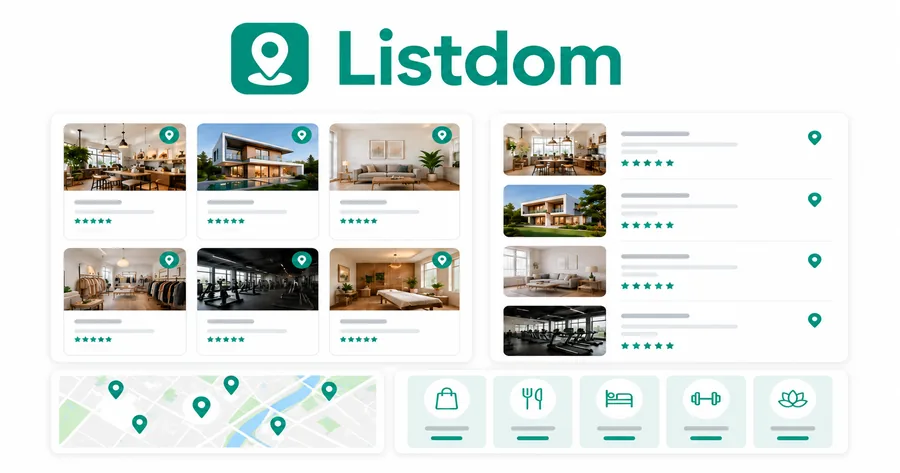
Best for: Visual layout flexibility
Listdom is a modern directory and classifieds plugin with a strong emphasis on display options. Its free version offers numerous listing skins and supports list, grid, carousel, table, masonry, cover, slider, and map-oriented layouts.
It also provides custom fields, categories, locations, working hours, contact forms, listing owners, search tools, and a front-end dashboard. This design flexibility makes Listdom useful for agencies or site owners that want several directory sections to look different without building each template from scratch. It supports Gutenberg and popular page builders and includes free OpenStreetMap functionality.
Listdom also offers paid add-ons for monetization, claims, subscriptions, front-end management, mobile apps, advanced maps, and other directory workflows. The large number of layouts is an advantage, but it also means you should establish a consistent design system rather than enabling too many presentation styles.
Choose Listdom when visual variety and no-code display control are higher priorities than a long-established ecosystem. For a large or business-critical project, test search speed, imports, theme compatibility, and extension interactions with realistic data before launch.
Pros
- Extensive listing layout library
- Flexible custom fields and search tools
- OpenStreetMap support in the free version
- Front-end dashboard and owner contact tools
- Gutenberg and page-builder compatibility
Cons
- Many options can make configuration more complex
- Advanced monetization requires add-ons
- Smaller ecosystem than long-established leaders
Pricing: Free core plugin; premium add-ons and bundles are available.
aDirectory

Best for: A lightweight, modern directory foundation
aDirectory is a newer WordPress directory plugin designed for business listings, classified ads, property portals, hotel directories, restaurant guides, and job boards.
It combines front-end submissions, customizable forms, filtering, OpenStreetMap integration, user dashboards, and monetization features in a modern interface. Its appeal lies in the balance between a relatively streamlined core and broad use-case support. Site owners can create custom listing fields, organize entries by category and location, accept submissions, and build searchable listing pages without developing a custom content model.
Because aDirectory is newer than GeoDirectory, Business Directory Plugin, or HivePress, buyers should evaluate documentation depth, migration tools, support responsiveness, add-on stability, and long-term compatibility. A newer product may offer a cleaner interface and current design patterns, but it has a shorter public track record.
aDirectory is worth considering for new projects that value modern administration and OpenStreetMap support. It is less suitable when you require an ecosystem with years of third-party integrations or proven deployments at very large scale.
Pros
- Modern directory and classifieds interface
- Custom forms and front-end submissions
- OpenStreetMap integration
- Filtering and monetization features
- Suitable for multiple directory niches
Cons
- Newer and less proven than established competitors
- Smaller third-party ecosystem
- Large projects require careful performance testing
Pricing: Free core plugin; premium options are available for expanded functionality.
Advanced Classifieds & Directory Pro

Best for: Budget-conscious classified and local directory sites
Advanced Classifieds & Directory Pro, often shortened to ACADP, offers a free foundation for classifieds, real estate, vehicle listings, pets, local businesses, and Yellow Pages-style directories. It supports unlimited category levels, custom fields, locations, front-end listing forms, search forms, listing blocks, and shortcode-based placement.
The plugin supports both Google Maps and OpenStreetMap and can display fields on archive pages. Its block collection includes categories, listings, locations, search, and submission forms, making it usable with the WordPress editor and shortcode-friendly page builders.
ACADP is a sensible option when the project needs conventional listing functionality without an expensive initial license. Premium extensions add payment, subscriptions, WooCommerce integration, multi-location capabilities, and other advanced features.
The interface and front-end styling may feel less polished than newer products. More complex designs can require CSS or template adjustments. Still, it remains a flexible option for site owners who prioritize functionality and cost over an extensive visual builder.
Pros
- Free core with unlimited categories and custom fields
- Supports classifieds and business directories
- Google Maps and OpenStreetMap support
- Block and shortcode support
- Premium options for payments and subscriptions
Cons
- Default design may require customization
- Smaller ecosystem and fewer polished templates
- Complex marketplace functions require paid extensions
Pricing: Free core plugin; premium version and add-ons are available.
WP Directory Kit
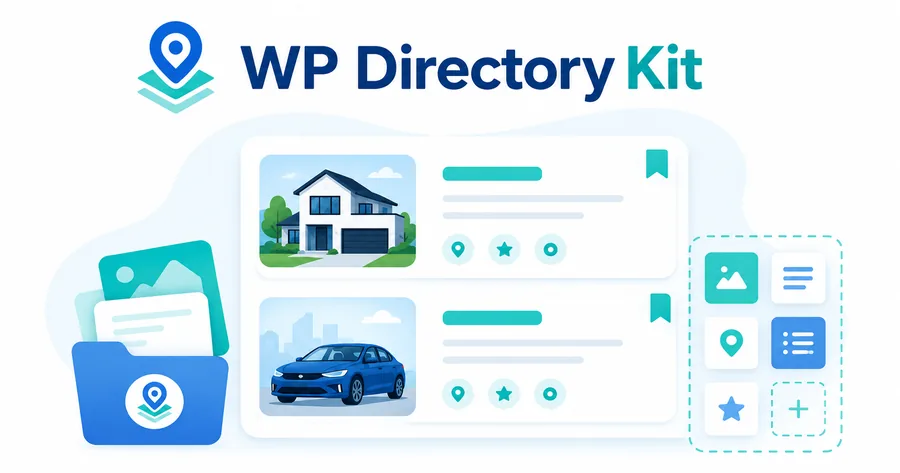
Best for: Elementor-based real estate and vehicle directories
WP Directory Kit provides listing, category, field, agent, location, and search management through WordPress. It is particularly oriented toward real estate agencies and car dealerships, with demo data and related themes available for those niches.
The plugin supports category-specific fields, listing agents, indoor and outdoor amenities, galleries, sliders, price-range search, multimedia, multiple locations, messaging, OpenStreetMap, and Elementor. Its visual tools can help users build search forms, listing cards, and preview layouts without writing custom templates. For compatible design options, see our collection of Elementor WordPress themes.
Premium add-ons cover membership subscriptions, booking calendars, imports, multiple currencies, favorites, and other portal features. This makes WP Directory Kit a useful middle ground between a generic directory plugin and a niche real estate system.
The strongest reason to choose it is Elementor-based control combined with property or vehicle features. For a simple local business directory, there are easier options. For a highly customized enterprise portal, confirm API access, bulk import requirements, SEO controls, and performance under your expected listing volume.
Pros
- Strong Elementor integration
- Real estate and car-dealership demos
- Visual search and listing-card design
- Agents, amenities, multimedia, and price filters
- OpenStreetMap and messaging support
Cons
- Best suited to specific directory niches
- Several growth features require paid add-ons
- Smaller user base than market leaders
Pricing: Free core plugin; premium add-ons are available.
Formidable Forms
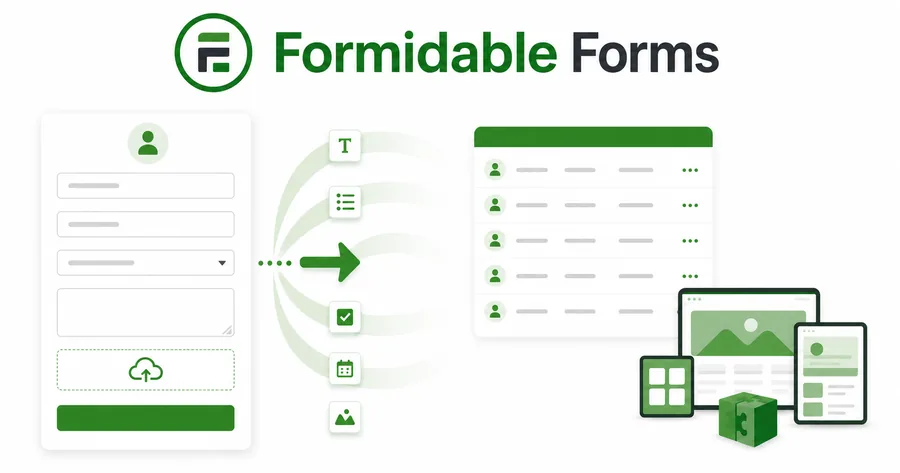
Best for: Custom directories built around complex submission forms
Formidable Forms is not a dedicated directory plugin in the same sense as GeoDirectory or Directorist. It is an advanced form and application builder that can collect user submissions and display them as searchable front-end Views. This approach works well for member directories, staff databases, resource libraries, job listings, vendor lists, and internal portals that require unusual fields or workflows. Its main advantage is data-model flexibility.
You can build complex forms with conditional logic, calculations, file uploads, user registration, and integrations, then control how submitted entries appear in lists, grids, detail pages, or searchable views. Similar data-collection workflows are also covered in our guide to WordPress survey plugins. Formidable Forms can also connect to payment and email tools.
Formidable Forms is less convenient for a conventional location directory. Maps, claim listings, directory pricing plans, radius searches, and listing dashboards may require additional configuration or custom development. Its directory capabilities also depend on premium features such as Views rather than the free plugin alone.
Choose Formidable Forms when your project is closer to a custom database application than a Yelp-style directory. It gives developers and advanced site owners more control, but it is not the fastest path for standard business listings.
Pros
- Highly flexible forms and data displays
- Suitable for unusual directory structures
- Conditional logic and automation
- Searchable front-end Views
- Useful for private and internal directories
Cons
- Not a dedicated directory system
- A premium plan is required for key Views features
- Maps and monetization workflows require additional setup
- May require custom development for marketplace functions
Pricing: Limited free version; paid plans provide advanced forms, Views, and integrations.
How to Choose the Best Directory Plugin for WordPress
Start with the directory’s business model, not its design. Write down who creates listings, who approves them, how visitors search, and how the site earns revenue. This prevents you from choosing a visually appealing plugin that cannot support the required workflow.
For a large local business portal, GeoDirectory is the strongest starting point because location and scalability are central to its architecture. Directorist is better when you need broad monetization, several directory types, and a fast no-code launch. HivePress works well for budget-conscious niche directories and marketplace-style projects. Business Directory Plugin is a practical choice for smaller, conventional directories. Classified Listing is better for sites where users post time-sensitive ads and communicate with sellers.
Next, calculate the real cost. Include the core plugin, extensions, theme, map API usage, payment-gateway fees, mobile apps, import tools, support, hosting, and custom development. A free WordPress business directory plugin may become more expensive than a bundle once you add every required module.
Build a staging prototype before committing. Create a full backup first with a reliable WordPress backup plugin. Add at least 50 realistic listings with images, categories, custom fields, and locations. Test mobile submission, search relevance, map performance, email delivery, payment checkout, moderation, account recovery, and SEO templates. Import testing is especially important when you already have data in CSV, XML, another plugin, or an external directory platform.
Finally, evaluate maintenance. Check recent WordPress updates, plugin compatibility, support activity, documentation, export options, and the process for moving data away from the plugin. Avoid building a business-critical directory around a product that lacks recent maintenance or a practical data-export path.
WP Directory Plugin: FAQs
What Is the Best Directory Plugin for WordPress in 2026?
GeoDirectory is the best overall choice for large, location-based directories. Directorist is the best all-around option for fast setup, multiple directory types, and monetization. HivePress offers one of the strongest free foundations, while Business Directory Plugin is easier for a simple local or community directory.
The best directory plugin for WordPress ultimately depends on listing volume, location requirements, revenue model, design needs, and technical skill.
Is There a Free WordPress Directory Plugin?
Yes. GeoDirectory, Directorist, HivePress, Business Directory Plugin, Classified Listing, Listdom, aDirectory, ACADP, and WP Directory Kit all offer free core plugins. The free versions can usually create and display basic listings, but advanced maps, payments, bookings, subscriptions, imports, claims, and mobile apps may require premium add-ons.
Can WordPress Handle a Large Web Directory?
WordPress can support a large directory, but plugin architecture, database design, hosting, caching, image handling, and search complexity matter. A directory with hundreds of thousands of entries requires more planning than a site with a few hundred listings.
Use scalable hosting, optimize images, limit unnecessary filters, test database queries, and choose a plugin designed for growth. GeoDirectory specifically promotes custom database tables for large listing volumes.
Which Directory Plugin Is Best for Local Businesses?
GeoDirectory is best for a large location-based directory with map and radius search. Business Directory Plugin is better for a simpler local listing site. Directorist is a strong middle option when you need maps, custom fields, paid plans, reviews, and multiple directory types.
Do Directory Plugins Work With Elementor?
Several do. Directorist, GeoDirectory, Classified Listing, Listdom, and WP Directory Kit provide Elementor-compatible widgets, templates, blocks, or integrations. WP Directory Kit is especially focused on visual Elementor-based construction. Compatibility depth varies, so test archive pages, listing pages, search forms, account dashboards, and submission screens—not only the homepage.
Are WordPress Directory Plugins SEO-Friendly?
They can be, but installing a plugin does not guarantee rankings. A strong directory SEO strategy needs useful listing content, unique category and location pages, clean internal linking, indexation control, structured data, fast performance, and ongoing moderation.
Avoid publishing thousands of empty combinations of categories, tags, and locations. Set minimum content standards for user submissions and review automatically generated pages before allowing search engines to index them.
Can I Migrate From One Directory Plugin to Another?
Yes, but migration complexity varies. Listings may be stored as custom post types, post meta, taxonomy terms, user accounts, or custom database tables. Images, maps, reviews, subscriptions, and custom fields may require separate mapping.
Before choosing a plugin, check its CSV import and export functions, REST API, database documentation, and available migration tools. Keep a clean master copy of listing data outside WordPress whenever possible.
Final Verdict
The best WP directory plugin is the one that supports your full workflow without forcing unnecessary complexity. Whichever plugin you select, build a realistic staging version before launch. Test listings, filters, maps, payments, mobile forms, imports, SEO pages, and performance with real data. That process will reveal more than a feature checklist, and it will help you choose a directory platform that can grow with your website.
Read More: 10 Top SEO Tips to Improve Organic Rankings
Contact US | ThimPress:
Website: https://thimpress.com/
Fanpage: https://www.facebook.com/ThimPress
YouTube: https://www.youtube.com/c/ThimPressDesign
Twitter (X): https://x.com/thimpress_com