































PayU Add-on for LearnPress

  • Multiple Payment Channels: Receive payments via a variety of channels that are suited for both domestic and international customers, including Credit and Debit Cards, Net Banking, Digital Wallets, Buy Now, Pay Later (BNPL). And much more!
  • Local Currency Support: Avoid complicated currency conversions by processing transactions in your preferred local currency, including CEE, LatAm and Africa. 
  • Real-time Processing: Guarantees a seamless learning experience by giving students instant access to courses as soon as their payment is approved.
  • Advanced Fraud Prevention: PayU ensures secure, seamless transactions with a PCI-DSS Level 1 platform powered by AI fraud detection, real-time rule engines, tokenization, strong API authentication, and 3DS2/SCA compliance.
  • Sandbox Mode: Test your PayU payment integration in a secure, simulated environment before going live — ensuring everything works smoothly and safely.
Localized Payment Experience

PayU guarantees that your students can use payment methods they are familiar with and trust, as it supports over 50 countries and home to more than 43 nationalities. See details here.

Reliable by Millions
Streamlined Transaction Processing
Scalability Ready for the Future
7 reviews

Active Users: 300+

Price: Original price was: $19.Current price is: $10.

I would like to extend Update & Support
Total $10
25% OFF SALE
Discount 25%
Get
BFW2026
Version
Version: 4.0.0
Last Updated: A week ago
Compatible to WordPress Version: 6.3 or higher
How to use

Screenshots

payu-1
payu-1
payu-1
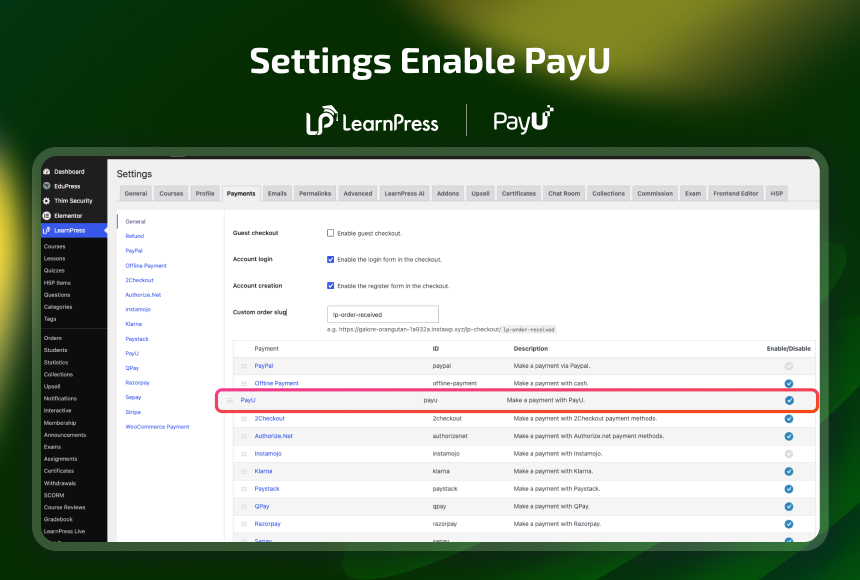
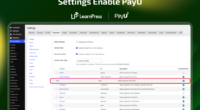
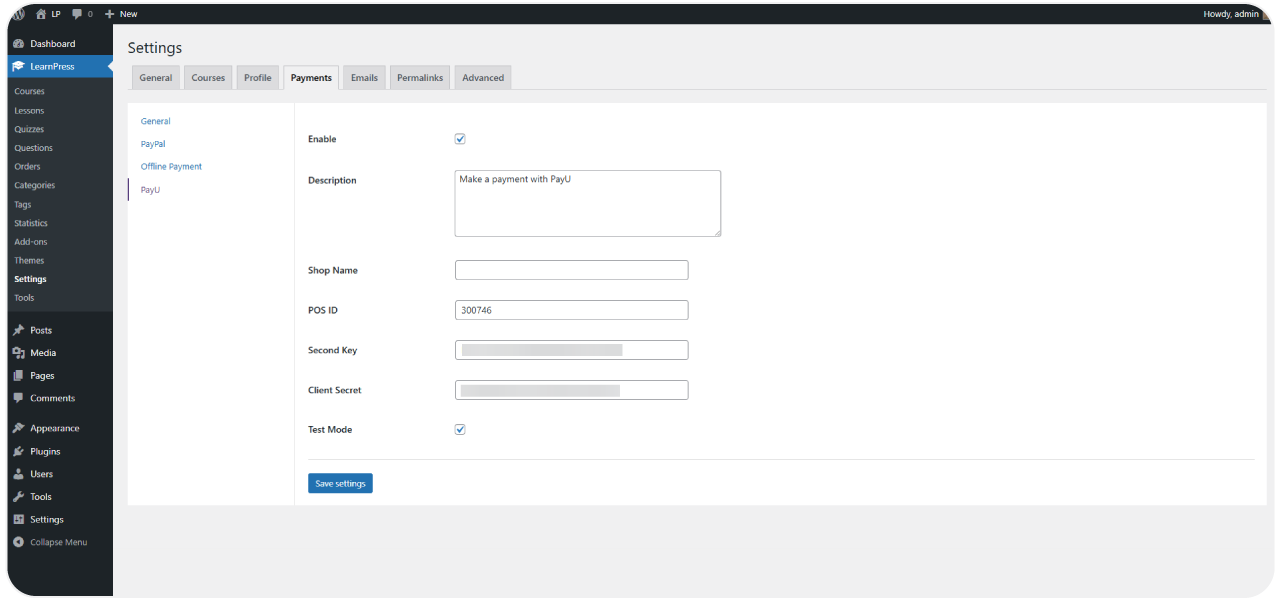
settings enable PayU

Accept payments through PayU

  • Enable PayU as a payment gateway directly from your LearnPress payment settings.
  • Easily activate or deactivate PayU alongside other supported payment methods.
  • Give students another convenient option to pay for their online course purchases.
  • Expand your payment options to serve learners across supported markets.

Configure PayU for your store

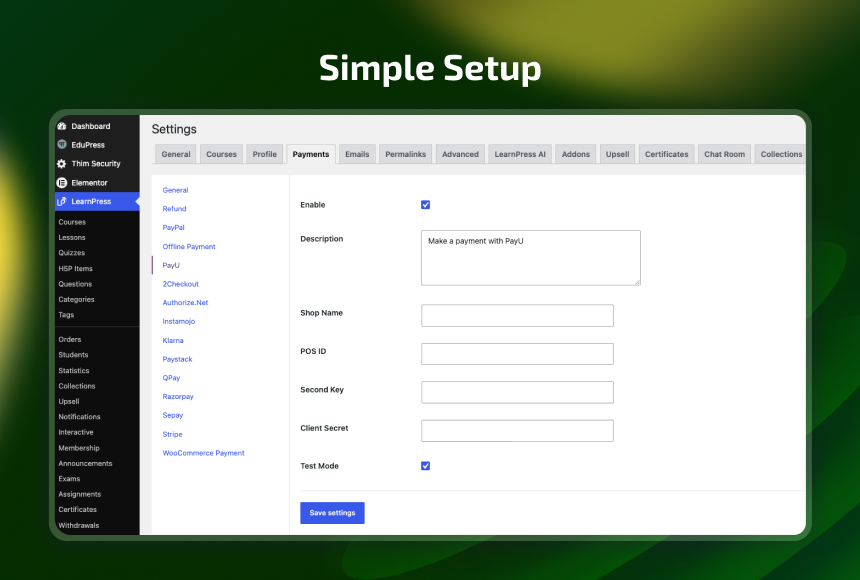
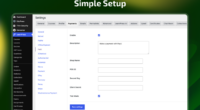
  • Connect your LearnPress website to PayU using your Shop Name, POS ID, Second Key, and Client Secret.
  • Enter your merchant credentials directly into the PayU settings panel.
  • Enable Test Mode to verify your payment integration before accepting real transactions.
  • Save your settings to complete the configuration and prepare PayU for checkout.
Simple setup 4
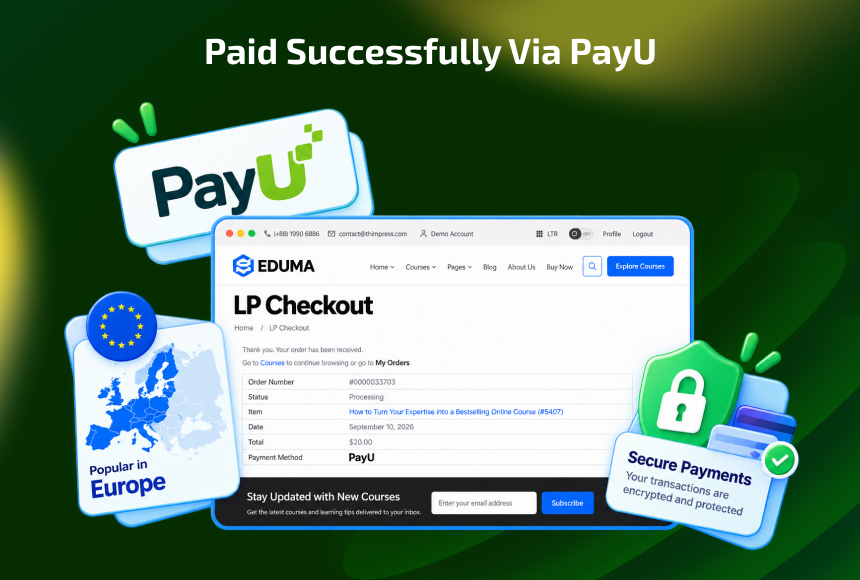
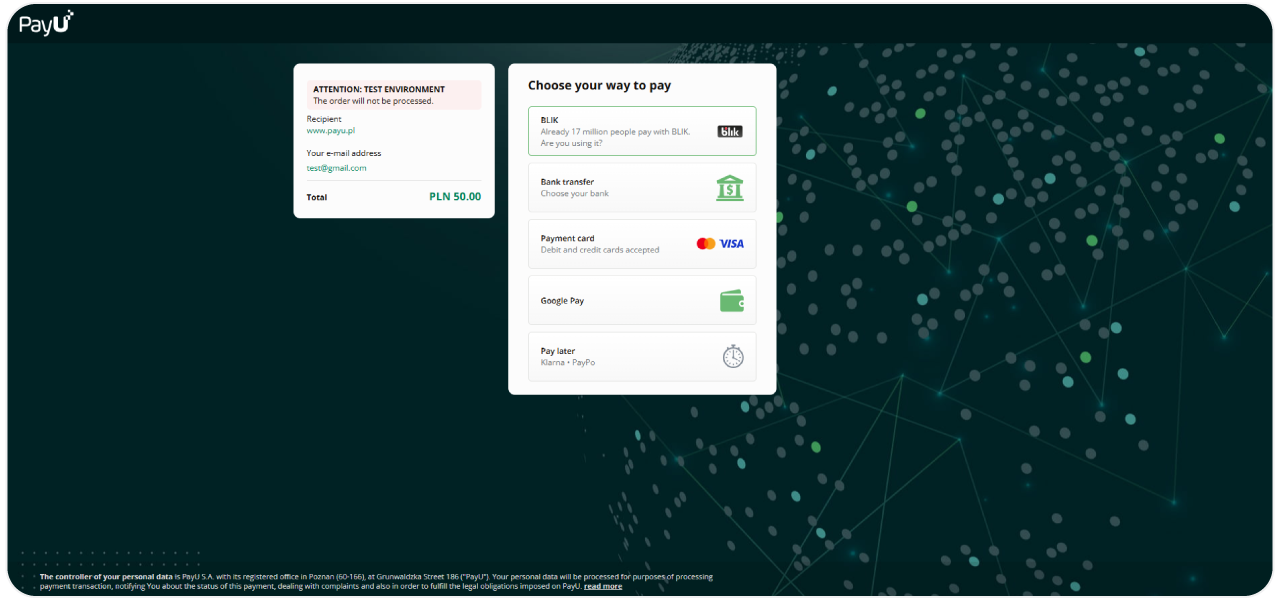
Paid Successfully via PayU

Complete course payments with PayU

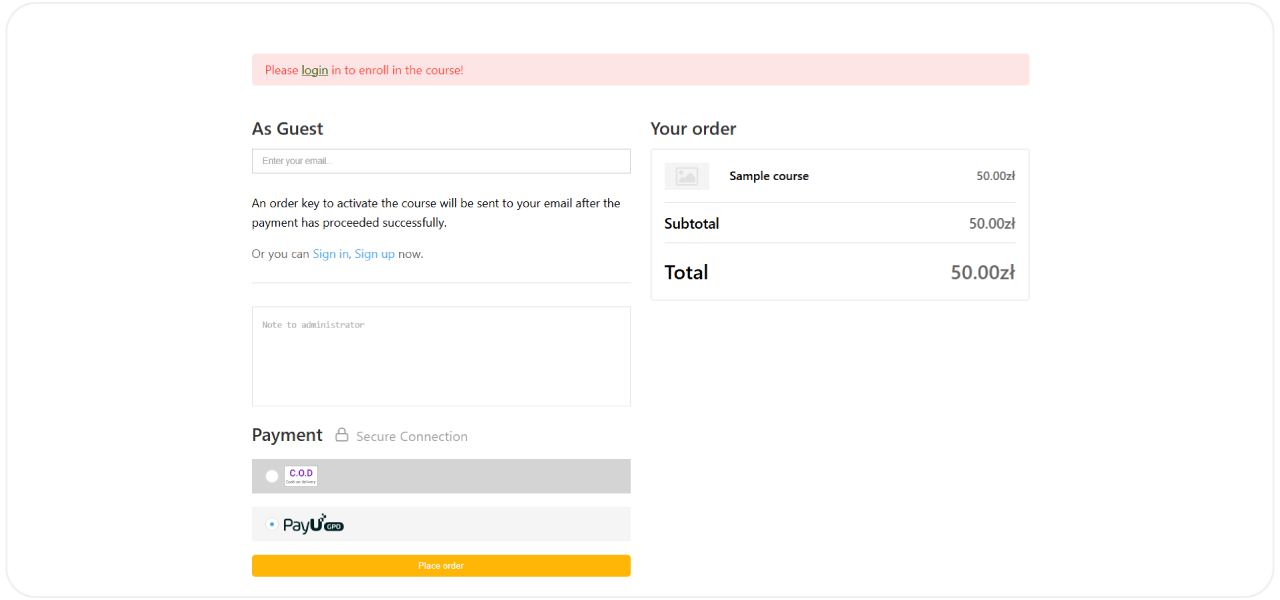
  • Let students complete course purchases through the integrated PayU payment gateway.
  • Support payment options including credit and debit cards, bank transfers, digital wallets, and other available methods.
  • Display order details and the selected payment method after successful checkout.
  • Deliver a convenient payment experience while helping students complete their course enrollment smoothly.

All Your Questions
Answered

You have questions.
We have answers.

Do I need a PayU merchant account?

Yes. You’ll need to sign up for a PayU merchant account and obtain your API credentials (Client ID/Secret Key) to activate the gateway in LearnPress.

Does it support recurring payments for subscriptions?

Absolutely. You can easily configure subscription-based courses with automated billing cycles using the PayU Add-on.

Is technical expertise required for setup?

Not at all. The add-on includes a step-by-step setup wizard, similar to LearnPress’s PayPal integration, making it user-friendly even for those without advanced technical skills.

Go to our Forum and explore more than 2000 support topics
Feel free to contact us for support anytime

Reviews

Total Reviews
7
Average Rating
5 out of 5
5
7
4
0
3
0
2
0
1
0
  1. Youssef El-Amin –

    Reliable during high traffic
    Even during a big enrollment push the payment success rate stayed high with barely any failed transactions.

  2. Valentina Torres –

    Fast real-time enrollment
    Students get instant access to the course right after payment is approved no waiting around.

We're Here to Assist!
Click to Chat on Messenger.

×

Order Summary

0 items

Your cart is currently empty.

Start Shopping