Stripe Add-on for LearnPress

  • Effortlessly accept online course payments directly on your LearnPress site with the Stripe Add-on for LearnPress.
  • Offer students flexible payment options, including major credit/debit cards (Visa, MasterCard, Amex, etc.), Apple Pay, and Google Pay.
  • Expand your global reach by supporting 40+ local payment methods like Bancontact, Boleto, Cash App Pay, EPS, giropay, iDEAL, Multibanco, OXXO, Przelewy24, and SEPA Direct Debit.
  • Enhance user trust and convenience with a secure, on-site checkout process powered by Stripe.
Direct & Secure On-Site Checkout

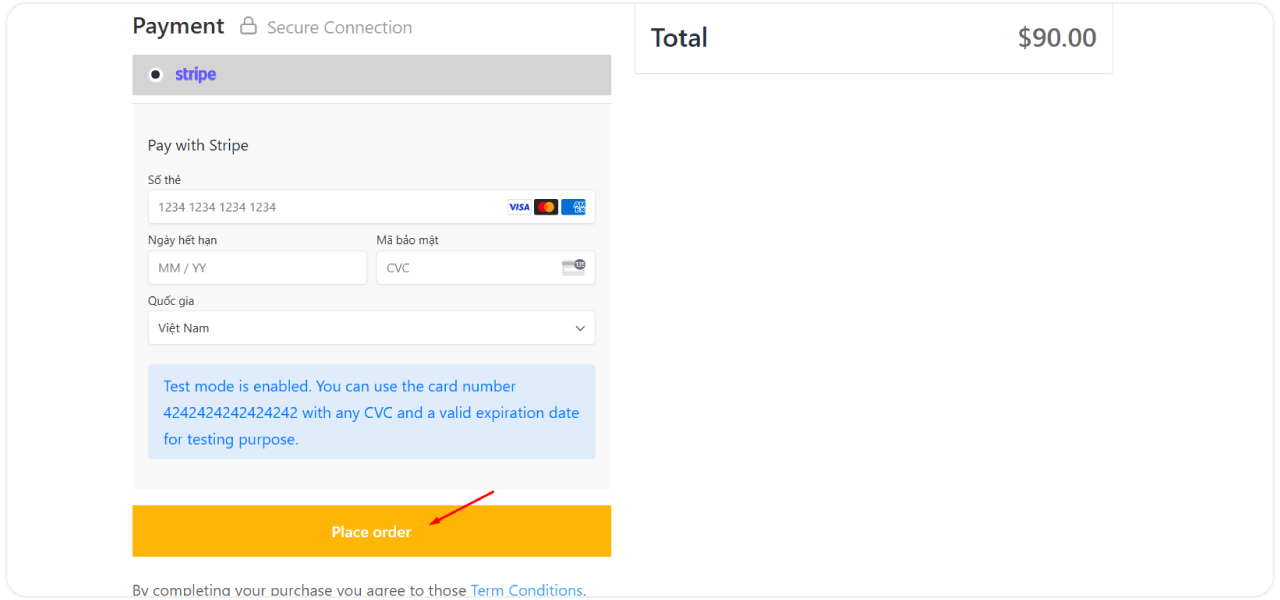
Enable students to pay for courses directly on your website using Stripe's secure interface, enhancing user experience with the Stripe Add-on for LearnPress.

Extensive Payment Options
Advanced Security & Compliance
Global Reach & Localization
6 reviews

Active Users: 6547

Price: $39

  • Lifetime license for 1 site License Info:Includes lifetime usage on 1 site. You can switch between environments as needed by deactivating/reactivating the key. Only one active installation can receive updates and support at a time.Learn More
  • 12 months Update & Support Updates & Support Info:Purchase includes 12 months of updates and support. After expiry, the add-on remains functional, but you must renew the license to access future updates and support services.Learn More
I would like to extend Update & Support
Total $39
25% OFF SALE
Discount 25%
Get
LPAUG2026
Version
Version: 4.0.6
Last Updated: 1 July 2026
Compatible to WordPress Version: 6.6.1
Change Logs

= 4.0.6 (2025-07-01) =
~ Updated: library stripe to latest.
~ Feature: support payment subscription for Stripe.

= 4.0.5 (2025-02-05) =
~ Fixed: minor bugs.
~ Updated: library stripe to latest.

= 4.0.4 (2024-08-27) =
~ Show message has error when create payment intent.

= 4.0.3 (2024-06-15) =
~ Added: calculate amount for Stripe payment by rule currency.
~ Added: show error message if create payment intent failed.
~ Fixed: error JS.

= 4.0.2 (2023-09-18) =
~ Added: option payment direct on checkout Stripe page.
~ Tweak: use Stripe JS iframe Form Powered by Stripe, instead of write form.
~ Use Stripe SDK PHP v7.128.0.
~ Use Stripe SDK JS v1.54.2.

= 4.0.1 =
~ Fix minor bug.

= 4.0.0 =
~ Fix compatible.

Screenshots

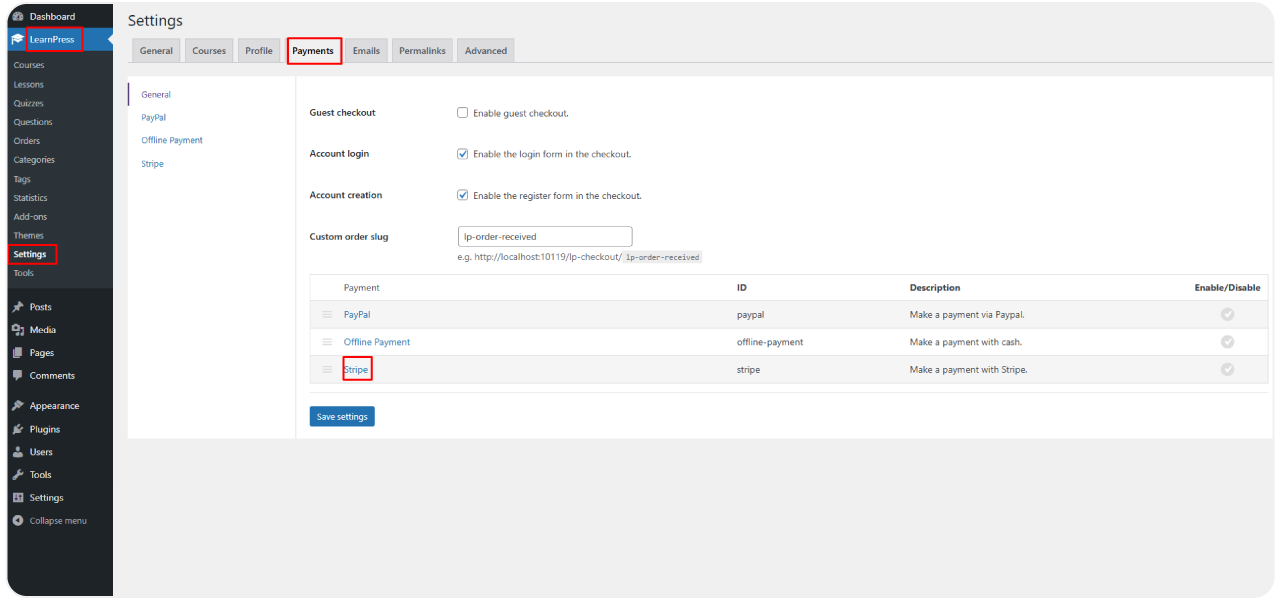
stripe-6
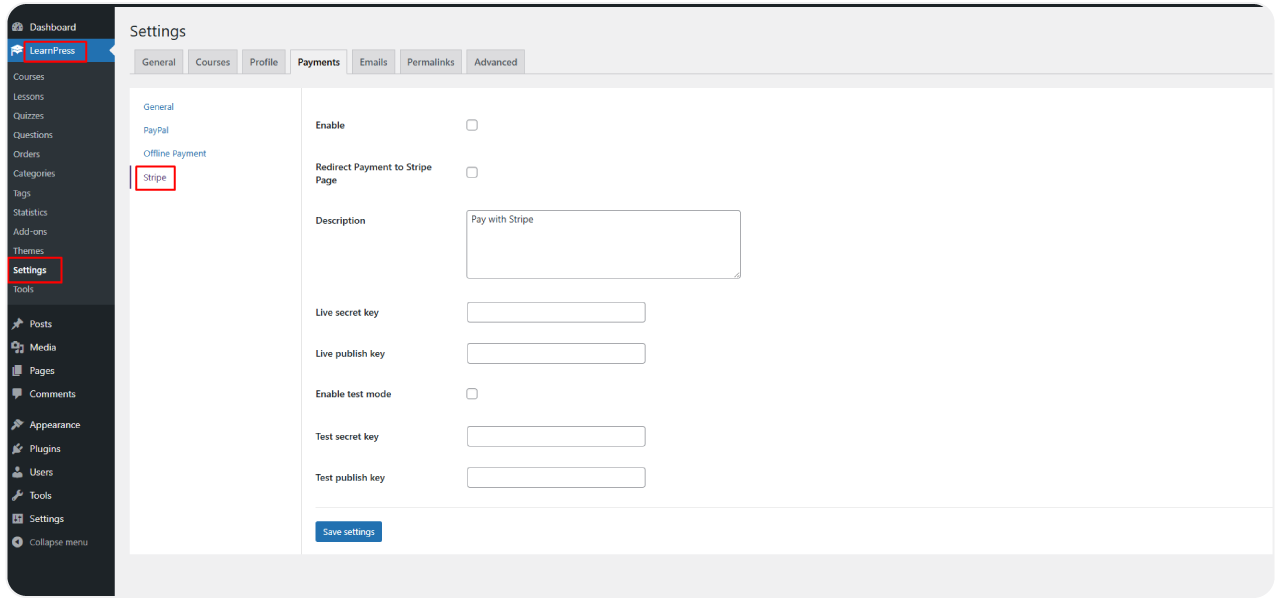
stripe-7
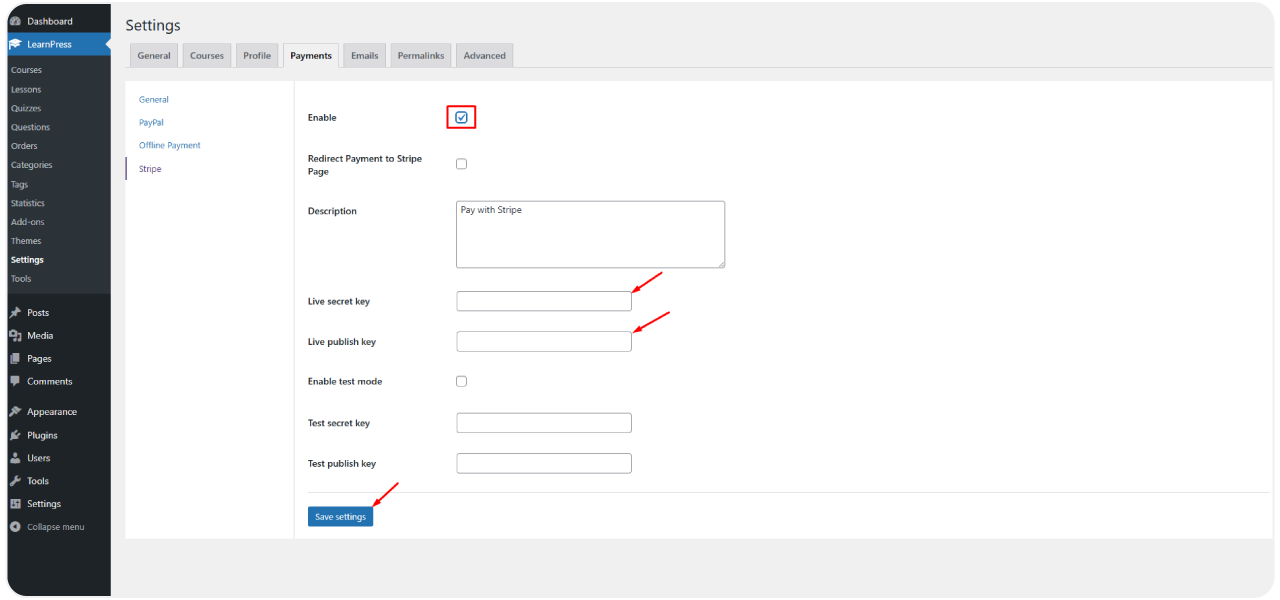
stripe-8
stripe-9

All Your Questions
Answered

You have questions.
We have answers.

What is the Stripe Add-on for LearnPress? 

It’s a premium extension for the LearnPress LMS plugin that integrates the Stripe payment gateway, allowing you to securely accept online payments for your courses directly on your WordPress site.

Do I need a separate Stripe account to use this add-on? 

Yes, an active Stripe account is required. You can sign up for free on the official Stripe website. This add-on connects your LearnPress site to your Stripe account.

Is the payment process secure for my students?

You can accept payments from all major credit and debit cards (Visa, MasterCard, American Express, Discover, etc.), digital wallets like Apple Pay and Google Pay. Additionally, depending on your Stripe account configuration, you can enable over 40 local payment methods like Bancontact, Boleto, Cash App Pay, EPS, giropay, iDEAL, Multibanco, OXXO, Przelewy24, and SEPA Direct Debit.

What specific payment methods can I accept? 

Yes! The Upsell Add-on supports various discount types and coupon options, allowing you to run promotions and special deals for your course packages.

Is the Stripe Add-on for LearnPress easy to set up? 

Yes, setup is straightforward. It involves installing the plugin like any other WordPress plugin, enabling it in LearnPress settings, and copying your API keys from your Stripe dashboard into the add-on settings.

Can I cater to international students with local payment options? 

Yes, this is a key benefit. By configuring relevant methods in your Stripe account, the Stripe Add-on for LearnPress allows you to offer familiar, local payment options to students worldwide, potentially increasing conversion rates.

How are transactions managed and tracked?

All transaction details, reporting, and management are handled within your Stripe dashboard, providing a centralized and easy-to-use interface for monitoring payments and handling refunds if necessary. LearnPress will update the order status upon successful payment confirmation from Stripe.

Go to our Forum and explore more than 2000 support topics
Feel free to contact us for support anytime

Reviews

Total Reviews
6
Average Rating
5.8 out of 5
5
6
4
0
3
1
2
0
1
2
  1. Otho

    Integrating LearnPress with Stripe is a good solution because of its high security and diversity in payment.

We're Here to Assist!
Click to Chat on Messenger.

Search
×