Frontend Editor Add-on for LearnPress

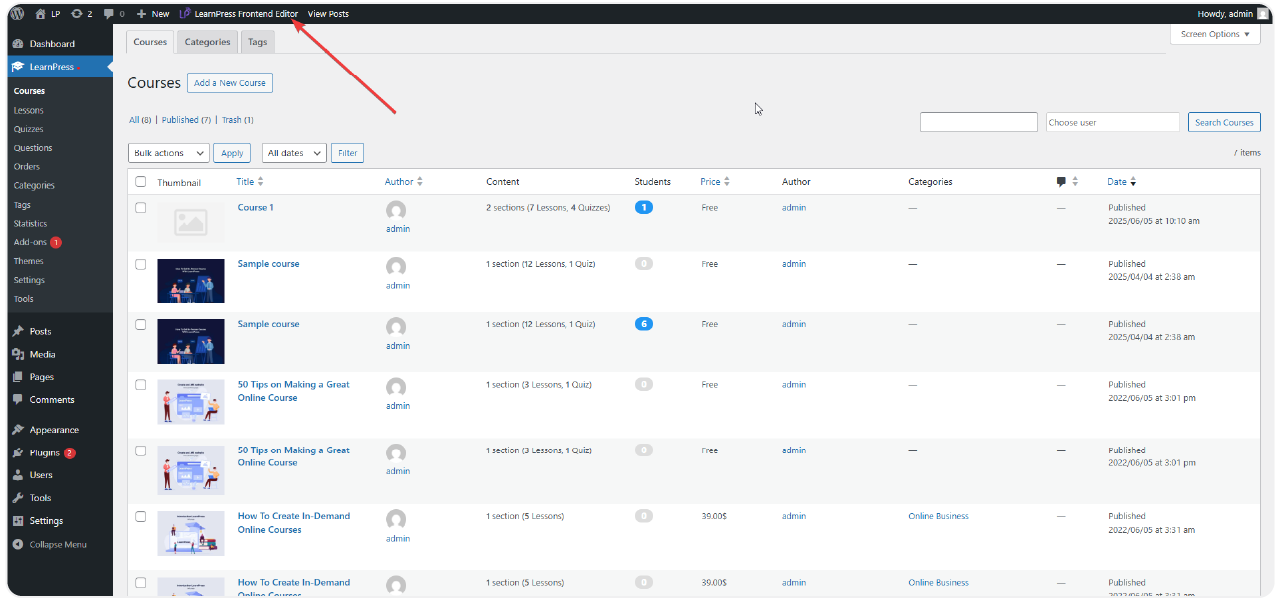
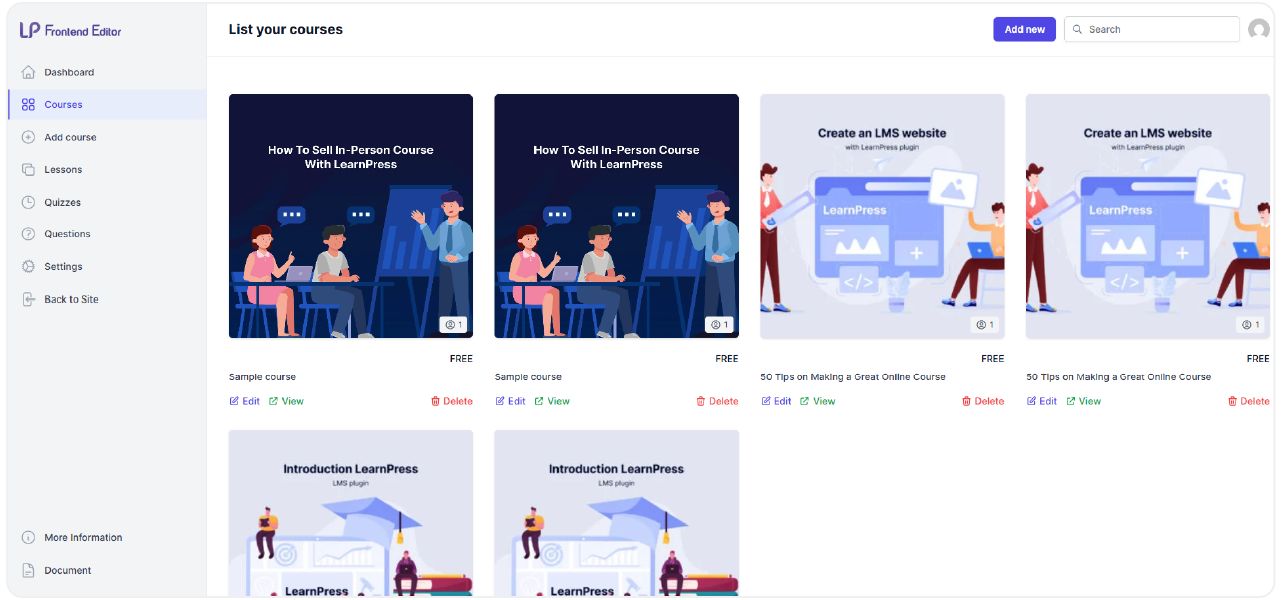
  • Build and manage your online courses directly from the front end of your website, removing the need to access the WordPress admin dashboard.

  • The Frontend Editor Add-on for LearnPress provides a user-friendly interface for creating and modifying courses, lessons, quizzes, and questions.

  • Experience a completely visual course-building process, allowing you to see your changes in real-time as your students would.

  • This add-on integrates directly with the LearnPress core, ensuring a reliable and consistent course management experience without backend navigation.

Live Frontend Course Editing

The Frontend Editor add-on for LearnPress enables instructors and administrators to create, edit, and manage courses, lessons, quizzes, and questions entirely from the user interface. Its intuitive layout is designed for both beginners and experienced professionals, making course creation more accessible.

Direct Integration with LearnPress
Dynamic and Flexible Content Management
User-Centric Design for Instructors
7 reviews

Active Users: 455

Price: Original price was: $60.Current price is: $49.

  • Lifetime license for 1 site License Info:Includes lifetime usage on 1 site. You can switch between environments as needed by deactivating/reactivating the key. Only one active installation can receive updates and support at a time.Learn More
  • 12 months Update & Support Updates & Support Info:Purchase includes 12 months of updates and support. After expiry, the add-on remains functional, but you must renew the license to access future updates and support services.Learn More
I would like to extend Update & Support
Total $49
Version
Version: 4.1.2
Last Updated: 23 August 2026
Compatible to WordPress Version: 7.1
Change Logs

= 4.1.2 (2026-08-22) =
~ Requires WordPress 6.6 or later.
~ Updated all JavaScript libraries: build toolchain (@wordpress/scripts 34), React 18.3, Headless UI 2, SWR 2, Redux Toolkit 2, React Redux 9, React Router 7, Recharts 3, date-fns 4, Motion 13, Tailwind CSS 3.4.
~ Replaced the deprecated react-sortable-hoc with dnd-kit for drag & drop sorting.
~ Fixed: minor issues found while upgrading (add new item modal, publish question, date field, material file sorting).

= 4.1.1 (2026-08-04) =
~ Support addon Certificates v4.2.8.
~ Support addon Prerequisite.

= 4.1.0 (2025-11-22) =
~ Fixed: error enable Offline course not hide tab Curriculum.
~ Fixed: display struct parent/child Category.

= 4.0.9 (2025-11-12) =
~ Added: support item LP H5P.
~ Added: option show/hide WP bar, permission access WP Admin.
~ Fixed: translate text.

= 4.0.8 (2025-10-06) =
~ Fixed: style for mobile.
~ Added: option update logo for FE page.

= 4.0.7 (2025-05-12) =
~ Added: feature Material File.

= 4.0.6 (2024-08-28) =
~ Fixed: save price course.
~ Use CourseModel instead of learn_press_get_course.
~ Check addon Co-Instructor activated.

= 4.0.5 (2024-07-25) =
~ Tweak: rewrite rules.
~ Tweak: field select author, get from API (make edit load screen edit courses faster).

= 4.0.4 =
~ Add: Add new filter learnpress_frontend_editor_localize_script to allow edit localizations ( override logo url... ).
~ Fix: translate text.
~ Fix: some css.

= 4.0.3 (2022-09-29) =
~ Fix: error save meta field.

= 4.0.2 (2022-09-22) =

Use tech React JS for create, edit, update faster.

Screenshots

frontend-editor-1
frontend-editor-2
frontend-editor-3
frontend-editor-4
frontend-editor-5
frontend-editor-6
frontend-editor-7
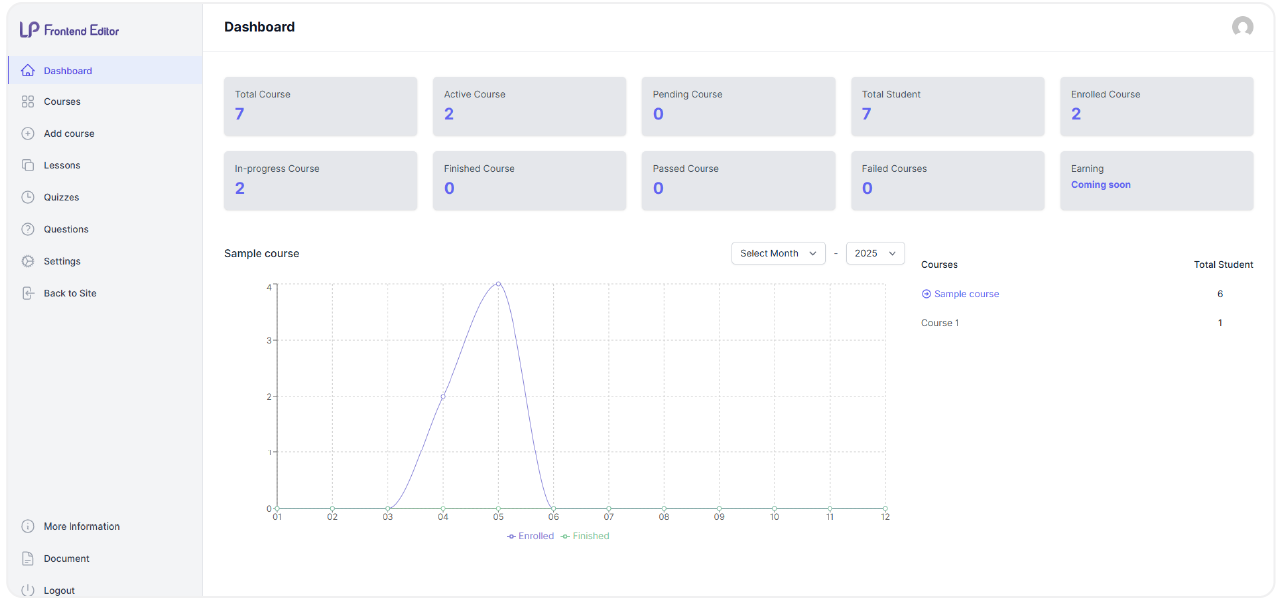
Dashboard scaled

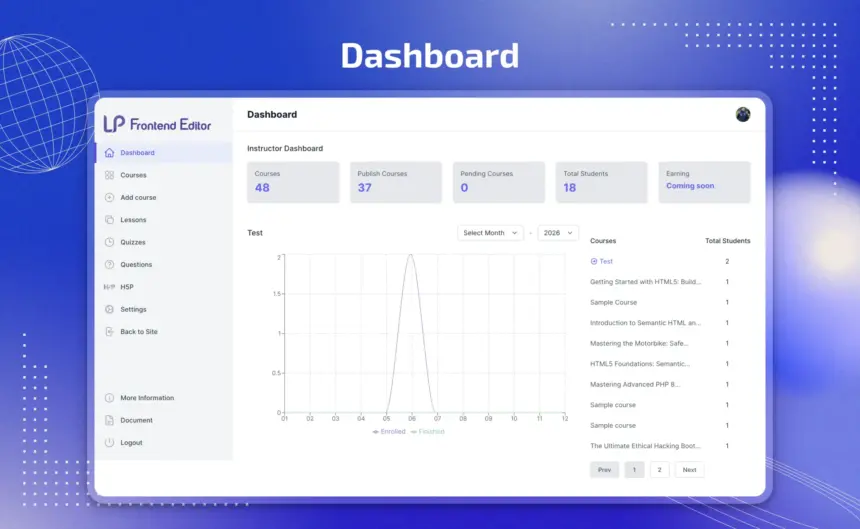
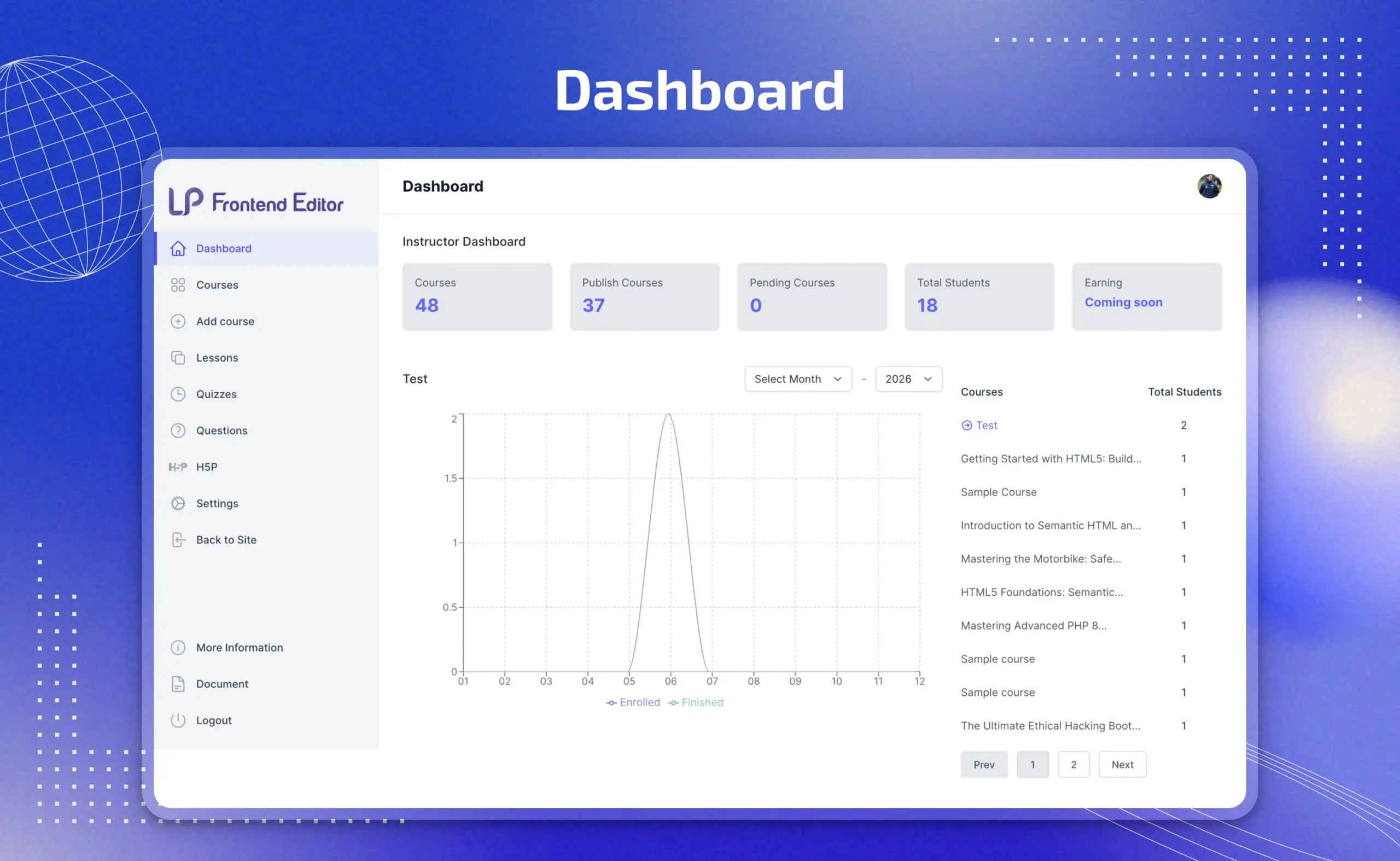
An instructor dashboard with everything that matters, up front

  • Track total courses, published courses, and pending courses in one clean overview — no digging through wp-admin lists.
  • Monitor total students and earnings without leaving the frontend.
  • Visualize enrollment and completion trends over time with built-in charts, so instructors can spot growth or drop-off at a glance.
  • Jump straight into any course from the dashboard, cutting the clicks between “checking stats” and “making changes.”

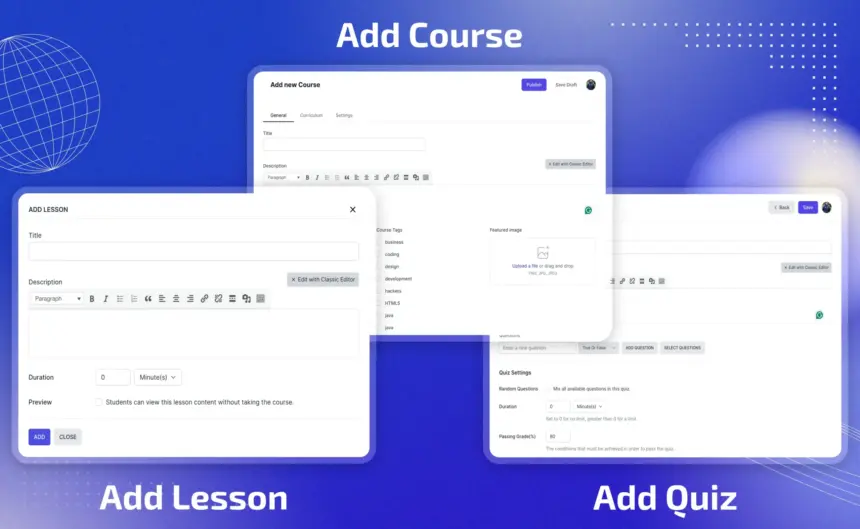
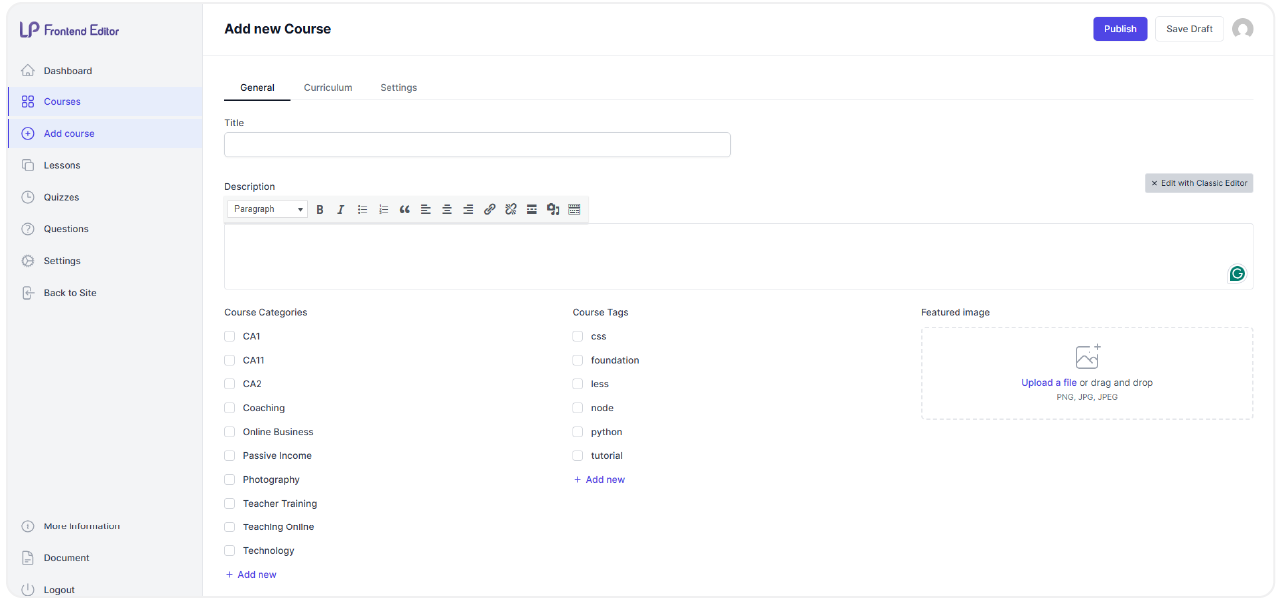
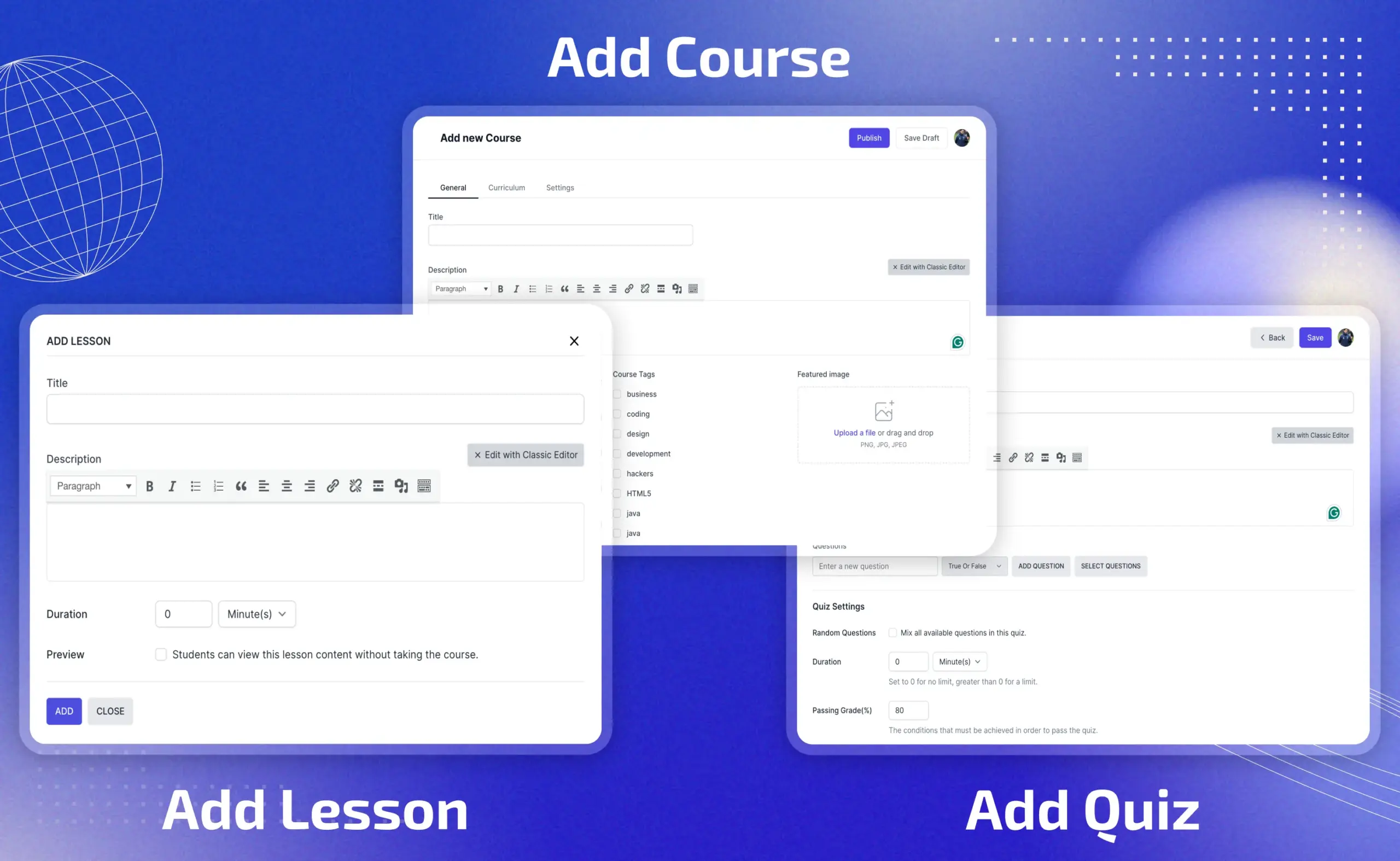
Add courses, lessons, and quizzes from one connected workflow

  • Build a new course with a familiar, rich-text editor — no need to learn WordPress’s editor first.
  • Add lessons with full content editing, previews, and duration settings, all inline without opening a separate screen.
  • Create quizzes with flexible settings — randomize questions, set passing conditions, and control retake rules right where you’re building the lesson.
  • Move fluidly between course, lesson, and quiz creation in one continuous flow, instead of jumping between disconnected admin pages.
Add course lesson quiz scaled
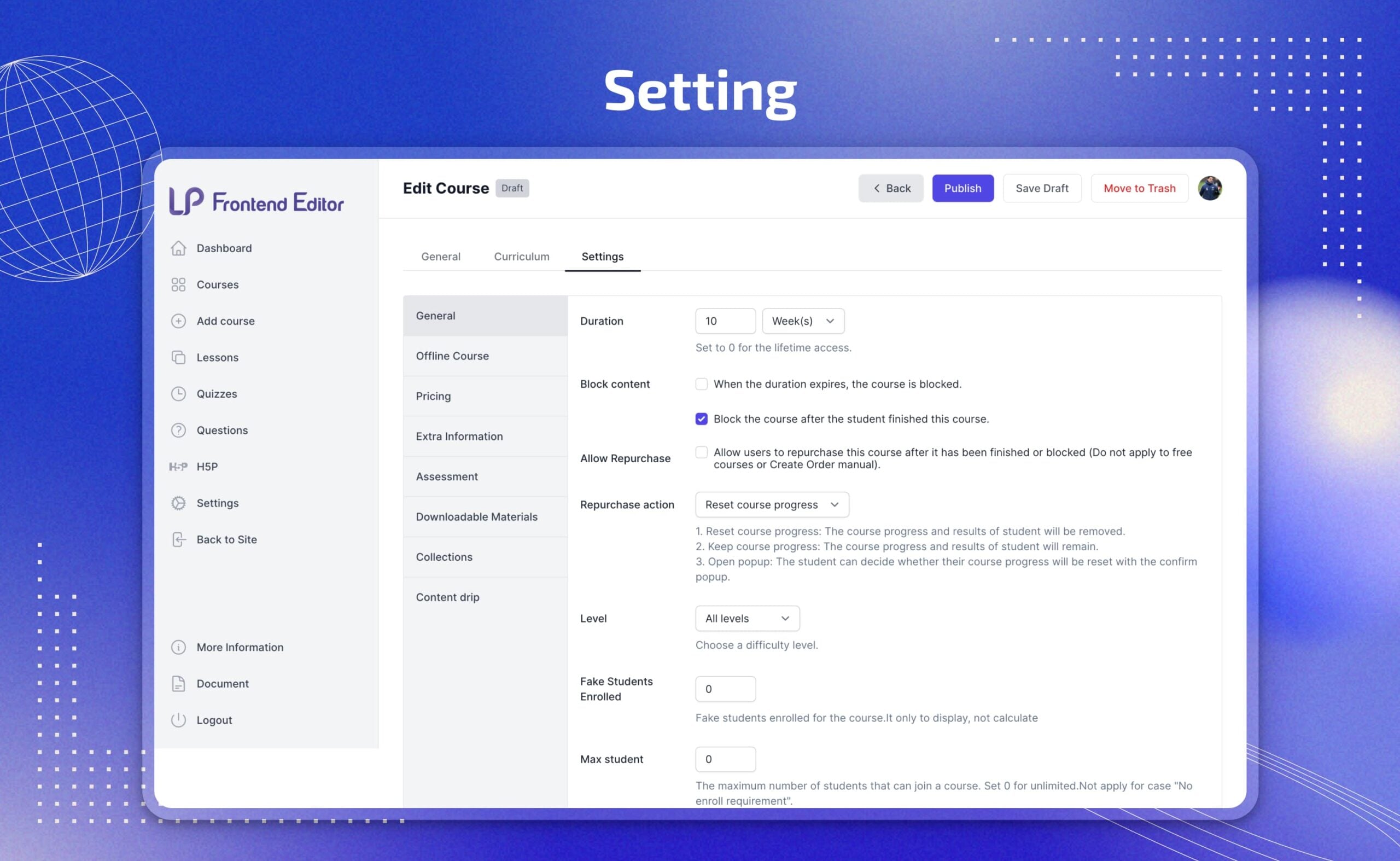
Setting scaled

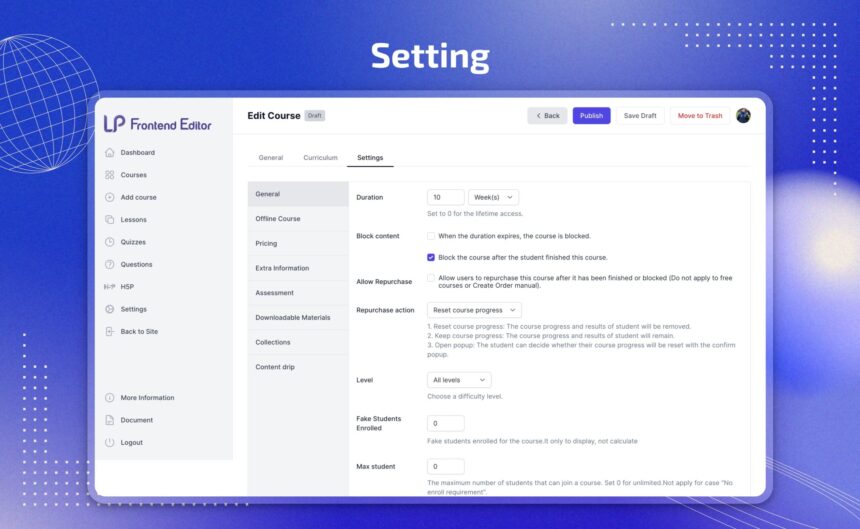
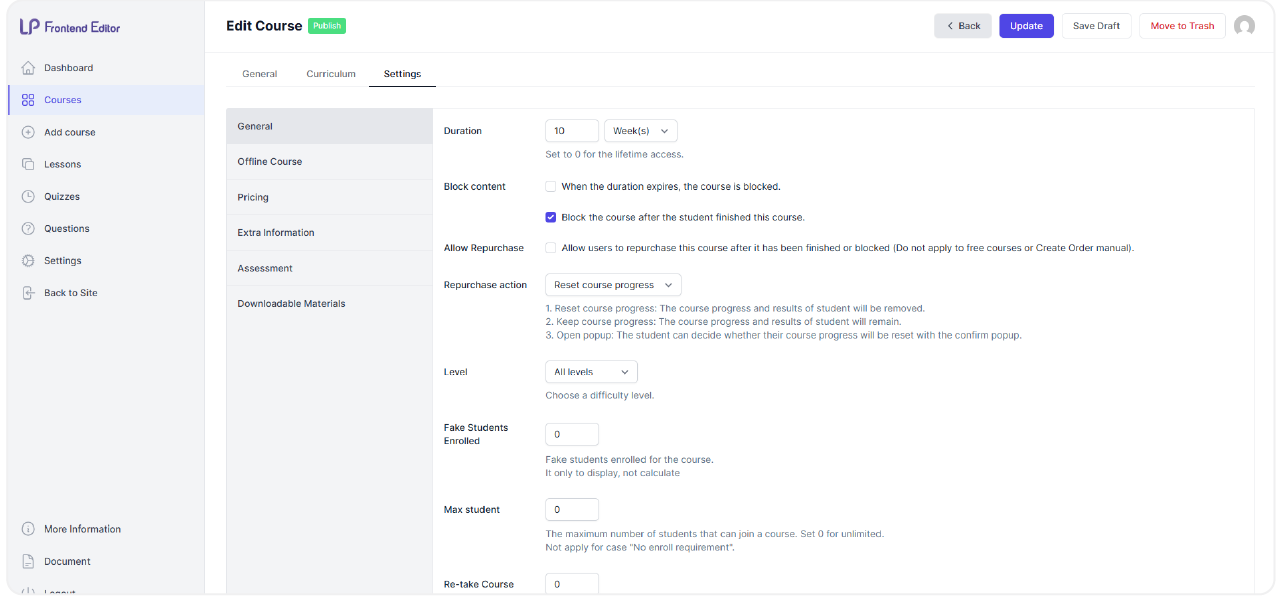
Granular course settings, fully editable from the frontend

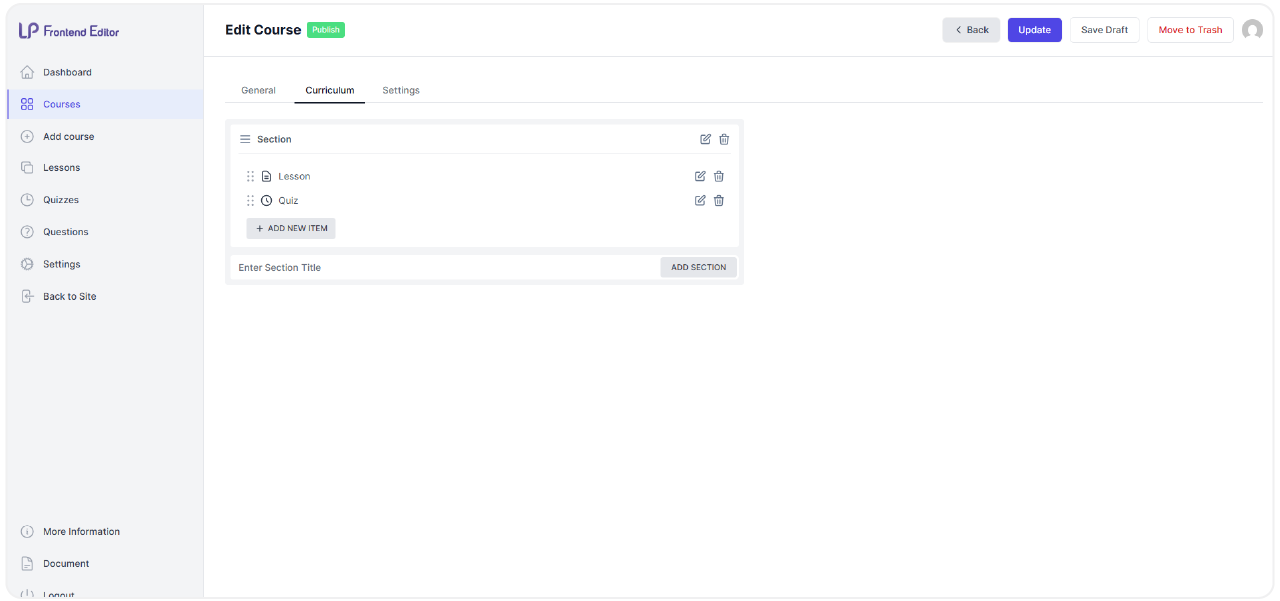
  • Set course duration and access rules, including whether the course blocks automatically once a student finishes.
  • Manage pricing, offline course options, and downloadable materials, all from the same settings panel.
  • Set difficulty level and max students to control exactly who can enroll and how the course is positioned.

All Your Questions
Answered

You have questions.
We have answers.

What is the Frontend Editor Add-on for LearnPress?

The Frontend Editor add-on for LearnPress is a powerful extension for the LearnPress LMS WordPress plugin. It allows course creators and administrators to build and edit their course content directly from the website’s frontend, providing a more intuitive and visual workflow.

Do I need to have LearnPress installed to use this add-on?

Yes, the Frontend Editor Add-on for LearnPress is an extension of LearnPress. You must have the LearnPress plugin installed and activated on your WordPress website for this add-on to function.

Is this add-on compatible with my WordPress theme?

This add-on is designed to be compatible with popular themes like Eduma and Course Builder, as well as other standard WordPress themes that follow best coding practices.

Can I create quizzes and questions from the frontend?

Absolutely. The add-on supports the creation and editing of not just courses and lessons, but also quizzes and the individual questions within them, all from the frontend interface.

How does this add-on help with user management?

It helps manage instructor roles more efficiently. By enabling instructors to manage their courses from the frontend, you can limit their access to the WordPress backend, which reduces the load on the administrative system and enhances security.

What are the main benefits of using the Frontend Editor?

The primary benefits include an improved user experience for non-technical instructors, a more efficient course development and editing process, and a reduced need for backend access, which simplifies site administration.

Does the add-on support drag-and-drop functionality?

Yes, it features a drag-and-drop curriculum manager, allowing you to easily reorder lessons and quizzes within your courses directly on the frontend.

Go to our Forum and explore more than 2000 support topics
Feel free to contact us for support anytime

Reviews

Total Reviews
7
Average Rating
5 out of 5
5
7
4
0
3
0
2
0
1
0
  1. Dominic

    The LearnPress Frontend Editor has changed the way I manage my online courses. I love the live editing feature, it helps me edit my content without having to go to the admin panel.

  2. Cathrin

    The auto-save and draft tools are a big advantage. I don’t have to worry about losing data.

We're Here to Assist!
Click to Chat on Messenger.
×